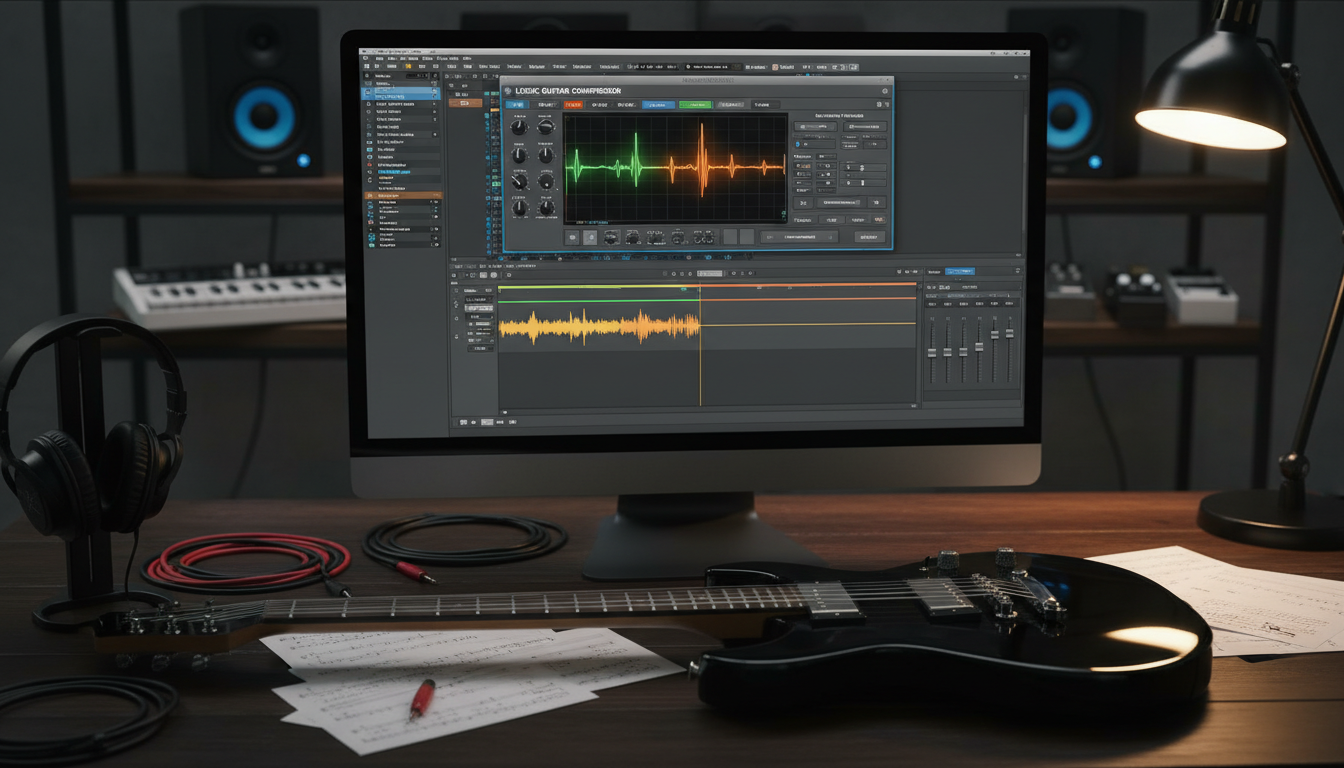

Do you ever record a killer riff only to find it sounds cluttered or undefined once you play it back? Many home producers struggle with sonic buildup that obscures the brilliance of their instruments. Learning how to fix muddy guitar tone in logic pro is essential for achieving that polished, professional sound you hear on your favorite records.
Excessive low-mid frequencies often create a sense of “mud” that hides the character of your performance. By utilizing the powerful built-in tools within your digital audio workstation, you can systematically clean up your tracks. This comprehensive approach ensures your arrangements breathe and sit perfectly within the mix.
Following this how to fix muddy guitar tone in logic pro (step-by-step guide), you will master the art of EQ, gain staging, and arrangement. Let’s transform those dull, thick recordings into vibrant, punchy tracks that cut through the noise.
Key Takeaways
- Identify the specific frequency ranges causing sonic clutter.
- Use high-pass filters to remove unnecessary low-end rumble.
- Apply subtractive equalization to carve out space for other instruments.
- Optimize gain staging to prevent digital clipping and distortion.
- Improve arrangement techniques to avoid frequency masking.
Understanding the Causes of Muddy Guitar Tone
If your recordings lack definition, the problem often begins long before you open your DAW. Achieving a professional sound requires a deep dive into the physics of your signal. Before you attempt a logic pro muddy guitar tone fix, you must identify the source of the clutter.
Identifying Frequency Buildup in the Low-Mids
The most common culprit for a lack of clarity is an accumulation of energy between 200Hz and 500Hz. This frequency range often becomes crowded in dense arrangements, leading to a thick and boxy sound. When too many instruments compete for space in this area, your guitar loses its punch.
Recognizing this buildup is the first step toward a cleaner mix. By isolating these frequencies, you can determine if the mud is inherent to the guitar or a result of instrument masking. Addressing this early makes your logic pro muddy guitar tone fix much more effective.
The Role of Room Acoustics and Recording Environment
Your recording environment plays a massive role in the final quality of your audio. If you record in an untreated room, sound waves bounce off walls and create unwanted reflections. These reflections often color the tone, adding a muddy quality that is difficult to remove later.
Microphone placement is equally critical when capturing your performance. Placing a mic too close to a corner or a reflective surface can emphasize low-end resonance. Careful positioning helps you capture a dry, usable signal that requires less corrective processing.
Common Mistakes During the Tracking Phase
Many producers accidentally bake mud into their raw audio files during the tracking phase. Using too much gain or improper cabinet mic placement can create a signal that is inherently dark and undefined. Once these characteristics are recorded, they become part of the track’s DNA.
To avoid these issues, always monitor your signal with a critical ear before hitting record. A successful logic pro muddy guitar tone fix starts with a clean, well-balanced performance. Taking the time to get it right at the source saves you hours of frustration during the mixing stage.
Preparing Your Logic Pro Session for Mixing
A professional mix begins long before you touch a single plugin. If you are following this logic pro guitar tone tutorial, you know that a cluttered session often leads to a cluttered sound. Establishing a clean workspace is the first step toward achieving professional results.
Organizing Tracks and Color Coding
Visual hierarchy is essential when you are working with multiple guitar layers. By assigning specific colors to your rhythm, lead, and acoustic tracks, you can instantly identify your signal flow at a glance.
Consider using a consistent color scheme for every project to speed up your workflow. Here are a few tips to keep your session tidy:
- Group related tracks into folders to collapse them when not in use.
- Use consistent naming conventions like “GTR_Rhythm_Left” or “GTR_Lead_Solo.”
- Assign unique colors to different instrument types to avoid visual fatigue.
Setting Proper Gain Staging Levels
Gain staging is the backbone of a healthy digital signal path. If your input levels are too hot, you risk digital clipping and unwanted distortion before your plugins even engage.
“Always aim for a conservative peak level around -6dB to -10dB during the tracking phase. This provides enough headroom for your processing tools to work transparently without hitting the ceiling of your digital converters.”
Proper gain staging ensures that your logic pro guitar tone tutorial techniques, such as compression and EQ, perform exactly as intended. When you maintain healthy levels, your plugins will sound more natural and responsive. This simple habit prevents harsh artifacts and keeps your mix sounding open and clear.
How to Fix Muddy Guitar Tone in Logic Pro (Step-by-Step Guide)
If your recordings sound cluttered, learning how to fix muddy guitar tone in Logic Pro is your next big step toward a professional mix. Achieving clarity requires a surgical approach to your signal chain. By following this step-by-step guide, you can remove the sonic “fog” that often hides the true character of your instrument.
Applying High-Pass Filtering to Remove Sub-Frequency Clutter
The first step in cleaning up your signal is removing unnecessary low-end energy. Guitars often contain sub-frequencies that compete with the kick drum and bass guitar for space. Using a high-pass filter allows you to cut these frequencies without losing the body of your tone.
Start by setting your filter slope to 12dB or 24dB per octave. Slowly sweep the frequency upward until you hear the guitar lose its weight, then back it off slightly. This simple move instantly creates more headroom in your mix.
Using the Channel EQ to Carve Out Muddy Frequencies
Once the sub-frequencies are gone, you must address the “mud” located in the low-mids. This area, typically between 200Hz and 400Hz, often becomes congested when multiple instruments play together. Use the Logic Pro Channel EQ to perform subtractive equalization by creating a narrow notch filter.
Boost a band by a few decibels and sweep through the 200Hz to 500Hz range to find the most offensive, boxy-sounding frequencies. Once you identify the culprit, pull the gain down to remove the clutter. This technique is essential for achieving a clean, professional sound.
Dynamic EQ Techniques for Controlling Resonant Peaks
Sometimes, a static EQ cut is not enough because certain notes trigger harsh resonances only during specific moments. This is where logic pro guitar tone eq strategies involving dynamic processing become invaluable. A dynamic EQ acts like a compressor that only reacts to specific frequency bands.
Set your dynamic band to target the resonant peak you identified earlier. Adjust the threshold so the EQ only dips when the guitar hits those loud, muddy notes. This keeps your tone consistent and prevents the guitar from sounding thin during quieter passages.
| Frequency Range | Action | Result |
|---|---|---|
| Below 100Hz | High-Pass Filter | Removes rumble |
| 200Hz – 400Hz | Subtractive EQ | Reduces boxiness |
| 2kHz – 4kHz | Gentle Boost | Adds presence |
| Above 8kHz | Low-Pass Filter | Tames harshness |
Optimizing Amp Designer and Pedalboard Settings
Achieving a professional sound often begins with the virtual gear you choose within your software. Following this logic pro guitar tone tutorial will help you realize that the best way to fix a muddy tone is to adjust the source sound directly within the Amp Designer and Pedalboard plugins.
Adjusting Cabinet Mic Placement for Clarity
The virtual microphone position is one of the most powerful tools at your disposal. Moving the microphone closer to the dust cap typically increases high-frequency brightness and definition.
If your tone feels too dark, try moving the mic off-axis. This simple change can drastically alter the frequency response and help your guitar cut through a dense mix.
Tweaking Amp EQ Knobs Before Processing
Many users make the mistake of adding heavy EQ plugins before setting their amp’s tone stack correctly. You should always aim to get the sound right at the source first.
Start by pulling back the bass and low-mid knobs on your virtual amp. Proper gain staging and EQ balance at the amp level will save you from needing aggressive corrective processing later.
Selecting the Right Distortion and Overdrive Pedals
Not all pedals are created equal when it comes to frequency response. Some distortion and overdrive units naturally emphasize low-mid frequencies, which often contribute to unwanted mud.
When following a logic pro guitar tone tutorial, pay close attention to how your chosen pedal interacts with the amp. If a pedal sounds too thick, try swapping it for a model that offers a tighter, more focused mid-range response.
Advanced EQ Strategies for Guitar Clarity
Refining your guitar tone often involves looking at the stereo field and frequency relationships in new ways. Once you have mastered basic cuts, you can start using sophisticated tools to carve out a professional space for your instruments. These logic pro guitar tone tips will help you transform a cluttered mix into a clear, balanced production.
Using Mid-Side EQ to Widen the Stereo Image
Mid-Side processing is a powerful way to manage your stereo field without sacrificing mono compatibility. By applying EQ to the “Side” signal, you can boost high-end air on your rhythm guitars to make them sound wider and more immersive. Meanwhile, keeping the “Mid” channel clean ensures that the core of your mix remains focused and punchy.
This technique is particularly useful for rhythm guitars that feel too narrow. By gently cutting low-mids in the side channel, you remove unwanted mud while maintaining the solid foundation of the center. It is a subtle move that yields a massive improvement in perceived width.
Subtracting Versus Boosting Frequencies
Many beginners make the mistake of boosting frequencies to add excitement, but this often introduces phase issues and harshness. A more effective approach is to use subtractive EQ to clear away the mud. When you remove the frequencies that cause clutter, the natural, pleasing tones of your guitar will shine through automatically.
Think of your EQ as a sculptor’s tool rather than a volume knob. By carving out the frequencies that compete with other elements, you create natural clarity without needing to add artificial gain. This philosophy is essential when you are working with a complex logic pro guitar tone eq setup.
The Importance of Frequency Masking Between Instruments
Frequency masking occurs when two instruments occupy the same sonic space, causing them to fight for attention. If your guitars are clashing with the snare or the vocals, the entire mix will sound muddy and undefined. You must identify which instrument needs to “own” a specific frequency range and carve space accordingly.
For example, if your guitar is masking the vocal, try a subtle dip in the 2kHz to 4kHz range on the guitar track. This simple adjustment allows the vocal to cut through while keeping the guitar thick and present. Always listen to the full mix to ensure your changes serve the song as a whole.
Managing Low-End Relationships with Bass Guitar
Mastering the low-end is a critical skill for anyone looking to improve their logic pro guitar tone mixing results. When your bass and rhythm guitars occupy the same frequency space, your mix often loses its punch and definition. By managing this relationship, you ensure that both instruments remain distinct and powerful.

Sidechain Compression Techniques for Guitar and Bass
One of the most effective ways to clear up mud is by using sidechain compression. You can set up a compressor on your rhythm guitar track that is triggered by the bass guitar signal. This causes the guitar to duck slightly in volume every time the bass hits a note.
This technique creates a dynamic pocket for the bass to sit in without fighting the guitars. It keeps the low-end tight and prevents the frequency buildup that often plagues home recordings. You will find that even a subtle reduction makes a massive difference in the overall clarity of your track.
Complementary EQ Strategies for Bass and Rhythm Guitars
Beyond compression, you should use complementary EQ to carve out specific frequencies for each instrument. If your bass guitar has a strong fundamental frequency around 100Hz, try cutting that same frequency slightly on your rhythm guitars. Conversely, if your guitars have a nice “bite” in the 300Hz to 500Hz range, you can gently dip the bass in that area.
This collaborative approach ensures that your low-end remains punchy and free of unnecessary frequency overlap. By applying these methods to your logic pro guitar tone mixing workflow, you will achieve a professional, radio-ready sound that translates well across all playback systems.
Utilizing Logic Pro Stock Plugins for Tone Enhancement
Logic Pro includes a hidden treasure trove of tools perfect for refining your guitar tracks. You do not need expensive third-party software to achieve a professional sound in your home studio. By mastering the native logic pro guitar tone plugins, you can transform a dull recording into a vibrant, mix-ready performance.
Using the Vintage Tube EQ for Harmonic Saturation
The Vintage Tube EQ is an excellent choice for adding warmth and character to your signal. It introduces subtle harmonic saturation that helps your guitar cut through a dense mix naturally. This approach is far superior to simply pushing the fader, as it maintains the integrity of your original performance.
Using this plugin allows you to shape the tone without making the track sound thin or brittle. It provides a musical, analog-style response that breathes life into digital recordings. You will find that your guitars sit much better alongside other instruments when you apply this gentle saturation.
Applying Multiband Compression to Tame Harshness
Sometimes, specific frequencies in a guitar track can become piercing or overly resonant. Instead of using a standard EQ that affects the entire signal, you can use multiband compression for precise logic pro guitar tone enhancement. This tool lets you target only the problematic frequency bands while leaving the rest of the tone untouched.
By setting the threshold carefully, you can squash only the harsh peaks that occur during aggressive playing. This keeps your tone consistent and smooth throughout the entire song. Consistency is the key to a professional-sounding mix, and these stock tools provide everything you need to achieve it.
The Role of Reverb and Delay in Guitar Mud
Achieving a professional logic pro guitar tone mixing result requires careful management of spatial effects. While reverb and delay add necessary depth to a performance, they can easily turn a crisp guitar track into a muddy mess if left unchecked. Controlling the tail of these effects is essential to maintain a sense of space without cluttering your mix.
Cleaning Up Time-Based Effects with EQ
One of the most effective ways to prevent mud is to apply EQ directly to your reverb and delay returns. Often, these effects carry too much low-end energy, which competes with your bass and kick drum. By using a high-pass filter on your effect bus, you can remove unnecessary frequencies that cause the mix to sound indistinct.
You should aim to carve out the low-mids from your reverb signal to keep the original performance articulate. This simple step ensures that the space created by the effect does not mask the clarity of your guitar. When you clean up these returns, you allow the dry signal to shine through with much more definition.
Managing Wet and Dry Ratios for Better Definition
Finding the right balance between your wet and dry signals is a critical part of logic pro guitar tone mixing. If the wet signal is too high, the guitar will sound distant and lose its punchy attack. Conversely, a dry signal that is too prominent can feel flat and uninspiring.
Start by setting your mix to a lower wet percentage and gradually increase it until you feel the desired depth. It is often helpful to use a bus send rather than an insert effect, as this gives you more control over the final blend. Use the following table to guide your settings for different guitar styles:
| Guitar Style | Reverb Type | Wet/Dry Ratio | EQ Strategy |
|---|---|---|---|
| Clean Rhythm | Plate | 15% – 20% | High-pass at 400Hz |
| Lead Solo | Hall | 25% – 35% | Cut at 200Hz |
| Ambient/Shoegaze | Shimmer | 40% – 50% | High-pass at 300Hz |
By keeping these ratios in check, you ensure that your logic pro guitar tone mixing remains tight and professional. Always listen to the track in the context of the full arrangement to verify that the effects are enhancing the music rather than burying it.
Phase Alignment and Multimic Techniques
Even the best logic pro guitar tone plugins cannot fix a recording that suffers from severe phase cancellation. When you use multiple microphones on a single cabinet, sound waves reach each capsule at slightly different times. This timing discrepancy often leads to frequency cancellation, which makes your guitar tracks sound thin, hollow, or surprisingly muddy.
Phase coherence is the secret to a powerful and punchy guitar sound. By ensuring that all your signals are perfectly aligned, you preserve the low-end energy and the crispness of your performance. This simple technical step ensures your tracks sit firmly in the mix without fighting for space.

Checking Phase Coherence Between Multiple Microphones
To check for phase issues, start by soloing your microphone tracks and flipping the polarity on one of them. If the sound suddenly becomes fuller and louder in the low-mids, your original signal was likely out of phase. This quick test reveals if your microphones are working together or against each other.
You should also zoom in on your waveforms to look for visual alignment. If the peaks and valleys of the waveforms do not line up, you are experiencing phase smearing. Correcting this ensures that your logic pro guitar tone plugins have a clean, coherent signal to process.
Aligning DI and Amp Signals for Maximum Impact
Blending a direct input (DI) signal with an amp recording is a common technique for adding clarity. However, the amp signal is often delayed by a few milliseconds due to the distance between the speaker and the microphone. You can use the Sample Delay plugin in Logic Pro to shift your DI signal until it perfectly matches the amp track.
Alternatively, you can manually drag the audio regions to align the transients. Precision is key here, as even a tiny shift can drastically change the tone. Once these signals are locked in time, your guitar will sound significantly more impactful and defined in the final mix.
Arrangement and Performance Tips for a Cleaner Mix
Achieving professional clarity often starts long before you open your DAW, right at the source of the performance. While software tools are powerful, relying solely on them can lead to over-processing. By making smart decisions during the arrangement phase, you can significantly reduce the amount of work required later on.
Layering Guitars Without Creating Frequency Clutter
When you record multiple guitar parts, it is easy to end up with a wall of sound that lacks definition. To maintain a clean mix, try using different chord voicings for each layer. If one guitar plays open chords, have the second guitar play inversions higher up the neck to avoid overlapping frequencies.
Another effective strategy involves using different instruments or pickup configurations for each part. A single-coil guitar layered with a humbucker-equipped instrument naturally creates a wider, more balanced spectrum. These logic pro guitar tone tips help you build a massive soundscape without the need for excessive EQ carving.
The Impact of Playing Technique on Tone Definition
Your physical interaction with the instrument is the foundation of your recorded sound. A heavy pick attack can introduce unwanted transients that clutter the low-mids, while precise palm muting helps keep the rhythm section tight and punchy. Focusing on your technique is a vital part of logic pro guitar tone enhancement.
Consider your string choice and how it affects the overall harmonic content of your performance. Fresh strings provide a bright, articulate sound, whereas older strings might sound dull and muddy. By refining your playing style, you ensure that your raw tracks are clean, defined, and ready for the final mix. These simple adjustments are essential for anyone looking to master logic pro guitar tone tips and achieve a professional, radio-ready sound.
Troubleshooting Common Guitar Tone Issues
Sometimes, the most frustrating obstacles in your mix stem from issues that occur before you even hit record. Even when you apply standard processing, you may find that your tracks still lack the definition you desire. Performing a thorough logic pro guitar tone troubleshooting session can help you identify these hidden culprits.
Dealing with Excessive String Noise and Pick Attack
Excessive string noise and harsh pick attack often mask the true character of your guitar. These unwanted transients can make a track feel cluttered and difficult to balance within a dense arrangement. To achieve a clean logic pro muddy guitar tone fix, you should focus on controlling the dynamics of the performance.
Consider using these tools to tame your signal:
- Noise Gates: Use the Logic Pro Noise Gate to silence the signal during pauses, effectively removing unwanted string squeaks.
- Transient Designers: Use the Envelope Shaper to reduce the “Attack” parameter, which softens the initial pick strike.
- Multiband Compression: Target the high-frequency range where pick noise lives to smooth out harshness without losing the body of the tone.
Fixing Impedance Mismatching Issues
A common technical oversight involves impedance mismatching, which occurs when a guitar is plugged directly into a line-level input. This often results in a dull, lifeless signal that lacks high-end sparkle. When the impedance is not matched correctly, the guitar pickups cannot transfer their full frequency range to your interface.
To resolve this, ensure you are using a dedicated Hi-Z (High Impedance) input on your audio interface. If your interface lacks a Hi-Z option, a high-quality external DI box is essential. This hardware adjustment ensures your signal remains bright and clear, providing a much better foundation for your processing chain.
Conclusion
Achieving a clear, professional guitar tone in Logic Pro relies on a blend of careful tracking, thoughtful arrangement, and surgical mixing. You now possess the tools to transform a muddy recording into an articulate, polished track that cuts through any arrangement.
Effective logic pro guitar tone troubleshooting requires a patient approach to your signal chain. By systematically addressing frequency buildup, phase alignment, and gain staging, you gain full control over your sonic landscape. Every mix presents unique challenges, so treat these techniques as a starting point for your own creative experiments.
Dedicate time to listening critically to your guitar parts within the context of the full song. Consistent practice and attention to detail will help you produce high-quality sounds in every future project. Share your progress with other producers or post your tracks to get feedback on your new, crisp guitar tones.
FAQ
What is the first step in a logic pro guitar tone tutorial to fix a muddy sound?
The most effective starting point is applying a High-Pass Filter using the Logic Pro Channel EQ. By rolling off frequencies below 80Hz to 100Hz, you instantly remove sub-frequency clutter that competes with your kick drum and bass guitar, providing an immediate boost in clarity.
Which frequencies should I target for a logic pro muddy guitar tone fix?
Most “mud” resides in the low-mid range, typically between 200Hz and 500Hz. Use a narrow Q-factor on your EQ to sweep through this range and identify where the boxy or muffled sound is most prominent, then apply a subtle subtractive cut to “clean” the signal.
Are there any specific logic pro guitar tone tips for using Amp Designer?
Absolutely! In Amp Designer, pay close attention to your virtual microphone placement. Moving the mic away from the center of the speaker cone (off-axis) or selecting a different cabinet—like a vintage British stack or a tweed combo—can significantly reduce low-end build-up before you even touch an EQ plugin.
How can I use logic pro guitar tone plugins to enhance clarity without losing warmth?
The Vintage Tube EQ is a fantastic tool for logic pro guitar tone enhancement. Instead of just cutting frequencies, this plugin adds harmonic saturation that helps your Gibson or Fender guitars cut through a dense mix by adding “sparkle” and presence in the upper-midrange.
What should I do for logic pro guitar tone troubleshooting if my tracks sound thin or hollow?
This is often caused by phase cancellation. If you are blending a DI signal with a mic’d Marshall amp, ensure the waveforms are aligned. You can use the Logic Pro Sample Delay plugin to move one signal by a few samples until the low-end returns and the tone sounds full and punchy.
Can you provide a logic pro guitar tone mixing tip for heavy rhythm guitars?
For heavy tracks, try using Multiband Compression. This allows you to compress the low-mid “chug” frequencies (around 250Hz) only when they become overwhelming during palm-muted sections, keeping your tone consistent without making the entire track sound thin.
How do I fix muddy guitar tone in logic pro (step-by-step guide) regarding reverb?
To keep your effects from washing out the mix, always place an EQ after your reverb plugin on the bus channel. Use a High-Pass Filter and a Low-Pass Filter (often called the “Abbey Road” trick) to ensure the reverb only occupies the midrange, leaving the lows and highs clear for the dry guitar signal.
Why is gain staging important for logic pro guitar tone enhancement?
Gain staging ensures your signal enters your plugins at an optimal level (usually peaking around -12dB to -18dB). If your signal is too hot, it can cause digital clipping or force your amp simulators into unpleasant distortion, which contributes significantly to a muddy, undefined sound.
How does the recording environment affect a logic pro muddy guitar tone fix?
If your room has poor acoustics, low-end frequencies can bounce off walls and create standing waves that get captured by your microphone. To fix this at the source, use acoustic treatment or portable isolation shields around your amp to ensure you are recording the “pure” tone of your guitar rather than the “mud” of the room.