
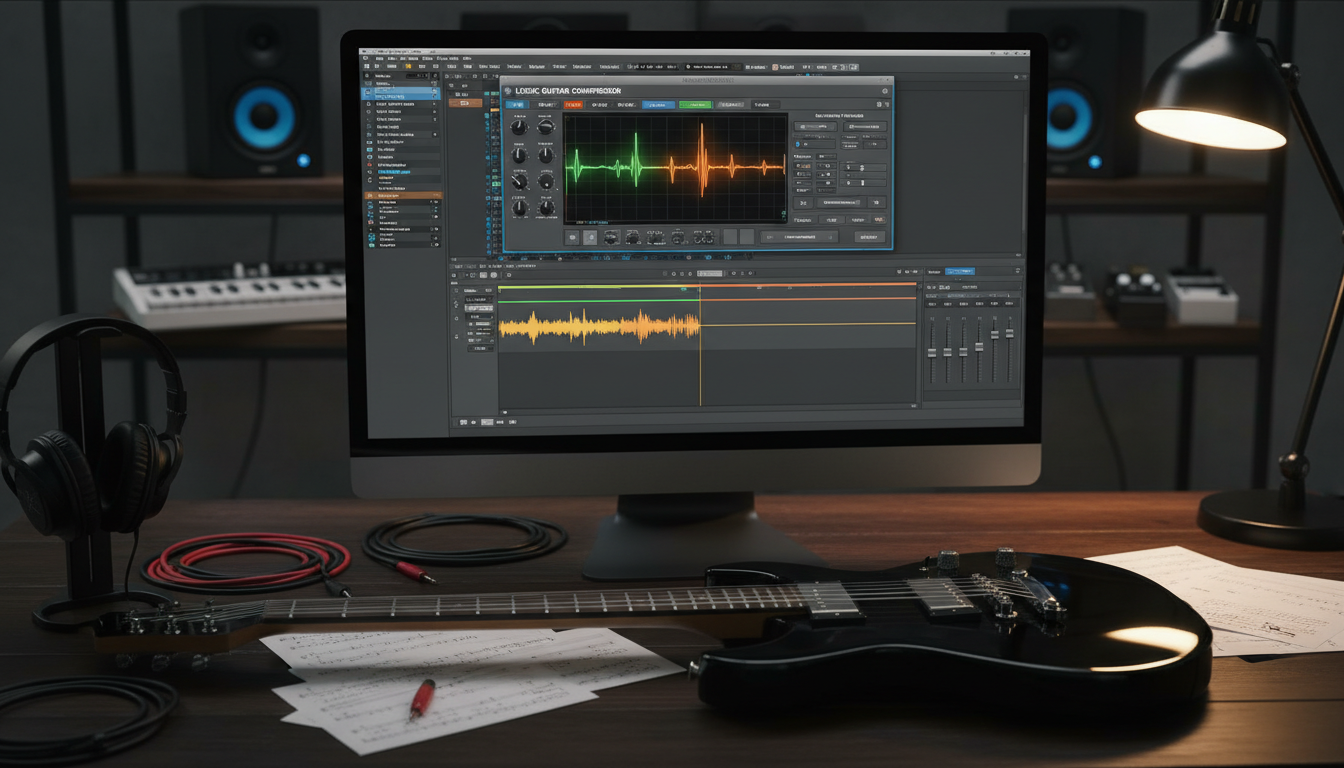
To get a professional sound, you need to balance control with your instrument’s natural sound. Many producers face challenges when they learn how to compress guitar in logic pro (without killing your tone).
The aim is to even out volume spikes while keeping the sound vibrant and alive. Too much processing can take away the special touches that make a recording stand out. Mastering this balance makes sure your tracks fit well in the mix.
Learning How to Compress Guitar in Logic Pro (Without Killing Your Tone) means making gentle tweaks. Light ratios and careful threshold settings help keep the original sound intact. This way, your music stays true and polished.
Key Takeaways
- Dynamic control is key for professional-sounding recordings.
- Avoid heavy processing to keep natural performance nuances.
- Use subtle ratio adjustments for a clear, musical sound.
- Focus on the threshold to target only the loudest peaks.
- Consistent volume helps your tracks blend well in a dense mix.
Understanding the Role of Dynamics in Guitar Recording
To learn how to compress guitar in Logic Pro, you need to grasp the importance of dynamics. A raw guitar performance can have unpredictable volume spikes. These spikes can overwhelm your mix. By managing these peaks, your instrument can blend well with drums and vocals.
Why Guitars Need Compression
Guitars are expressive, but this can lead to inconsistent levels. During tracking, some notes or strumming patterns may be too loud. Effective compression helps keep the performance steady and clear.
When you use guitar dynamics processing in Logic Pro, you’re reducing the loudest parts of the signal. This makes the sound more even, easier to balance in a mix. Without this, your guitar might get lost in quiet parts or sound harsh in loud ones.
The Difference Between Clean and Overdriven Dynamics
Not all guitar tones need the same approach. Clean electric guitars have a wide dynamic range. They often benefit from a bit of compression to sustain and cut through the mix.
On the other hand, overdriven or distorted amps already compress the signal. This means you might need less external processing. Learning how to compress guitar in Logic Pro means listening to these natural characteristics before using plugins.
Understanding these differences is key to professional guitar dynamics processing in Logic Pro. Knowing whether your track needs subtle leveling or aggressive peak control helps preserve the performance’s essence.
How to Compress Guitar in Logic Pro (Without Killing Your Tone)
To get a professional guitar sound in Logic Pro, start early. Many producers rush to compress without listening to their guitar first. Learning how to compress guitar in Logic Pro (Without Killing Your Tone) means focusing on signal quality.

Setting Realistic Expectations for Your Signal Chain
Your signal chain is key to your tone. Adding compression too soon can harm it. If your recording is unclear or poorly set up, compression will make it worse. Always prioritize the quality of your raw capture over fixing it later.
“The best compression is the kind you don’t hear, but feel in the consistency of the performance.”
Before processing, make sure your levels are good and your tone is set. If your performance is already dynamic, heavy compression might lose the natural character of your guitar. Keep your expectations based on your recording environment.
Identifying When Your Guitar Track Actually Needs Compression
Not every track needs heavy processing. Only use a compressor when you need to control loud peaks or add glue to your performance. If your guitar sounds great without extra processing, trust your ears and leave it as is.
Use the following table to decide if your track needs compression:
| Scenario | Action | Reasoning |
|---|---|---|
| Consistent performance | Bypass | Preserves natural dynamics |
| Unruly, loud peaks | Compress | Smooths out volume spikes |
| Weak, thin tone | Avoid | Compression may reduce sustain |
| Aggressive rhythm parts | Compress | Adds punch and tightness |
By carefully evaluating your needs, you master how to compress guitar in Logic Pro (Without Killing Your Tone). The goal is to enhance the music, not just to use plugins.
Choosing the Right Compressor Plugin in Logic Pro
Choosing the right compressor in Logic Pro is key. Each model has its own way of handling your signal. Logic Pro has many high-quality plugins, including those for logic pro guitar compression tutorial. Knowing how these tools sound can help you keep your music clear and lively.
The Logic Pro Vintage FET Compressor
The Vintage FET compressor is based on famous hardware. It’s great for quick attack times, perfect for rock guitar. It adds a distinctive, punchy character that makes your guitar stand out in a mix.
The Logic Pro Vintage VCA Compressor
The Vintage VCA is for those who want a clean sound. It keeps your instrument’s natural sound while controlling levels. It’s a favorite for its reliable performance on electric and acoustic guitars.
The Logic Pro Vintage Opto Compressor
The Vintage Opto compressor is known for its smooth sound. It’s perfect for gentle leveling, making your music sound natural. Using these logic pro guitar effects can make your production sound better and your guitar tracks fit well in the mix.
Mastering the Threshold and Ratio Settings
When compressing guitar tone in logic pro, precision is crucial. These two settings control how much of your playing is smoothed out. Understanding their relationship helps avoid over-processing your audio.

Finding the Sweet Spot for Threshold
The threshold is where the compressor starts working. If it’s too low, your guitar will sound flat. The goal is to catch only the loudest peaks while keeping quieter parts intact.
Start by watching the gain reduction meter during your loudest chords or riffs. Lower the threshold until the meter just flickers during intense moments. This ensures you’re using the best guitar compression settings in logic proeffectively.
Selecting Ratios for Natural vs. Aggressive Compression
After setting your threshold, the ratio controls how much the signal is reduced. A lower ratio, like 2:1 or 3:1, offers a gentle, transparent leveling effect. This is great for acoustic guitars or clean electric parts where you want to preserve the tone.
For a punchier or more aggressive sound, try a higher ratio like 6:1 or 8:1. These are perfect for rock or metal tracks. Experimenting with these values helps find the best guitar compression settings in logic pro for your genre.
The Importance of Attack and Release Times
When you start compressing guitar tone in Logic Pro, the attack and release settings are key. They control how fast the compressor reacts and how long it holds the reduction. Getting these right keeps your guitar’s natural energy while controlling dynamics.
Preserving the Pick Attack with Slower Attack Times
The attack time is how long the compressor waits before acting. If it’s too fast, it can squash the initial string pluck. This makes the sound dull and lifeless, losing percussive impact.
Using slower attack times lets the initial string pluck through untouched. This is crucial for compressing guitar tone in Logic Pro. It keeps the sound punchy and alive, controlling levels without losing the instrument’s character.
Timing the Release to the Tempo of the Song
The release time controls how fast the compressor stops after the signal drops. If it’s too fast, it can sound unnatural. If it’s too slow, the guitar can sound buried in busy parts.
To sound professional, match the release to the song’s tempo. This makes the compression feel musical, not technical. It helps your guitar track blend well with the arrangement.
| Guitar Style | Attack Setting | Release Setting |
|---|---|---|
| Clean Funk | Medium-Slow | Fast |
| Heavy Distortion | Slow | Medium |
| Acoustic Strumming | Medium | Slow |
| Lead Solos | Fast | Medium-Fast |
Utilizing Parallel Compression for Tone Preservation
Parallel compression is a secret tool for keeping your guitar tone alive. It adds polish without losing the natural sound. It’s a top logic pro guitar mixing tip for a balanced sound.
Setting Up a Parallel Bus in Logic Pro
First, make a new Aux channel in your mixer. Send your guitar track to this bus. Then, on the new Aux track, add your favorite compressor plugin.
Make the compressor work hard on this bus. This way, the original track stays dynamic. It’s a great start for a thicker guitar tone.
Blending Dry and Compressed Signals for Maximum Impact
Slowly raise the fader of your compressed Aux track while listening to the dry signal. Aim for a mix where the guitar has more sustain and body. You can also try logic pro guitar effects on the compressed bus to shape the sound.
The goal is to balance the compressed signal with the dry track. This keeps the sound punchy and controlled. It also preserves the initial pick attack.
| Compression Style | Primary Benefit | Best For |
|---|---|---|
| FET Style | Fast, aggressive punch | Rock and Metal rhythm |
| Opto Style | Smooth, musical leveling | Clean electric and acoustic |
| VCA Style | Precise, transparent control | General purpose mixing |
These logic pro guitar mixing tips will help you get professional results. Always listen to your mix to make sure it sounds natural and powerful.
Advanced Guitar Compression Techniques
To improve your guitar dynamics processing in Logic Pro, you need more than just basic gain reduction. When your mix gets too busy, simple tools won’t cut it. Advanced techniques help your guitar tracks stand out while fitting right into the mix.
Sidechaining Compression to the Kick Drum
Sidechaining your guitar to the kick drum is a top guitar compression technique. It makes your guitar sound less when the kick drum hits. This keeps your rhythm section clear and strong.
In Logic Pro, setting up sidechaining is easy. Just connect your kick drum to the sidechain input. Adjust the threshold so you see the guitar drop with each beat. This keeps your mix clear and avoids a muddy sound, common in dense rock or metal.
Using Multi-Band Compression for Tonal Balance
Even if your guitar sounds great overall, it might have harsh frequencies. Instead of EQ, multi-band compressiontargets these issues. It keeps the guitar’s natural warmth while controlling harsh peaks.
Use it on the high-mid range to reduce pick noise or harsh distortion. This way, you keep your song’s tone consistent. Below is a table comparing these advanced methods to standard compression.
| Technique | Primary Goal | Best Use Case |
|---|---|---|
| Standard Compression | Control overall volume | General leveling |
| Sidechaining | Create frequency space | Kick and guitar conflict |
| Multi-Band | Tame specific harshness | High-gain or bright tones |
Common Mistakes That Ruin Guitar Tone
Getting a professional sound is more than just using plugins. It’s about knowing the mistakes that can mess up your guitar tone. Even with top-notch software, bad choices during recording or mixing can make your sound flat and lifeless. By improving your guitar compression techniques, you can dodge these common mistakes and keep your music lively.
Over-Compressing and Losing Transient Detail
One big mistake is using too much compression. This can make your instrument sound dull and lifeless. When you compress too much, the initial pick attack gets lost, leaving your guitar sounding dull. Dynamic range is key for a natural sound, so don’t overdo it with the compressor.
“Compression should be felt, not heard; if your guitar loses its character, you have gone too far.”
To keep your sound clear, listen for the snap of the strings. If the transients sound soft or mushy, reduce the ratio or increase the attack time. These logic pro guitar mixing tips will help you keep the punchy, percussive feel of your playing.
Ignoring the Gain Staging Process
Many producers forget how crucial gain staging is. It can cause unwanted digital distortion or a noisy signal floor. If your input levels are too high before your compressor, it will struggle to respond musically. Always keep your levels healthy and consistent through your signal chain.
Good gain staging lets your plugins work their best, giving you a cleaner, more professional sound. By watching your levels closely, you make sure your guitar compression techniques work well without being too obvious. Remember, consistent gain staging is a top logic pro guitar mixing tip for any serious home studio engineer.
Applying Compression to Different Guitar Styles
Every guitar style needs a special way to process the sound. Learning how to compress guitar in logic pro shows that a single method doesn’t work for all. Adjusting your settings for each instrument keeps your mix balanced and professional.
Processing Clean Electric Guitars
Clean electric guitars have a wide range of dynamics that can get lost in a busy mix. You want to aim for transparencyto keep the natural sound of the guitar. Use a gentle ratio, about 3:1, to even out volume spikes without losing the performance’s life.
“Dynamics are the heartbeat of a musical performance; compression should serve to highlight that pulse, not silence it.”
Handling High-Gain Distortion Tracks
High-gain tracks are different because they’re already compressed by the amp’s circuitry. You don’t need to add much gain reduction here. Instead, use the best guitar compression settings in logic pro to add glue and consistency to the performance.
A light touch with a fast attack can tighten up low-end palm mutes. Keep your ratio low, around 2:1, to avoid making your distortion sound thin and lifeless. The goal is to keep the track firmly in the mix.
Managing Acoustic Guitar Dynamics
Acoustic guitars are a challenge because of their complex transients and finger noise. You need to control the initial pick attack while letting the body resonate naturally. Use a slower attack time to let those initial transients pass through, keeping the sound organic and expressive.
Mastering how to compress guitar in logic pro for acoustic instruments gives you control over sustain. Always watch your output levels to avoid unwanted noise or harsh artifacts. Finding the best guitar compression settings in logic pro for your acoustic tracks will make your sound polished and ready for the radio.
Monitoring and A/B Testing Your Results
Every professional engineer knows the importance of monitoring when finishing guitar tracks. A logic pro guitar compression tutorial teaches you the technical side. But, your ears are the ultimate judge. You must check if your processing choices meet your creative goals.
Using the Bypass Button Effectively
The bypass button is key for objective analysis. It lets you compare the processed signal with the original dry track. This helps avoid over-processing your audio.
It’s like verifying your identity on a secure platform. If the compressed sound seems dull or lifeless compared to the dry track, adjust your settings. Always aim to enhance the sound, not hide it.
Matching Output Gain to Avoid False Perceptions
Our ears can be tricked by volume changes, making us think louder is better. When you compress, the output level might drop, making the track seem weaker. Adjust the makeup gain to match the bypassed and active signals’ loudness.
This ensures you’re judging the tonal quality of the compression, not just volume. A good logic pro guitar compression tutorial stresses this step for a consistent project. Use the table below to manage your monitoring workflow.
| Monitoring Step | Action Required | Goal |
|---|---|---|
| Bypass Toggle | Quickly switch on/off | Identify tonal changes |
| Gain Matching | Adjust output slider | Equalize perceived volume |
| Transient Check | Listen to pick attack | Preserve natural dynamics |
| Final Validation | Compare in full mix | Ensure track sits well |
Conclusion
Great guitar tracks are all about the subtle art of dynamics. Now, you know how to shape your sound with care.
Learning to compress your guitar in Logic Pro takes time and a keen ear. It’s more about the music than the meters.
Trust your instincts when tweaking settings. Every song needs a special touch of sustain and punch. With practice, mastering this skill will become easy.
Try out different plugins like Vintage FET or Opto to find your unique sound. Share your favorite settings to keep the creativity flowing. Your path to professional recordings begins with these skills.
FAQ
How to compress guitar in Logic Pro without killing your tone?
To compress guitar tone in Logic Pro without losing its essence, use a slow attack time. This lets the initial sound of the pick pass through before the compressor kicks in. It keeps the natural transients and energy of your playing.Also, try Parallel Compression. It blends the dry, punchy sound with a heavily compressed version. This way, you get the best of both worlds.
What are the best guitar compression settings in Logic Pro for clean electrics?
For clean guitars, aim for a transparent sound. Start with the Vintage Opto circuit. Set a ratio of 3:1 or 4:1 and adjust the threshold for 3-5dB of gain reduction.This smooth guitar dynamics processing in Logic Pro makes your performance sound consistent without being too squashed.
Where should I place the compressor in my Logic Pro guitar effects chain?
Place your compressor early in the signal chain. This is often right after your tuner or wah-wah pedal but before delay and reverb.Compressing early ensures a consistent level for your overdrive or modulation plugins. This makes those effects react more predictably.
Is there a specific Logic Pro guitar compression tutorial for high-gain tracks?
For high-gain distortion, the signal is already compressed by the saturation. Your guitar compression techniquesshould focus on “glue” rather than heavy leveling.Use a fast VCA compressor with a low ratio (like 1.5:1) to catch stray peaks. This helps the guitar sit firmly in the mix.
What are some essential Logic Pro guitar mixing tips for beginners?
One key Logic Pro guitar mixing tip is to practice gain staging. Make sure your “Makeup Gain” on the compressor matches the dry signal level.Use the Bypass button to A/B test your changes. If the compressed version isn’t better (and just louder), you need to tweak your settings. Verify your processing choices are true to your creative vision.
How do I use multi-band compression for tonal balance?
Use the Logic Pro Multipressor for an annoying “low-end buildup” on specific notes. This allows for advanced guitar dynamics processing in Logic Pro.It only compresses the problematic bass frequencies while leaving the crisp high-end untouched. This is a pro-level technique for cleaning up palm-muted metal riffs.
Why should I use the Vintage FET compressor model on guitars?
The Vintage FET (inspired by the classic UREI 1176) is great for adding character and aggression. It has a very fast response time.This makes it one of the most popular guitar compression techniques for funky, percussive parts. You want to add a bit of “spank” and grit to the sound.
Can I sidechain my guitar to the kick drum in Logic Pro?
Absolutely. Sidechaining the guitar to the kick drum is a great way to create space in a dense rock or pop mix. By selecting the Kick Drum as the sidechain input in your compressor, the guitar volume will “duck” slightly every time the kick hits.This ensures the low-end stays clear and punchy.