
...

Mastering the Music Production Cycle: Recording, Mixing, and Mastering

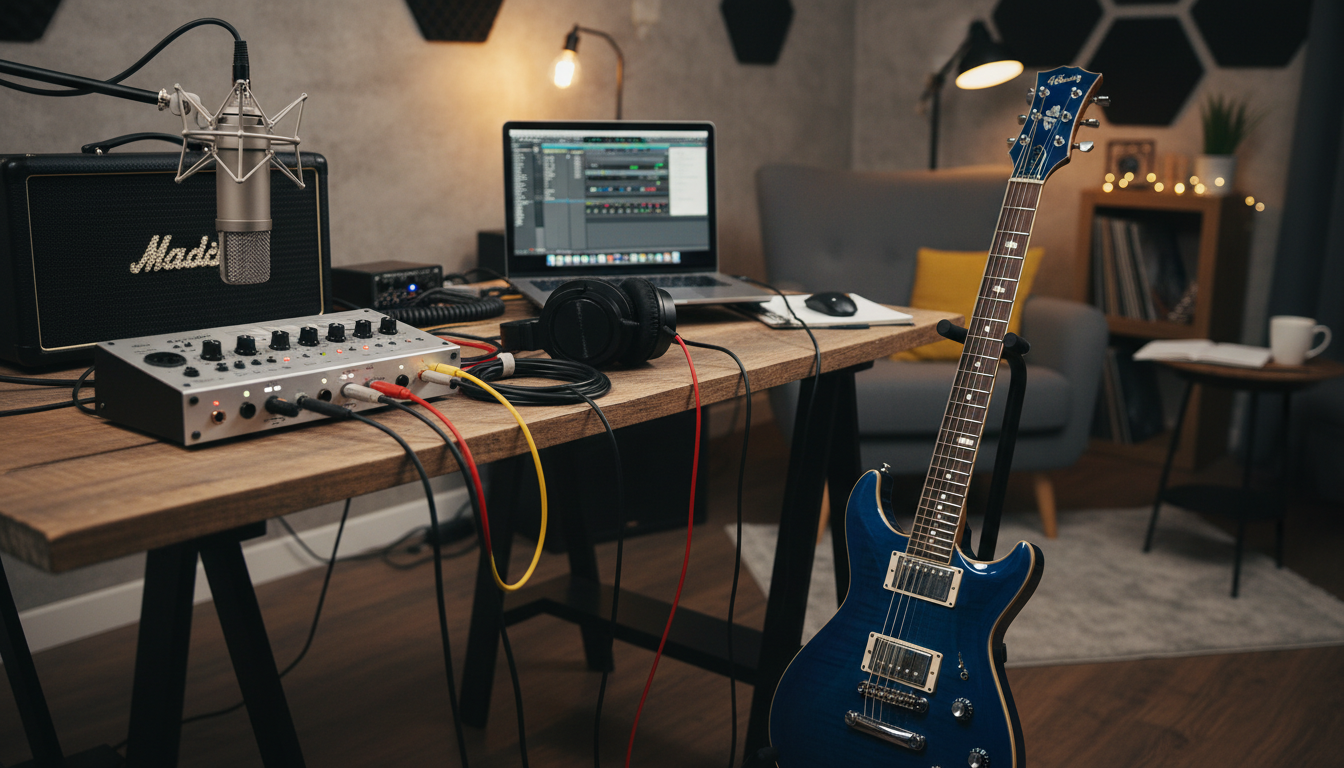
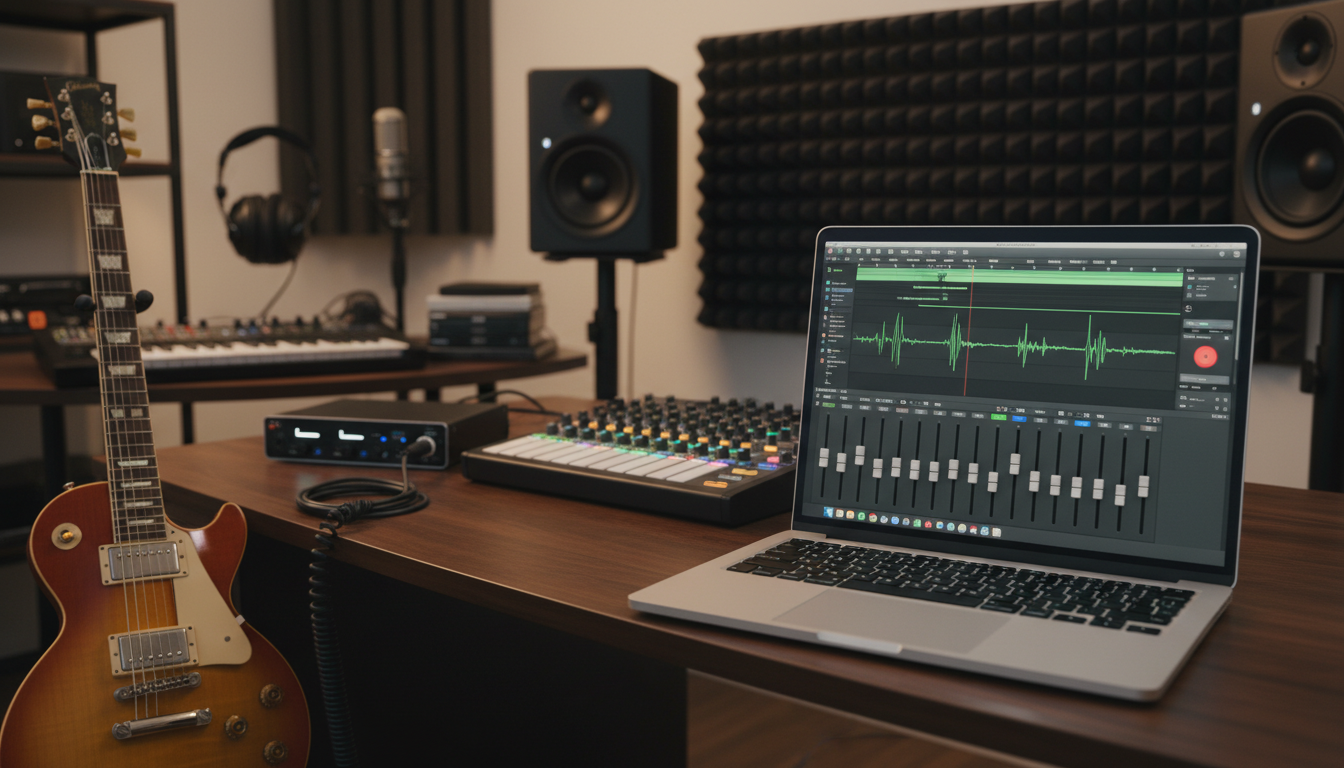
Music production cycle with a clear breakdown of recording, mixing, and mastering

Ever start a new track and feel lost about what to do next? You’re not alone. Many producers struggle without a clear plan, wasting time on decisions instead of making music.

The journey from idea to polished track has three key stages. BarCoe Studio says, “Recording is an art—it’s about capturing the artist’s vision and turning it into something real.” Then, mixing balances all elements to create a cohesive sound. Lastly, mastering adds the final touch, making your track radio-ready and sound great on any speaker.

This guide takes you through each phase of professional music production. You’ll get practical tips from industry experts. Whether you’re starting your first home studio or improving your current setup, you’ll learn proven methods to enhance your music-making. By understanding the whole cycle, you’ll create better tracks more efficiently.

Key Takeaways

  • The music production cycle has three stages: recordingmixingand mastering
  • Recording captures the artist’s vision and turns it into audio
  • Mixing balances elements to create a professional sound
  • Mastering makes tracks ready for radio and all playback systems
  • A clear workflow prevents feeling overwhelmed and saves time
  • Knowing each stage helps producers make better music faster

The Three Pillars of Music Production

Professional music production is built on three key stages: recording, mixing, and mastering. These stages are the foundation of every song you’ve ever enjoyed. Each stage has its own role and requires specific skills to do well.

Think of these stages as a journey that turns your ideas into music. Skipping or rushing through any stage can hurt the quality of your work. Knowing how they work together can greatly improve your music.

Recording: Capturing the Raw Material

Recording is where it all starts. This stage focuses on capturing sounds in a controlled setting with the highest quality. Your goal is to get clean, clear audio that gives you options later.

Proper microphone placement is crucial. The mic’s distance from the sound source affects the sound’s tone and presence. Room acoustics also matter—bad reflections and background noise can mess up great performances.

Recording isn’t just about tech. It’s about creating a space where artists can give their best. The better your starting material, the easier everything else will be.

Mixing: Creating the Sonic Landscape

Mixing turns individual recordings into a unified sound. This is where your audio engineering skills really shine. You’ll balance levels, adjust EQ, and add effects to make everything blend well.

Balancing and panning create space in your mix. Each instrument needs its own spot in the stereo field. EQ helps different sounds fit in their own frequency ranges without clashing.

Compression adds punch to your tracks. Reverb and other effects add depth. Mixing is where your vision comes to life through careful adjustments.

Mastering: The Final Polish

Mastering makes your mixed track ready for all playback systems. This final stage ensures your music sounds great on everything from studio monitors to earbuds. It’s the last check before your music hits the world.

Subtle EQ tweaks during mastering enhance clarity and balance. Compression and limiting make tracks loud enough for commercial standards. Mastering also ensures consistency across albums or EPs.

The mastering process needs a fresh ear and skilled training. It’s about making small tweaks to help your music stand out on streaming platforms.

How the Pillars Interconnect

These stages are not separate; they’re deeply connected. Decisions in recording affect mixing. A well-recorded track makes mixing easier.

Well-mixed tracks need less work in mastering. Understanding music production as a whole helps you make better choices at each stage. You’ll think ahead about how your choices impact later stages.

This connected approach is what sets professional music apart from amateur work. Each stage builds on the last, creating a solid foundation for the next.

Production StagePrimary FocusKey TechniquesCommon Tools
RecordingCapturing quality source audioMic placement, room treatment, performance coachingMicrophones, preamps, audio interfaces
MixingBalancing and blending elementsEQ, compression, panning, reverb, automationDAW, mixing plugins, monitoring systems
MasteringOptimization for distributionFinal EQ, limiting, loudness optimization, sequencingMastering plugins, reference tracks, analysis tools

Mastering these three pillars takes time and practice. But once you understand how they work together, you’ll tackle projects with confidence. The music production cycle becomes a reliable way to deliver top-notch results.

Setting Up Your Production Environment

Before you start recording, your workspace is key. It affects every choice you make. Your space should let you hear clearly, work well, and be creative without technical issues.

You don’t need a huge studio to make great music. Many hits were made in small spaces. What’s important is understanding the basics of a good production space.

Your space is like a lens for every sound in your music. A bad setup is like editing photos with tinted glasses. Your work might seem great to you, but others might see flaws.

Home Recording Studio Setup Essentials

Creating a good home studio doesn’t mean spending a lot or changing your house. Focus on the basics that help you record and mix well. Start simple and add more as you grow.

Many beginners spend too much on gear and ignore room acoustics and monitoring. This is wrong. You can’t fix what you can’t hear, and even the best mic won’t sound good in a bad room.

Acoustic treatment makes your room sound better and improves your recordings and mixing. Without it, sound bounces off walls, making your recordings unclear. This messes with your ears during mixing.

Find problem areas in your room. Clap sharply while standing in your spot. If you hear echoes or reflections, treat those spots. Start with bass traps in corners to control low frequencies.

Here are key acoustic treatment elements:

  • Bass traps: Place in corners to control low frequencies
  • Absorption panels: Use on first reflection points to reduce mid and high-frequency reflections
  • Diffusion: Use on the rear wall to scatter sound waves
  • Furniture placement: Bookshelves, curtains, and soft furniture help with acoustic control

Room size is also important. Square rooms are the worst because parallel walls reinforce the same frequencies. Choose a room with irregular dimensions. Place your monitors on the shorter wall, about 38% into the room length.

Don’t worry if you can’t afford professional panels right away. DIY solutions work well. The key is to fix the acoustic issues, not ignore them.

Essential Equipment and Monitoring

Your monitoring system is crucial. Accurate monitors let you hear your mix as it really is. This is where many home producers struggle, because their room and monitoring choices can lead them astray.

Studio monitors come in active (powered) and passive (requiring external amplification) types. For home studios, active monitors are best because they’re complete systems. Choose monitors based on your room size.

Here’s a guide to monitor selection:

Room SizeRecommended Woofer SizeListening DistanceBest For
Small (10×10 ft)5-inch woofers3-4 feetBedroom studios, nearfield mixing
Medium (12×15 ft)6-7 inch woofers4-5 feetDedicated home studios, balanced monitoring
Large (15×20 ft)8-inch woofers5-7 feetProfessional home studios, midfield mixing

Position your monitors at ear height, forming an equilateral triangle with your listening position. Angle them inward so the tweeters point directly at your ears. Keep them away from walls when possible, at least 6-12 inches, to reduce bass buildup from boundary reinforcement.

Quality headphones are also key. They help you check details and spot problems that might hide in your room’s acoustics. Open-back headphones offer a natural soundstage, while closed-back models provide better isolation for tracking. Many professionals use both studio monitors and headphones throughout their workflow to gain different perspectives on their work.

Beyond monitoring, your essential equipment list should include an audio interface with quality preamps, a reliable microphone for vocals and acoustic instruments, and proper cables. Don’t overlook the importance of a comfortable chair and proper desk ergonomics. You’ll spend hours in this space, so physical comfort directly impacts your creative productivity.

Choosing the Right Digital Audio Workstation

Your choice of digital audio workstations shapes your entire production workflow. The DAW is the software hub where recording, editing, mixing, and mastering all happen. While the fundamental capabilities are similar across platforms, each DAW has unique strengths that suit different production styles and creative approaches.

The best DAW for you isn’t necessarily the most popular or the most expensive. It’s the one that matches your workflowand feels intuitive when you’re in the creative zone. Fighting with your software interrupts creative flow and turns production into a frustrating technical exercise rather than an enjoyable creative process.

Here are the leading DAW options and what makes each one special:

  • Ableton Live: Excels at electronic music production and live performance with its unique session view and powerful MIDI capabilities
  • Logic Pro: Mac-only option offering exceptional value with included sounds, plugins, and intuitive MIDI sequencing perfect for songwriting
  • FL Studio: Popular for hip-hop and electronic genres, featuring a distinctive pattern-based workflow and lifetime free updates
  • Pro Tools: Industry standard for professional recording studios, specially strong for tracking and editing with superior audio engine quality
  • Studio One: Modern workflow with excellent drag-and-drop functionality and powerful mastering suite built in

Most DAWs offer free trial versions, so download a few and spend several days with each before deciding. Pay attention to how quickly you can execute common tasks. Can you easily record a track, apply effects, and arrange sections? Does the interface make sense to your brain, or do you constantly search for basic functions?

Consider your genre and production style when evaluating options. Electronic producers often gravitate toward Ableton or FL Studio for their MIDI workflow and built-in instruments. Singer-songwriters frequently choose Logic Pro or Studio One for their recording and arrangement features. Engineers working with live bands often prefer Pro Tools for its editing precision and industry compatibility.

Don’t worry about making the “wrong” choice. The skills you develop in one DAW largely transfer to others. Most professional producers eventually learn multiple platforms, but starting with one that fits your current needs helps you progress faster. Focus on learning your chosen DAW deeply rather than constantly switching between options.

Remember that your production environment grows with you. Start with the essentials—treated space, accurate monitoring, and a DAW you understand—then expand your setup as your skills develop and your production needs become clearer. The goal is removing barriers between your creative ideas and the finished music, not accumulating gear for its own sake.

The Recording Stage: Capturing Quality Audio

Capturing pristine audio during the recording phase is key. It sets the quality ceiling for your mix. Think of recording as building a house’s foundation. Everything else depends on how solid this base is.

The recording stage requires careful planning and execution. You’ll need to decide on recording order, equipment setup, and how to capture performances. Starting with a click track (metronome) keeps everything locked to the tempo, making editing and layering easier later.

For solo musicians, start with drums, then bass, and build up from there. Save vocals for last since they sit on top of the instrumental bed.

When recording as a band, you face a choice: capture everyone playing together live, or track each musician separately? Live recording preserves the energy and interaction between players. Separate tracking gives you more control and isolation between instruments.

A professional audio engineer in smart casual attire, focused on adjusting knobs and faders on a digital audio workstation in a modern recording studio. The foreground features a high-tech soundboard with colorful LED lights and various audio processing equipment. In the middle ground, a vintage microphone is positioned on a stand, capturing sound in the warm ambiance of the studio, while soft, diffused lighting highlights the engineer’s concentrated expression. The background reveals soundproofed walls adorned with acoustic panels and a collection of musical instruments, creating a creative atmosphere. The image evokes a sense of professionalism and creativity, reflecting the meticulous process of capturing high-quality audio during the recording stage.

Audio Engineering Techniques for Clean Recordings

Professional audio engineering techniques are crucial for exceptional recordings. These practices ensure you’re capturing the best sound before any processing. Clean recordings start with proper preparation, not expensive gear.

Understanding your signal chain is key. From microphone to audio interface to your DAW, each connection point matters. A weak link anywhere in the chain compromises your entire recording.

Gain Staging and Signal Flow

Gain staging means maintaining optimal signal levels throughout your recording chain. Your goal is to record hot enough to minimize noise but not so loud that you introduce distortion. This balance gives you the best signal-to-noise ratio possible.

Start by setting your microphone preamp gain correctly. Watch your input meters as the artist performs at their loudest expected level. Aim for peaks around -12 to -6 dB, leaving plenty of headroom for unexpected loud moments.

Signal flow understanding helps you troubleshoot recording issues quickly. Trace the path: microphone captures sound, preamp boosts the signal, audio interface converts it to digital, and your DAW records it. Know where you’re adding gain and where you might introduce problems.

Recording ApproachBest ForMain AdvantageKey Challenge
Live Band RecordingRock, jazz, performance-focused genresCaptures natural energy and interactionLimited control over individual instruments
Separate TrackingPop, hip-hop, electronic musicMaximum editing flexibility and clarityRequires more time and tracking sessions
Hybrid ApproachMost modern productionsBalances energy with controlNeeds careful planning of which elements to record together
MIDI ProgrammingElectronic genres, demos, film scoringComplete control and easy editingAchieving realistic, human feel

Microphone Placement Strategies

Microphone placement greatly affects your recorded sound. Often more than the microphone itself. Experimentation is your best teacher here.

The proximity effect describes how directional microphones emphasize low frequencies when placed close to a sound source. Use this to add warmth and body to thin-sounding vocals or instruments. Pull the mic back to reduce bass buildup and capture more room ambience.

Polar patterns determine what the microphone hears. Cardioid patterns reject sound from behind, perfect for isolating instruments in multi-mic setups. Omnidirectional mics capture sound equally from all directions, ideal for recording room tone or ensemble performances.

For vocals, start with the microphone about 6-8 inches from the singer, slightly above mouth level and angled down. For acoustic guitar, try positioning a mic where the neck meets the body, about 12 inches away. These classic positions work as excellent starting points.

Vocal Recording Tips for Professional Results

Vocals often become the focal point of your production, so applying smart vocal recording tips ensures they shine. Creating the right environment makes a massive difference in performance quality. A comfortable, well-prepared vocalist delivers better takes than a technically perfect setup with a nervous performer.

Choose your microphone based on the vocal timbre and style. Large-diaphragm condensers capture detail and air, making them popular for most vocal styles. Dynamic microphones handle loud sources well and can add character to rock or aggressive vocals.

Always use a pop filter positioned about two inches from the microphone. This simple tool prevents plosive sounds (P’s and B’s) from creating unwanted low-frequency bumps. It also keeps the vocalist at a consistent distance from the mic.

Record multiple complete takes rather than punching in line by line. Full takes preserve the emotional arc and natural phrasing. Later, you can compile the best sections from different takes—a technique called vocal comping—to create one stellar performance.

Pay attention to the recording space. Minimize reflections from nearby walls by using portable acoustic panels or even heavy blankets. Too much room sound makes vocals harder to place in your mix later.

Recording Instruments and MIDI Programming

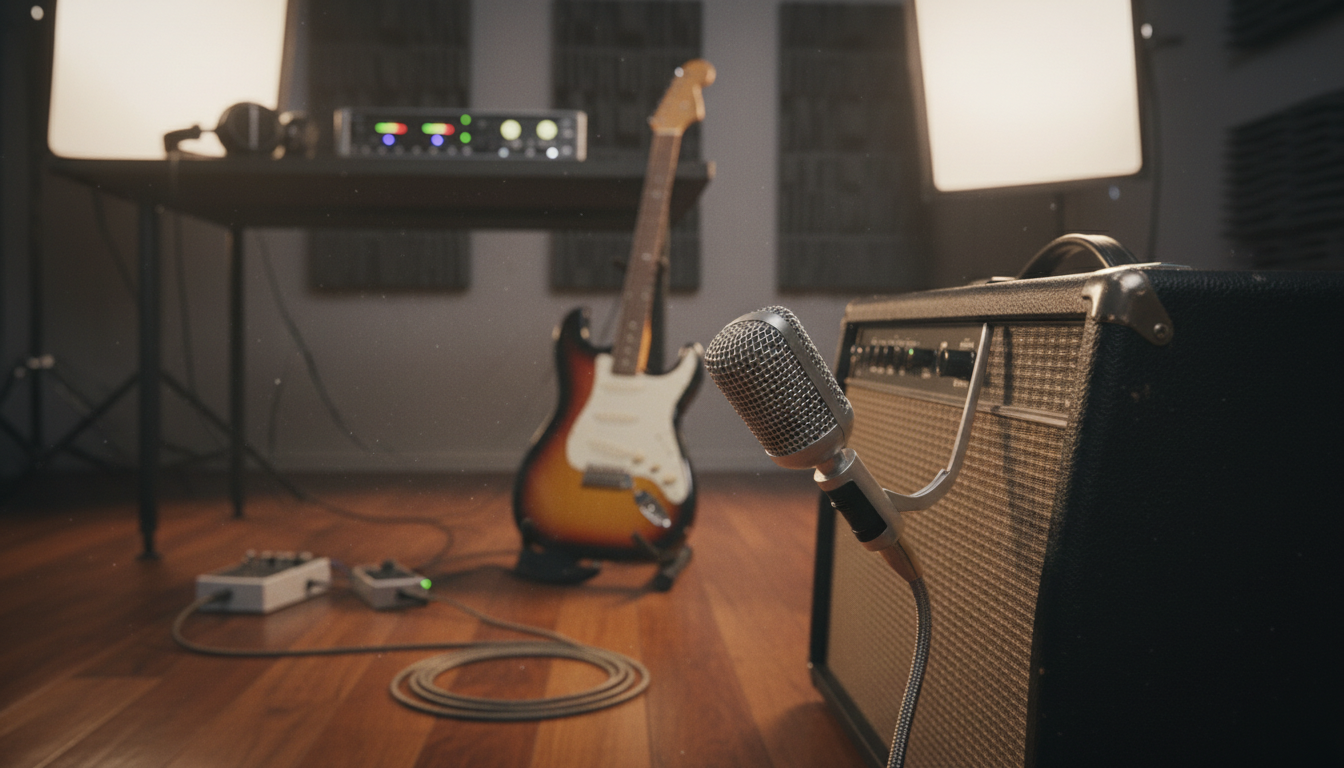
Recording instruments requires adapting your approach to each sound source. Electric guitars sound great through both microphones on amplifiers and direct input through amp simulators. Acoustic instruments typically need careful mic placement to capture their natural resonance.

When tracking drums, start simple if you’re learning. A three-mic setup—one overhead, one on the kick, one on the snare—can deliver solid results. Add more microphones as you develop your technique and learn what each placement contributes.

Bass guitar recording works well with a combination approach. Record both a direct signal and a microphone on the amp. This gives you options during mixing: the direct signal provides clarity and punch, while the amp adds character and warmth.

MIDI programming opens creative possibilities, even for producers working alone. Modern virtual instruments sound remarkably realistic when programmed thoughtfully. The key is adding human imperfections—slight timing variations, velocity changes, and note length adjustments.

Quantize MIDI with restraint. Perfectly aligned notes sound robotic. Try quantizing to 70-80% rather than 100%, or manually adjust a few notes slightly off the grid. This subtle looseness makes programmed parts feel more organic.

Layer MIDI instruments to build depth. Instead of one piano playing chords, try splitting parts between two or three piano patches with slightly different tones. This technique mimics how real ensemble recordings create natural thickness.

Remember that track recording should capture the artist’s vision and translate it into files ready for the next production stage. Whether you’re using audio engineering techniques for live instruments or programming MIDI, focus on preserving the emotional core of the performance. Great recordings make mixing easier and create space for your creativity in later stages.

Music Arrangement Strategies

Turning sounds into a song takes careful arrangement and layering. You might have great vocals and instruments, but without arrangement, they won’t connect with listeners. Effective music arrangement strategies make individual tracks into cohesive stories that stick with you.

Think of arrangement as the blueprint for your song. Every element needs a purpose and place. Mastering this skill makes your music build tension, deliver satisfying moments, and keep listeners hooked from start to finish.

Building Effective Song Structure

Where do you start arranging a new track? It depends on your creative style and the music type. Starting with lyrics and vocal melody works well for pop, R&B, and singer-songwriter genres.

Many producers start with their strongest instrument, the one that carries the song’s emotion. If you’re a guitar master, start with your riffs. If you’re a piano virtuoso, let your chords guide your arrangement.

Starting with the emotional concept or title is another powerful approach. What feeling do you want to convey? Building your arrangement around this idea creates cohesion that listeners feel.

Great arrangement is invisible—listeners feel the journey without noticing the craftsmanship.

Studying reference tracks gives you insights into professional arrangement techniques. Look at successful productions in your genre. Analyze these elements:

  • Chord progressions and harmonic movement in different sections
  • Melodic patterns and hook placement for memorable moments
  • Instrumentation choices and when elements enter or exit
  • Tempo and rhythm variations to keep interest
  • Dynamic contrast between quiet and powerful sections

Your song structure should have distinct sections for contrast and progression. The intro sets the mood and draws listeners in. Verses are lower energy and tell the story, while choruses deliver the emotional peak with memorable hooks.

Pre-choruses build anticipation before the main hook. Bridges offer fresh perspective—a melodic or harmonic departure that makes the final chorus hit harder. Your outro should provide satisfying resolution, whether that’s a gradual fade or a definitive ending.

The call and answer technique creates musical conversations between instruments or vocal phrases. When one element “asks a question,” another “responds,” creating engaging interplay that holds attention. This works beautifully between vocals and instruments, or between different instrumental sections.

Variation keeps arrangements fresh throughout the song’s duration. Strategic silences—brief moments where elements drop out—create impact when sounds return. Dynamic patterns that shift between soft and loud passages add emotional depth.

Patterns and hooks serve as your song’s signature moments. These repetitive elements become earworms that listeners remember long after the track ends. Automation brings arrangements to life through expressive control of volume, panning, and effects parameters that evolve throughout the song.

Layering Techniques and Frequency Allocation

Creating depth without cluttering your mix requires understanding frequency allocation. Each musical element should occupy its own sonic space. When sounds compete for the same frequency range, they mask each other, resulting in muddy, unprofessional productions.

Think of the frequency spectrum as real estate. Your kick drum and bass typically occupy the low-end territory below 250Hz. Snares, guitars, and keyboards live in the midrange from 250Hz to 4kHz. Vocals, cymbals, and high-frequency elements shine above 4kHz.

Effective layering techniques involve choosing sounds that complement rather than compete. If your bass synth has rich harmonic content in the midrange, select a kick drum with focused low-end punch. When your lead vocal has prominent presence around 3kHz, ensure guitars don’t dominate that same frequency band.

Here’s a practical frequency allocation framework for common instruments:

Frequency RangePrimary ElementsCharacter
20-250 HzKick drum, bass guitar, bass synthPower and foundation
250-2,000 HzGuitars, pianos, snare body, vocals (fundamental)Warmth and body
2,000-6,000 HzVocal presence, guitar definition, snare snapClarity and intelligibility
6,000-20,000 HzCymbals, hi-hats, vocal air, acoustic sparkleBrightness and shimmer

When building layers, start with your foundational elements—typically drums and bass. Add harmonic instruments like guitars or keyboards next, followed by melodic elements and vocals. This bottom-up approach helps you hear where frequency conflicts occur.

Effects-driven transitions add professional polish to your arrangements. Risers, impacts, reverse cymbals, and filter sweeps create movement between sections. These transitional elements signal to listeners that something new is coming, maintaining engagement throughout your production.

Reference successful tracks in your genre to understand how professional producers balance layering density. Notice when arrangements feel sparse versus dense, and how frequency allocation creates clarity even in busy sections. This analytical listening develops your arrangement instincts over time.

Understanding the Music Production Process: Recording, Mixing and Mastering

Many producers see recording, mixing, and mastering as separate tasks. But, the real magic happens when you see them as one unified workflow. Understanding how each stage affects the next is key. This approach helps professionals deliver quality and separates them from beginners.

Each stage has its purpose. Recording captures your raw musical ideas. Mixing shapes those elements into a balanced sound. Mastering adds the final polish and prepares your track for distribution.

Seeing these stages as interconnected steps is crucial. This understanding helps you make better choices. It improves your final product and saves time.

How Each Stage Builds on the Previous

The foundation of any great track starts with recording quality. Clean recordings with proper gain staging give you flexibility during mixing that no amount of processing can create later. When you capture audio with appropriate headroom and minimal noise, your mixing engineer (even if that’s you) has room to enhance and shape the sound.

Consider what happens when recording levels are too hot. Clipping and distortion become permanent parts of your audio file. No mixing technique can remove this damage—you’re stuck with it or forced to re-record.

Arrangement decisions made during recording directly impact mixing possibilities. If you record too many competing elements in the same frequency range, mixing becomes a frustrating battle to create separation. But when you arrange thoughtfully from the start, mixing flows naturally.

A detailed workflow diagram illustrating the music production process, showcasing the stages of recording, mixing, and mastering. In the foreground, include clear, labeled arrows connecting each step: 'Recording,' 'Editing,' 'Mixing,' 'Mastering,' and 'Final Output.' The middle section should depict visual elements like sound waves, mixing consoles, microphones, and headphones, emphasizing the technical aspects of music production. In the background, add subtle tones of blue and green to create a calm and focused atmosphere. Use soft, ambient lighting to enhance clarity and readability. The overall mood should convey professionalism and creativity, suitable for a music production environment, with no people present in the image.

The editing phase, though often overlooked, sits between recording and mixing as a crucial bridge. This stage involves timing corrections, pitch adjustments, and cleanup work. Skipping proper editing forces you to fight technical problems during mixing when you should be focused on creative decisions.

Mixing then takes your edited recordings and creates balance, space, and impact. Every adjustment you make—from EQ to compression to effects—shapes how the track will respond to mastering. Over-processing during mixing limits what can be achieved in mastering. Leaving too much work for mastering creates problems that stage isn’t designed to fix.

Mastering provides the final enhancement, but it can only work with what mixing delivers. A poorly mixed track with phase issues, frequency imbalances, or dynamic problems won’t magically transform into a professional product during mastering. Mastering optimizes already-good mixes rather than fixing broken ones.

Workflow Best Practices for Efficiency

Developing a consistent workflow eliminates the overwhelming feeling many producers experience when starting new projects. One common challenge producers face is sitting down with a blank session and wondering, “Where do I even start?” A proven workflow answers that question before you ask it.

Start by creating session templates for different project types. Your template should include:

  • Pre-routed tracks organized logically (drums, bass, guitars, vocals, etc.)
  • Reference tracks on a dedicated channel for comparison
  • Basic processing chains you commonly use
  • Color coding and naming conventions for quick navigation
  • Marker points for verse, chorus, and other song sections

Templates don’t limit creativity—they eliminate technical friction so you can focus on music rather than setup tasks. Professional producers save hours weekly by starting with organized templates instead of building sessions from scratch.

Establish clear decision points in your music production process. Know when you’re finished recording and ready to move into editing. Recognize when editing is complete and mixing should begin. These boundaries prevent the common trap of endlessly tweaking without making real progress.

Batch similar tasks together for mental efficiency. Record all your vocal takes in one focused session rather than jumping between recording, editing, and mixing. This approach keeps you in the right mindset for each task and produces better results faster.

Use reference tracks throughout every stage. During recording, references help you achieve appropriate tones. While mixing, they guide your balance and processing decisions. During mastering, references ensure your loudness and frequency balance compete professionally.

Set time limits for decision-making to maintain momentum. If you can’t decide between two takes after listening three times, pick one and move forward. Production paralysis wastes more time than occasional imperfect choices, and you can always revisit decisions later if needed.

Common Mistakes That Compromise Quality

Understanding what not to do proves just as valuable as learning correct techniques. Certain mistakes appear repeatedly across all experience levels, sabotaging solid productions.

Recording without proper gain staging creates cascading problems. Many producers record too hot, thinking louder is better. This approach leaves no headroom for processing and risks clipping. Others record too quietly, forcing excessive gain increases later that amplify noise. Aim for peak levels around -12dB to -6dB during recording—loud enough to capture a strong signal, quiet enough to leave processing room.

The amateur waits for inspiration; the professional has a workflow that creates momentum regardless of mood.

Skipping the editing phase represents another quality killer. Tuning and timing issues that seem minor during recording become glaring during mixing when everything sits together. Fix these problems before mixing begins—your mix engineer (or future you) will thank you.

Over-processing individual tracks during recording or mixing limits your options later. That heavy compression or extreme EQ might sound impressive solo, but it often creates problems in the full mix. Process conservatively at each stage, knowing you can always add more but can rarely remove excessive processing effectively.

Mixing in isolation without taking breaks causes ear fatigue that leads to poor decisions. After an hour of focused listening, your perception becomes unreliable. Take 10-15 minute breaks every hour. Return with fresh ears that hear problems clearly.

The table below outlines common mistakes at each production stage and their consequences:

Production StageCommon MistakeConsequencePrevention Strategy
RecordingLevels too hot causing clippingPermanent distortion that cannot be removedPeak levels at -12dB to -6dB with proper monitoring
EditingSkipping timing correctionsSloppy rhythm that undermines professionalismDedicate specific time for editing before mixing
MixingExcessive compression on individual tracksLifeless, flat sound with no dynamicsUse compression purposefully with A/B comparison
MasteringOver-limiting to achieve loudnessCrushed dynamics and listener fatigueReference commercial tracks for appropriate loudness targets

Neglecting quality control through reference listening costs countless producers. Listen to your work on multiple systems—studio monitors, headphones, car speakers, and consumer devices. What sounds balanced on your studio monitors might reveal problems on earbuds or laptop speakers where most listeners experience music.

Lastly, rushing through mastering to finish quickly undermines all previous work. Mastering requires fresh ears and careful attention. If possible, let your mix sit for a day or two before mastering. This break provides perspective that catches issues you missed while deep in the production process.

By avoiding these common pitfalls and maintaining quality standards at each stage, your productions will achieve that professional polish that makes tracks stand out. Every decision you make either supports or compromises the stages that follow—choose wisely, and your workflow will consistently deliver results you’re proud to share.

Sound Mixing Fundamentals

Sound mixing is key to turning raw recordings into polished productions. It brings together all your tracked elements into a unified, professional-sounding piece. The Slow Focus Mixing approach encourages starting with the bigger picture first.

You’ll balance overall levels, create spatial placement, and establish the general character of your mix before diving into fine details. This method prevents getting lost in details like perfecting a single kick drum tone while the entire mix lacks cohesion.

A good mix brings out the best in a song—it highlights the strengths, balances the elements, and ensures every detail shines through.

The mixing process involves several interconnected techniques that work together. Grouping similar elements like drums onto busses allows for cohesive processing. Gain staging ensures your tracks match professional reference levels without clipping or distortion.

Balancing Levels and Creating Space with Panning

Proper level balancing forms the foundation of any great mix. Start by setting your fader levels so each instrument sits at the right volume relative to others. Your lead vocal typically commands the most attention, while supporting elements provide context without overwhelming.

Panning creates width and dimension in your stereo field. Rather than stacking everything in the center, strategic placement spreads instruments across the left-right spectrum. This approach produces a more immersive and spacious listening experience.

Common panning conventions provide a solid starting point. Kick drums, bass, lead vocals, and snares typically anchor the center position. These elements carry the rhythmic and melodic foundation of your track.

Guitars, keyboards, and background vocals benefit from wider placement. You might pan rhythm guitars 40% left and right, creating separation while maintaining balance. Hi-hats and percussion elements can sit anywhere from 20-80% to add movement and interest.

Mono compatibility remains essential even with creative panning. Check your mix in mono regularly to ensure nothing disappears or becomes overly dominant. Optimized stereo imaging should enhance the mix without compromising how it sounds on single-speaker systems.

Audio Compression Techniques

Audio compression techniques control the dynamic range of your tracks, taming peaks while bringing up quieter sections. This processor reduces the difference between the loudest and softest parts, creating more consistent and powerful sounds. Beyond volume control, compression adds character and glue to your productions.

Understanding attack and release times proves crucial for effective compression. Fast attack times catch transients immediately, useful for controlling aggressive drum hits. Slower attacks let transients punch through before compression kicks in, maintaining natural impact.

Release times determine how quickly the compressor stops working after the signal drops below threshold. Quick release creates pumping effects, while longer release provides smooth, transparent control. The ratio setting controls how much compression occurs once the threshold is crossed.

Types of Compressors and Their Applications

VCA compressors offer clean, precise control with fast response times. They excel on mix busses and dynamic sources requiring tight control. Their transparent nature makes them versatile across many applications.

FET compressors deliver aggressive, punchy character perfect for drums and electric guitars. These units add harmonic coloration and excitement. Their fast attack times catch even the quickest transients with authority.

Optical compressors provide smooth, musical compression ideal for vocals and bass. The light-dependent resistor creates natural-sounding dynamics with gentle transitions. These units rarely sound harsh or overprocessed.

Variable-mu compressors generate warm, vintage tones through tube-based circuitry. They add subtle harmonic enhancement while controlling dynamics. Mix engineers favor them for adding cohesion to entire mixes.

Compressor TypeBest ApplicationsCharacterAttack Speed
VCAMix bus, drums, mastersClean and transparentVery fast
FETDrums, guitars, aggressive sourcesPunchy and coloredExtremely fast
OpticalVocals, bass, smooth controlMusical and gentleMedium to slow
Variable-MuMix bus, vocals, vintage warmthWarm and harmonically richSlow to medium

Parallel Compression for Punch

Parallel compression blends heavily compressed signals with uncompressed originals. This technique adds sustain and power without sacrificing natural dynamics entirely. You get the best of both worlds—impact and breathing room.

Send your drum bus to an auxiliary channel with extreme compression settings. Use aggressive ratios like 8:1 or higher, fast attack times, and medium release. Drive the input to achieve 10-15 dB of gain reduction.

Blend this crushed signal underneath your original drums at a lower level. Start with the parallel channel around -12 dB below your main drums, then adjust to taste. The compressed layer adds thickness and sustain while the original maintains transient snap.

Side-chain compression creates rhythmic space by ducking one element when another plays. Triggering bass compression from the kick drum ensures both elements coexist without frequency clashes. This technique maintains clarity in dense mixes.

EQ and Frequency Management

Equalization carves out sonic space for each element in your frequency spectrum. Every instrument occupies specific frequency ranges, and proper EQ prevents them from masking each other. Strategic frequency management creates clarity, separation, and punch in your mixes.

High-pass filters remove unnecessary low-end rumble from non-bass instruments. Most guitars, vocals, and synths don’t need content below 80-100 Hz. Cleaning up this area prevents muddiness and creates room for kick and bass.

Dynamic EQ responds to signal level, cutting or boosting frequencies only when needed. This approach proves more musical than static EQ for problem frequencies. You can tame harsh vocal sibilance without dulling the entire top end.

Subtractive vs. Additive EQ Approaches

Subtractive EQ removes problematic frequencies rather than boosting desired ones. This approach typically sounds more natural and maintains better headroom. Cutting mud from guitars at 300 Hz creates space without artificial enhancement.

Start by identifying problem areas that cloud your mix. Sweep a narrow, boosted band across the frequency spectrum until you find harsh or muddy spots. Then switch to a cut at that frequency, adjusting bandwidth and amount until it sounds balanced.

Additive EQ enhances frequencies to bring forward desired characteristics. While sometimes necessary, this method can create buildup if overused. Boosting presence around 3-5 kHz adds vocal clarity and intelligibility.

Combine both approaches strategically. Cut first to remove problems, then add small boosts where extra emphasis serves the arrangement. Moderate adjustments of 2-4 dB often achieve better results than extreme moves.

Managing Low-End and Clarity

The low-end region below 200 Hz requires special attention in mixing. Too much bass creates muddy, undefined mixes that lack punch. Insufficient low-end sounds thin and weak, robbing your track of power and impact.

Your kick drum and bass line must complement rather than compete with each other. If the kick emphasizes 50-60 Hz, consider focusing your bass around 80-100 Hz. This frequency separation allows both elements to shine without masking.

Use spectrum analyzers to visualize frequency buildup in the low-end. Look for excessive energy that creates boomy or muddy sounds. Gates on drums help control sustain and ring, tightening your low-end response.

Mono your low frequencies below 100-120 Hz to maintain focus and translation across playback systems. Stereo width in bass frequencies causes phase issues and weak sound on mono devices. Keep powerful elements centered for maximum impact.

Reference your mix against professional tracks in your genre. Compare how they balance kick and bass, noting where each element sits in the frequency spectrum. This practice trains your ears and provides context for your mixing decisions.

The Art of Mastering Your Tracks

Once your mix sounds balanced in your studio, mastering gets it ready for all platforms. This final step optimizes your track for distribution. Mastering engineers make subtle EQ changes, compression, and limiting to balance the mix’s sound and dynamics.

The mastering process is both technical and artistic. It prepares your music for the real world while enhancing its sound.

Mastering is the final polish—it’s ensuring the track is ‘radio-ready’, that it will sound good whether played on a high-end system or a smartphone speaker.

Understanding mastering helps you make better decisions in production. The adjustments made during mastering are subtle but have a big impact on the final product.

Mastering for Streaming Platforms

Today’s digital landscape demands specific attention to how streaming services process your music. Mastering for streaming platforms requires understanding each service’s normalization algorithms. These algorithms ensure consistent playback volume across different tracks.

The key to successful streaming masters lies in understanding integrated loudness rather than just peak levels. Integrated loudness measures the overall perceived volume of your track, giving you a more accurate picture of how loud your music actually sounds.

Each major streaming platform has established specific loudness targets. Understanding these standards prevents your music from being turned down by normalization algorithms or sounding quiet compared to other tracks in playlists.

Here are the current loudness standards for major platforms:

  • Spotify: Normalizes to approximately -14 LUFS integrated loudness with a maximum true peak of -1 dBTP
  • Apple Music: Targets -16 LUFS with Sound Check enabled, allowing more dynamic range
  • YouTube: Normalizes to -13 LUFS, the loudest of the major platforms
  • Tidal: Uses -14 LUFS similar to Spotify for consistency
  • Amazon Music: Applies -14 LUFS normalization across its catalog

These numbers represent integrated loudness measured in LUFS (Loudness Units relative to Full Scale). A LUFS meter analyzes your entire track to determine its perceived loudness over time, not just peak moments.

When mastering for streaming platforms, aim for the platform with the lowest target if you’re creating a single master. This approach ensures your track won’t be turned down on any service. Many professional mastering engineers now create separate masters optimized for different platforms.

Maintaining Dynamic Range in the Loudness War

The loudness war represents an ongoing tension between making music competitively loud and maintaining the dynamic range that makes music interesting. Over-compression destroys the punch and life that makes music exciting to listen to, leaving tracks sounding flat and fatiguing.

Dynamic range refers to the difference between the quietest and loudest parts of your music. Greater dynamic range creates more impact when loud sections hit because there’s contrast with quieter moments.

Here’s how to achieve competitive loudness while preserving dynamics:

  1. Use your LUFS meter as a guide, not an absolute target
  2. Listen for when limiting starts to make drums sound squashed or vocals lose clarity
  3. Consider your genre—electronic dance music typically uses more limiting than acoustic jazz
  4. Preserve transients by using limiters with appropriate attack and release settings
  5. Check that your track still sounds exciting and punchy, not just loud

Most importantly, remember that streaming normalization has changed the game. Mastering louder than the platform target doesn’t make your music louder—it just means the platform will turn it down, potentially reducing quality in the process.

Final Polish Techniques

Beyond loudness optimization, mastering involves subtle refinements that define professional sound quality. These final polish techniques address the nuances that separate amateur productions from professional releases.

Gentle multiband compression helps control frequency balance across your track. Unlike broad-spectrum compression, multiband processing lets you tighten low frequencies without affecting vocal clarity or tame harsh highs without dulling the overall sound.

Stereo enhancement can widen your soundstage and create a more immersive listening experience. But, be cautious—excessive widening can cause phase issues that make your mix disappear when played in mono, such as on smartphone speakers or certain club systems.

Key final polish techniques include:

  • Subtle EQ adjustments: Add slight high-shelf boosts for airiness or gentle low-end control for clarity
  • Harmonic excitement: Use saturation or tape emulation to add warmth and character
  • Mid-side processing: Adjust the balance between center and side information for optimal width
  • Dithering: Apply when reducing bit depth to minimize quantization distortion
  • Limiting: Use transparent limiting to achieve target loudness without audible distortion

Each adjustment should be subtle. If you can clearly hear what a mastering processor is doing, you’re probably pushing too hard. The goal is enhancement, not transformation.

Quality Control and Reference Listening

The final step in mastering involves thorough quality control to ensure your track meets professional standards. Reference listening on multiple systems reveals how your master translates across different playback environments where your audience will actually hear your music.

Start by checking your master on your studio monitors at various volume levels. Then move to different environments and systems. Each playback situation reveals different aspects of your master.

Essential listening environments include:

  1. Professional studio monitors: Your baseline for detailed analysis
  2. Consumer headphones: How most streaming listeners hear music today
  3. Car stereo: Tests low-end translation and overall balance
  4. Smartphone speakers: Reveals how your mix holds up in mono and with limited frequency response
  5. Laptop or tablet speakers: Common casual listening scenario

Compare your master against professional reference tracks in similar genres. Load three to five commercially successful tracks that represent the sound quality you’re targeting. Listen for overall tonal balance, perceived loudness, clarity, and how well different elements remain defined.

During reference listening, ask yourself specific questions. Does your bass have similar weight and definition? Do your vocals sit at a comparable level? Does your master sound as polished and cohesive? Taking notes helps you identify areas that may need adjustment.

Technical quality control checks are equally important. Use metering tools to verify your true peak levels stay below -1 dBTP to prevent clipping during format conversion. Check for clicks, pops, or distortion that may have been introduced during processing.

Lastly, take breaks during the mastering process. Ear fatigue clouds judgment and can lead to poor decisions. Fresh ears hear problems and opportunities that tired ears miss, making the difference between a good master and a great one.

Professional Music Production Tools and Techniques

Success in music production isn’t about having every plugin. It’s about mastering the essential tools. Many producers waste time collecting plugins they never learn. Focus on building a toolkit of quality processors you understand well.

Your efficiency as a producer depends on choosing the right tools and organizing your workflow. Modern digital audio workstations offer flexibility but can be overwhelming without a clear system.

Essential Plugins for Each Production Stage

Building your plugin collection should follow the natural production workflow. Start with the basics before adding specialized processors.

Recording stage plugins should be simple. You’ll need basic channel strips and maybe some analog emulation tools. Most digital audio workstations have solid stock plugins for recording.

The mixing stage needs more variety. Your essential mixing toolkit should include:

  • Parametric EQs with shelving, low-pass, and high-pass filters for frequency control
  • Versatile compressors including transparent, colored, and vintage options with side-chain capabilities
  • Quality reverbs and delays for creating depth and space in your mix
  • Modulation effects like phasers, flangers, chorus, and auto-pan for adding movement
  • Dynamic processors including gates and expanders for controlling noise and transients
  • Utility plugins for mono/stereo control, phase correction, and gain staging

Advanced producers use LFO modulators and shapers for unique modulation effects. These tools add character and movement to tracks.

Mastering requires specialized processing tools. You’ll need a high-quality limiter, multiband compression, and reference metering plugins. Professional music production at the mastering stage demands precise control over the final sonic characteristics.

Routing techniques multiply your plugin effectiveness. Grouping and bussing tracks allows you to process multiple elements together. Send and return channels enable parallel processing, where you blend effected and dry signals for better control.

Hardware vs. Software Processing Decisions

The debate between hardware and software processors continues in professional music production circles. Software plugins have reached impressive quality levels that rival their hardware counterparts.

Software offers undeniable advantages. Digital plugins provide perfect recall—your entire mix loads exactly as you left it. You can run multiple instances without additional cost. Updates and bug fixes arrive automatically.

Hardware processors bring different benefits to the table. Many producers prefer the tactile workflow of turning physical knobs. Some analog units still offer sonic characteristics that software struggles to replicate perfectly.

The practical decision often comes down to budget and workflow. Software wins for flexibility and affordability. Hardware makes sense when you’ve identified specific sonic goals that justify the investment.

Consider this approach: build your foundation with quality software plugins. Once you’ve mastered those tools and identified genuine limitations, invest in hardware that addresses specific needs. A quality analog compressor or preamp can become the centerpiece of your sound.

Modern digital audio workstations integrate both seamlessly. You can route audio out to hardware processors and back into your session. This hybrid approach combines the best of both worlds.

Building an Efficient Production Template

Production templates transform your workflow efficiency. Rather than building your signal flow from scratch every session, templates let you dive directly into creative work.

Start by identifying your common needs. Most producers use similar track layouts across projects. A typical template might include:

  1. Pre-routed instrument groups for drums, bass, melodic elements, and vocals
  2. Effect return channels with your go-to reverbs and delays already loaded
  3. Mix bus chains with light compression and EQ ready to shape your overall sound
  4. Reference tracks and metering tools for quality control
  5. Color-coded tracks for visual organization that speeds up navigation

The beauty of templates in digital audio workstations lies in customization. Create multiple templates for different project types. Your electronic music template will differ from your rock recording setup.

Don’t overload templates with effects you might use occasionally. Keep them focused on tools you reach for in every single project. You can always add specialized processors as needed.

Update your templates regularly. As your skills develop and preferences change, your templates should evolve. What worked six months ago might not serve your current workflow.

Here’s a practice philosophy that accelerates skill development: create many short projects instead of trying to perfect each one. Make 100 short tracks where you focus on improving one element at a time by just 1%.

This approach builds real competence faster than striving for perfection. Work on compression in one project. Focus solely on reverb choices in the next. Master EQ decisions in another. Each small improvement compounds over time.

Professional music production emerges from accumulated experience. Templates and efficient workflows free your mental energy for creative decisions rather than technical setup. Your tools should support your vision, not distract from it.

Conclusion

The journey to mastering music production starts with one step. You now see how recording, mixing, and mastering work together. They turn raw ideas into polished tracks.

Starting out can be tough. You don’t need everything perfect right away. Having a basic workflow is better than nothing.

As you practice, your skills will grow. Your unique style will emerge through consistent effort.

Recording captures the heart of your music. Mixing makes those recordings into a cohesive song. Mastering makes sure your track sounds great everywhere.

Every professional producer began as a beginner. They learned by doing, making mistakes, and improving. Your journey will be similar.

Start using these techniques in your projects today. Update old tracks or start new ones with what you’ve learned.

Music production skills improve with practice and trying new things. Technology and techniques change, and your creativity grows. Trust the process, stay curious, and keep creating.

FAQ

What are the three main stages of the music production cycle?

The cycle has three key stages: recording, mixing, and mastering. Recording captures the raw sounds. Mixing blends these sounds into a cohesive mix. Mastering prepares the music for distribution, ensuring it sounds great on any system.

What equipment do I need to start a home recording studio?

You’ll need a computer, a digital audio workstation (DAW), and an audio interface. Also, studio monitors, headphones, a microphone, and basic acoustic treatment. You don’t need the most expensive gear to start.

How do I choose the right Digital Audio Workstation?

Pick a DAW that fits your workflow and style. Consider your production needs, computer platform, budget, and interface preferences. Ableton Live, Logic Pro, Pro Tools, and FL Studio are popular choices. Try them out before deciding.

What is gain staging and why does it matter?

Gain staging keeps signal levels optimal from start to finish. It prevents distortion and ensures the best signal-to-noise ratio. Aim for levels that peak around -12 to -6 dB to avoid overloading.

What are the most important vocal recording tips?

Choose the right microphone and position it correctly. Create a comfortable recording space with proper lighting and minimal distractions. Use vocal comping to combine the best parts of multiple takes. Always focus on proper gain staging.

How do I create effective arrangements that don’t sound cluttered?

Use frequency allocation to ensure each element has its own space. Think of low-end, midrange, and high-end frequencies. Create dynamic arrangements with clear sections and use reference tracks for guidance.

What’s the difference between recording, mixing, and mastering?

Recording captures raw performances. Mixing balances and processes tracks. Mastering prepares the mix for distribution. Each stage builds on the last, with quality recordings making mixing easier.

What are the most important sound mixing fundamentals?

Balance levels, use panning, EQ, and compression wisely. Start with proper gain staging and focus on getting a good static balance. Use subtractive EQ and create depth with reverb and delay.

What are audio compression techniques and when should I use them?

Compression controls dynamic range by reducing loudness differences. Different compressors serve various purposes. Use compression to control peaks, add sustain, and create consistency. Avoid over-compression.

How do I master music for streaming platforms like Spotify and Apple Music?

Understand each platform’s loudness standards. Aim for integrated loudness around -14 LUFS for Spotify, -16 LUFS for Apple Music, and -13 LUFS for YouTube. Use LUFS metering tools and maintain some dynamic range.

What’s the difference between LUFS and peak levels?

LUFS measures perceived loudness over time, while peak levels measure the loudest moment. Streaming platforms use LUFS for normalization. Focus on LUFS when mastering for streaming platforms.

What plugins do I actually need for professional music production?

You’ll need a high-quality EQ, several compressors, and quality reverb and delay. A professional limiter and basic utility tools are also essential. Focus on learning a core set of versatile tools.

Should I use hardware or software for music production?

Software plugins offer flexibility and affordability. They’re practical for most producers. Some producers use hardware for specific tasks like analog summing. The choice depends on your budget and production style.

What are the most common mistakes in music production?

Common mistakes include recording too hot and over-processing. Neglecting gain staging and over-compressing are also errors. Always maintain proper headroom and reference professional tracks in your genre.

How do I create an efficient production workflow?

Build production templates and use consistent naming conventions. Make decisive moves and set specific goals for each session. Regular practice with focused projects improves skills faster than trying to make every project perfect.

How important is acoustic treatment for a home studio?

Acoustic treatment improves recording and mixing quality by reducing unwanted reflections. Even basic treatment makes a significant difference. Untreated rooms can cause incorrect mixing decisions.

What is frequency allocation and why does it matter?

Frequency allocation ensures each element has its own space. Think of low-end, midrange, and high-end frequencies. Use EQ to define each element’s space and prevent frequency buildup.

How do I know when my track is ready for mastering?

Your mix is ready when all elements are balanced and translate well across systems. Take a break and listen with fresh ears. If you’re constantly finding things to fix, it’s not ready.

How loud should I master my music?

Target loudness depends on your genre and distribution platform. Aim for integrated loudness around -14 LUFS for Spotify, -16 LUFS for Apple Music, and -13 LUFS for YouTube. Prioritize maintaining dynamics and punch over raw loudness.

What’s the best way to learn music production as a beginner?

Learn your chosen DAW thoroughly and create short projects focusing on specific techniques. Study reference tracks and follow a systematic approach through the music production cycle. Consistent practice with deliberate focus improves skills faster than sporadic sessions.

Verified by MonsterInsights
Seraphinite AcceleratorOptimized by Seraphinite Accelerator
Turns on site high speed to be attractive for people and search engines.