
Choosing the right audio interface is key for top-notch recordings that fit your recording needs. It doesn’t matter if you’re just starting out or have years of experience. Knowing how an audio interface works in your setup is vital.
An audio interface connects your instruments or microphones to your computer. It lets you record sound clearly and accurately. With so many choices, picking the right one can seem hard. This guide will make it easier, helping you find the best fit for your recording needs.
Key Takeaways
- Understand your specific recording needs before selecting an audio interface.
- Consider the number and type of inputs you require.
- Look for an interface that matches your computer’s connectivity options.
- Evaluate the quality of the preamps and converters.
- Check for compatibility with your recording software.
Understanding Audio Interfaces: The Foundation of Digital Recording
The audio interface is key in digital recording. It connects your instruments and microphones to your computer. It’s vital for musicians, producers, and anyone wanting high-quality audio.
What Is an Audio Interface?
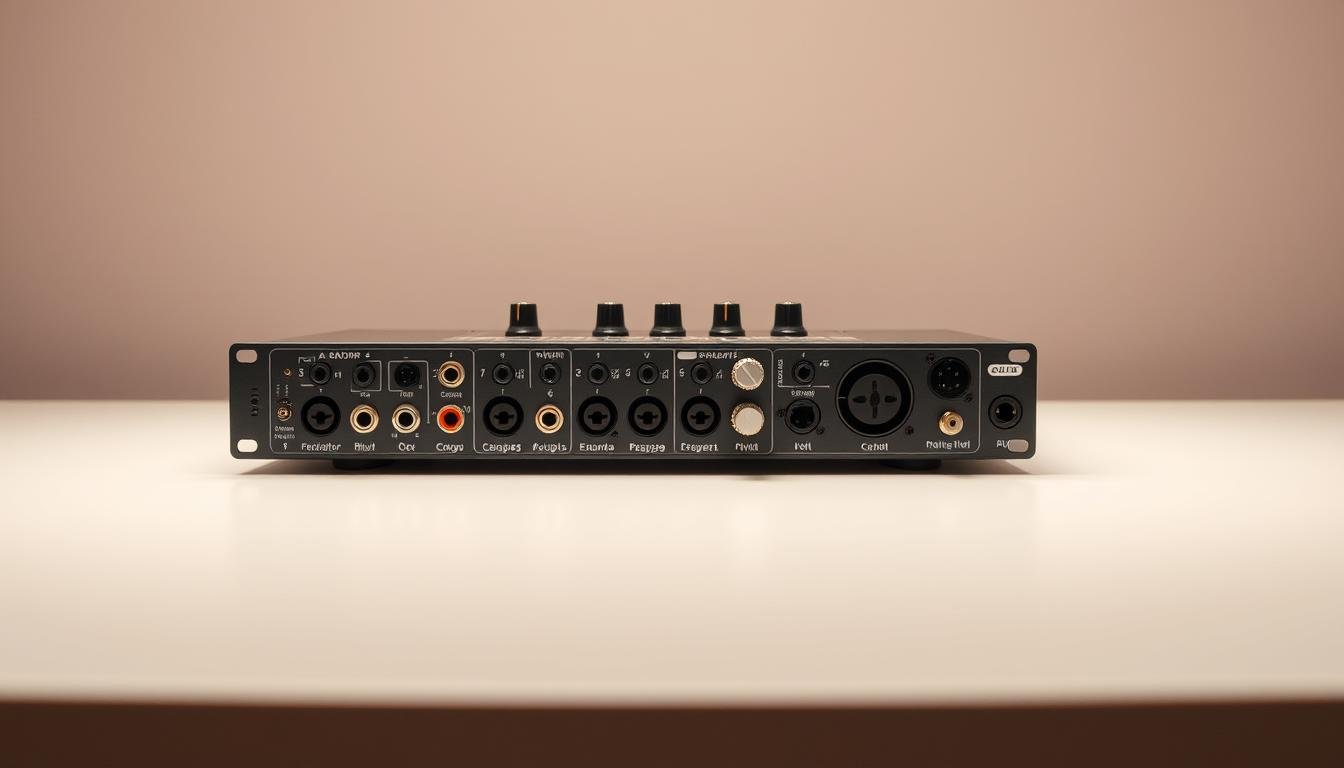
An audio interface is a hardware device. It lets you connect microphones, instruments, or other sound sources to your computer. It bridges the analog world to your computer’s digital realm, turning analog signals into digital data for recording software.
Why You Need an Audio Interface
You can’t connect professional gear to your computer without an audio interface. Built-in computer audio inputs are not good enough. An audio interface is crucial for professional-sounding recordings.
Key Components of an Audio Interface
Knowing what an audio interface has is important. It includes:
- Analog-to-Digital Converters (ADCs)
- Microphone Preamps
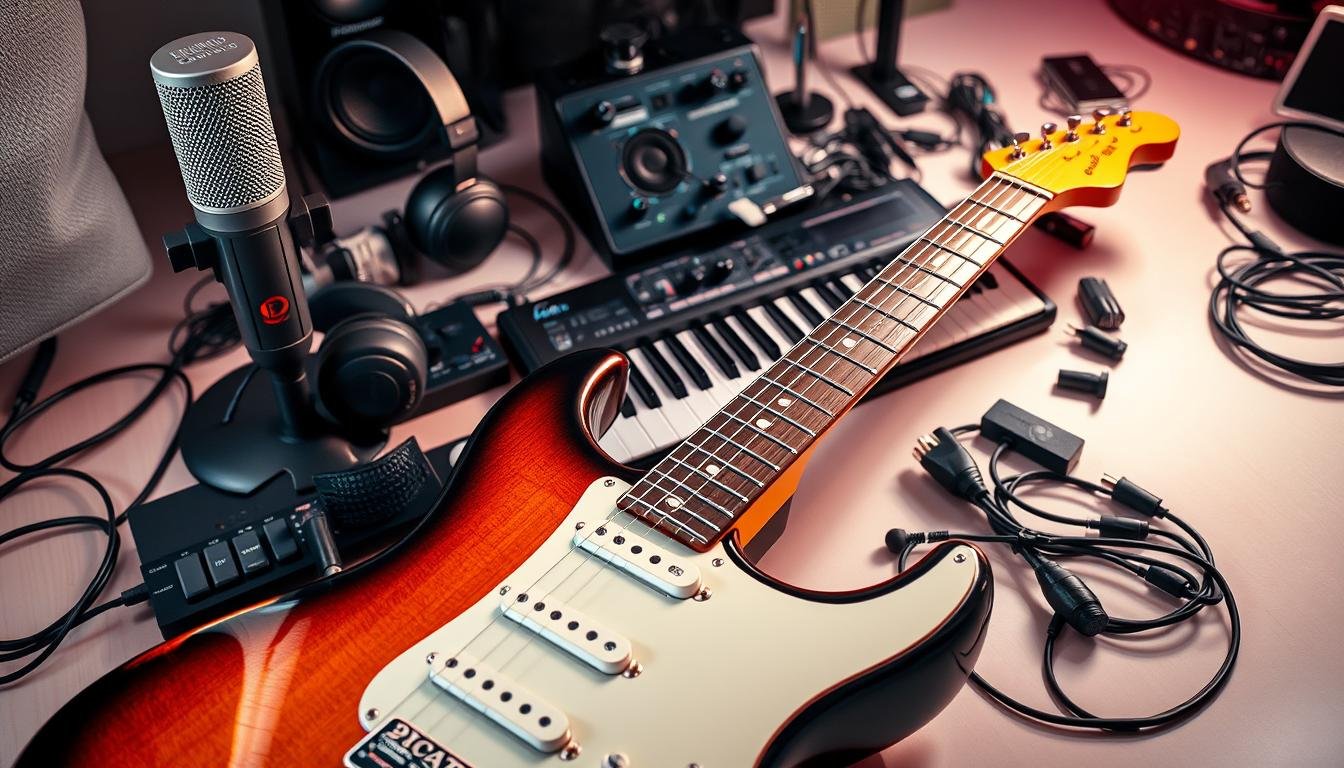
- Instrument Inputs
- Headphone Outputs
- MIDI Connectivity
| Component | Description |
|---|---|
| Analog-to-Digital Converters (ADCs) | Convert analog signals to digital data |
| Microphone Preamps | Amplify microphone signals for clearer recordings |
| Instrument Inputs | Allow direct connection of instruments like guitars |
Knowing about these parts helps you pick the right audio interface for your needs.
Assessing Your Recording Requirements
Before picking an audio interface, it’s key to know what you need. This helps you find the perfect match for your recording goals. You’ll be able to choose an interface that fits your needs perfectly.
Identifying Your Recording Goals
First, figure out what you want to record. Are you a musician recording a single instrument or a whole band? Or maybe you’re a podcaster needing top-notch voiceovers? Your goals will guide you to the right audio interface.
Determining Your Input and Output Needs
Then, think about how many inputs and outputs you need. How many microphones or instruments will you connect at once? Also, consider the connectors you’ll use, like XLR, TRS, or MIDI. Your choice will depend on these needs.
Considering Your Recording Environment
Your recording space is also important. Needs differ between a professional studio and a home or small project studio. Think about your space’s acoustics and if you’ll need extra gear like acoustic treatment or a portable setup.
By carefully looking at these points, you’ll find the best audio interface for your needs. It will make your recording experience better.
Connection Types: Finding the Right Fit for Your Setup
It’s key to know the different connection types for audio interfaces to get the best recording setup. The connection type affects your recording experience. It impacts data transfer speed, computer compatibility, and future-proofing your gear.
USB Interfaces
USB interfaces are a top pick for home recording studios. They’re easy to use and work well with most computers. But, the quality can change based on the USB version and the interface’s parts.
Thunderbolt Interfaces
Thunderbolt interfaces offer a fast connection great for professional recording. They’re perfect when you need low latency and high data transfer rates. They outperform USB interfaces in tough recording tasks.

FireWire Interfaces
FireWire interfaces were once popular for their fast data transfer. Though less common now, they’re still used in some old systems. But, USB and Thunderbolt have become more popular.
PCIe Interfaces
PCIe interfaces are internal cards for high-speed connectivity. They’re known for low latency and high-quality audio. They’re best for professional studios where you can add internal cards.
When picking an audio interface, think about your needs. Consider your computer, the number of inputs and outputs you need, and your budget. Knowing about the different connection types helps you choose the right one for your recording setup.
Input and Output Configurations
Audio interfaces have different input and output setups for various recording needs. It’s important to know these configurations to pick the right interface for you.
Microphone Preamps and Phantom Power
Good microphone preamps are key for clear audio. Many interfaces have phantom power for condenser mics that need it to work.
Instrument Inputs
Instrument inputs let you plug in guitars, keyboards, and more. They’re made to handle the unique needs of each instrument for the best sound.
Headphone Outputs
Headphone outputs are vital for listening to your audio as you record. Many interfaces have multiple outputs for team work or personal monitoring.
Monitor Outputs
Monitor outputs connect to studio speakers for accurate listening. Some interfaces have extra outputs for surround sound or more monitoring options.
MIDI Connectivity
MIDI connectivity lets you use MIDI instruments and controllers. It’s great for producers and musicians working with virtual instruments or external gear.
| Feature | Description | Importance |
|---|---|---|
| Microphone Preamps | Amplifies microphone signals | High |
| Phantom Power | Power for condenser microphones | High |
| Instrument Inputs | Direct connection for instruments | Medium |
| Headphone Outputs | Real-time monitoring | High |
| MIDI Connectivity | Integration with MIDI devices | Medium |
How to Choose the Right Audio Interface for Your Needs
First, figure out what you need to record. This could be for a home studio or live shows. Knowing this helps pick the right audio interface.
For Home Recording Studios
In home studios, a small and easy-to-use audio interface is best. It should have two inputs for a mic and an instrument. USB interfaces are great because they’re simple and work well with computers.
For Professional Studios
Professional studios need more. Look for interfaces with lots of channels, top-notch preamps, and low latency. Thunderbolt or PCIe connections are best for fast data transfer and reliable performance.
For Live Performance
For live shows, durability and portability matter. Pick an interface that’s tough, small, and well-built. Bus-powered USB interfaces are good because they don’t need an external power source.

For Podcasting and Content Creation
Podcasters and content creators want something easy to use. Look for an interface with a good preamp and USB connectivity. Some come with software bundles for better sound.
For Mobile Recording
For recording on the move, choose a small, bus-powered interface. Interfaces with USB-C or Lightning are perfect for tablets and phones.
Think about your recording needs and what you do most. This way, you can find an audio interface that improves your sound and makes recording easier.
Technical Specifications That Matter
Knowing the technical specs of an audio interface is key for top-notch recordings. These specs show how well your interface captures and plays back audio signals.
Sample Rate and Bit Depth
The sample rate and bit depth are vital for recording quality. The sample rate, in Hz, shows how often an audio signal is captured per second. Common rates are 44.1 kHz, 48 kHz, and 96 kHz. A higher rate means more detail, like in high sounds.
Bit depth, the number of bits for each sample, affects dynamic range and noise. Higher values like 24-bit or 32-bit reduce noise and offer a wider range.
Analog-to-Digital Converters (ADCs)
The quality of Analog-to-Digital Converters (ADCs) is crucial for your recordings. ADCs turn analog signals from mics or instruments into digital data for your computer. Top-notch ADCs cut down on distortion and noise, making your recordings clear and accurate.
Latency Considerations
Latency is the delay from when an audio signal is made to when it’s heard. Low latency is key for live monitoring and recording. Sample rate, buffer size, and interface hardware and drivers all impact latency. Adjusting these can lower latency and enhance your recording experience.
Digital Signal Processing (DSP)
Digital Signal Processing (DSP) lets you tweak audio signals within the interface. This includes adding effects, mixing, and more. Interfaces with strong DSP can handle tasks from your computer’s CPU, boosting performance and easing DAW load.
By grasping these technical specs, you can pick an audio interface that fits your recording needs. This ensures your audio production is of the highest quality.
Budget Considerations: Getting the Best Value
Choosing an audio interface depends a lot on your budget. Knowing how much you can spend helps narrow down your choices. This way, you can find an interface that fits your recording needs.
Entry-Level Options ($100-$300)
For beginners or those on a tight budget, entry-level interfaces are great. They usually have 2-4 inputs, good sound quality, and work well with popular DAWs. Brands like Focusrite and PreSonus offer reliable options in this range.
Mid-Range Options ($300-$700)
Mid-range interfaces offer better sound quality and more features. They often have MIDI connectivity and higher sample rates. These are perfect for serious home studio owners or professionals who need more flexibility.
Professional Options ($700+)
Professional-grade interfaces are for high-end studios and demanding applications. They have superior sound quality, extensive connectivity, and advanced features. Brands like Universal Audio and Antelope Audio are known for their high-quality products in this category.
Where to Invest Your Money
Think about your recording needs when deciding where to spend your money. If you’re a podcaster, a good microphone preamp might be key. Musicians might look for low latency and multiple input options. Here’s a comparison of key features across different budget categories:
| Feature | Entry-Level ($100-$300) | Mid-Range ($300-$700) | Professional ($700+) |
|---|---|---|---|
| Number of Inputs | 2-4 | 4-8 | 8+ |
| Sample Rate | Up to 192 kHz | Up to 192 kHz | Up to 384 kHz or higher |
| MIDI Connectivity | Often available | Usually available | Always available |
| Build Quality | Basic | Robust | Premium |
Understanding your needs and budget helps you choose the right audio interface. Whether you’re starting out or upgrading, there’s an interface for you.
Software Compatibility and Drivers
It’s key that your audio interface works well with your recording software. Make sure it fits with your digital audio workstation (DAW) and operating system. This is crucial for the best performance.
Mac vs. Windows Considerations
When picking an audio interface, think about your operating system. It could be Mac or Windows. Some interfaces work on both, while others are made for just one.
DAW Compatibility
Make sure your audio interface goes with your DAW. Most interfaces work with big names like Ableton Live, Logic Pro, and Pro Tools.
Driver Stability and Support
Good drivers are essential for your audio interface to run smoothly. Look for makers who update drivers often and offer great support.
Included Software Bundles
Some interfaces come with software bundles. These can make recording better. You might get DAWs, plugins, or other tools.
| Feature | Importance | Considerations |
|---|---|---|
| DAW Compatibility | High | Check compatibility with your DAW |
| Driver Stability | High | Regular updates, good customer support |
| Included Software | Medium | Enhances recording experience |
Popular Audio Interface Brands and Models
Choosing the right audio interface can be tough. But, looking at popular brands and models makes it easier. Many brands are leaders in the industry, offering options for all needs and budgets.
Focusrite Scarlett Series
The Focusrite Scarlett series is known for its top-notch preamps and solid build. The Scarlett 2i2 and Scarlett 6i6 are favorites among home recording artists. They are reliable and sound great. Key features include:
- High-quality Focusrite preamps
- Compact and durable design
- Easy integration with DAWs
Universal Audio Apollo Series
The Universal Audio Apollo series is famous for its high-end audio quality and UAD plugins. These interfaces are loved by pros for their exceptional sound reproduction and versatility. Key features include:
- High-quality UAD plugins
- Thunderbolt connectivity for low latency
- Robust build quality
PreSonus AudioBox Series
The PreSonus AudioBox series offers a variety of interfaces that are both affordable and packed with features. The AudioBox iTwo and AudioBox iOne are perfect for beginners. They offer easy setup and sound quality that’s hard to beat. Key features include:
- Affordable pricing
- User-friendly design
- Good sound quality for the price
MOTU Interfaces
MOTU is famous for its high-quality interfaces with lots of input options. Their models are loved by both pros and hobbyists for their flexibility and sound quality. Key features include:
- Wide range of input configurations
- High-quality audio conversion
- Durable construction
Behringer Interfaces
Behringer offers affordable options without sacrificing too much quality. Their interfaces are great for beginners. Key features include:
- Budget-friendly
- Adequate sound quality for beginners
- Basic feature set
Audient Interfaces
Audient interfaces are known for their high-quality preamps and build. Models like the Audient iD14 are favorites among recording engineers for their exceptional sound quality. Key features include:
- High-quality Audient preamps
- Compact and well-built design
- Low latency performance
By looking at these popular brands and models, you can find the right audio interface for your needs and budget.
Future-Proofing Your Audio Interface Purchase
Buying a future-proof audio interface is smart and necessary. It helps your gear keep up with new tech without needing constant updates.
Expandability Options
Look for an interface that can grow with you. Choose one that lets you add more inputs or has parts you can upgrade. Interfaces with these features can last longer.
Technology Trends
Keep up with the latest tech trends. New signal processing, faster connections, and software support are key. They affect how well your interface will work in the future.
Longevity and Resale Value
Check if the product is built to last. Look at the maker’s history of durable, supported products. Also, think about resale value. This way, you can sell your old gear and get some of your money back.
By considering these points, you can choose wisely. Your audio interface will stay useful for years, helping you make great music.
Conclusion
Choosing the right audio interface is key to a top-notch recording setup. Knowing what you need, how it connects, and its specs helps you decide. This summary covers the main points to think about when picking the best audio interface for you.
Look at things like how many inputs and outputs it has, if it works with your software, and how much it costs. Brands like Focusrite, Universal Audio, and PreSonus have many options. By looking at these details and what you need, you can pick the perfect audio interface for your recording.
In short, doing your homework and comparing different audio interfaces is important. The right one will help you make great recordings. It will also improve your music or content creation.
FAQ
What is the primary function of an audio interface?
An audio interface connects your instruments and microphones to your computer. It lets you record high-quality audio.
How do I determine the right number of inputs and outputs for my audio interface?
Think about what you want to record and how many instruments or microphones you’ll use. Also, consider if you need to send audio to external processors or monitors.
What is the difference between USB, Thunderbolt, and FireWire audio interfaces?
USB, Thunderbolt, and FireWire differ in speed, compatibility, and future-proofing. USB is easy to use and compatible with many devices. Thunderbolt is fast but less common. FireWire is older but still used in some professional settings.
What are the key technical specifications I should consider when choosing an audio interface?
Look at the sample rate, bit depth, and the quality of analog-to-digital converters (ADCs). Also, consider latency and digital signal processing (DSP) capabilities. These affect your recording quality and performance.
How do I ensure my audio interface is compatible with my digital audio workstation (DAW)?
Check the manufacturer’s website for compatibility info. Make sure the interface has stable drivers for your operating system. Also, verify that your DAW supports the interface.
What is the importance of phantom power in an audio interface?
Phantom power is crucial for condenser microphones that need an external power source. An audio interface with phantom power lets you connect and power these microphones.
Can I use an audio interface for live performances?
Yes, many audio interfaces are great for live performances. They offer low latency, are built to last, and can connect to a PA system or monitors.
How do I future-proof my audio interface purchase?
Think about the interface’s expandability and keep up with technology trends. Assess its longevity and resale value. This ensures your purchase stays relevant over time.
What are some popular audio interface brands and models?
Popular brands include Focusrite, Universal Audio, PreSonus, MOTU, Behringer, and Audient. Each offers unique features and quality.
What is the typical price range for audio interfaces?
Prices vary from around $100 for entry-level models to over $1,000 for professional-grade interfaces. Mid-range options usually cost between $300-$700.