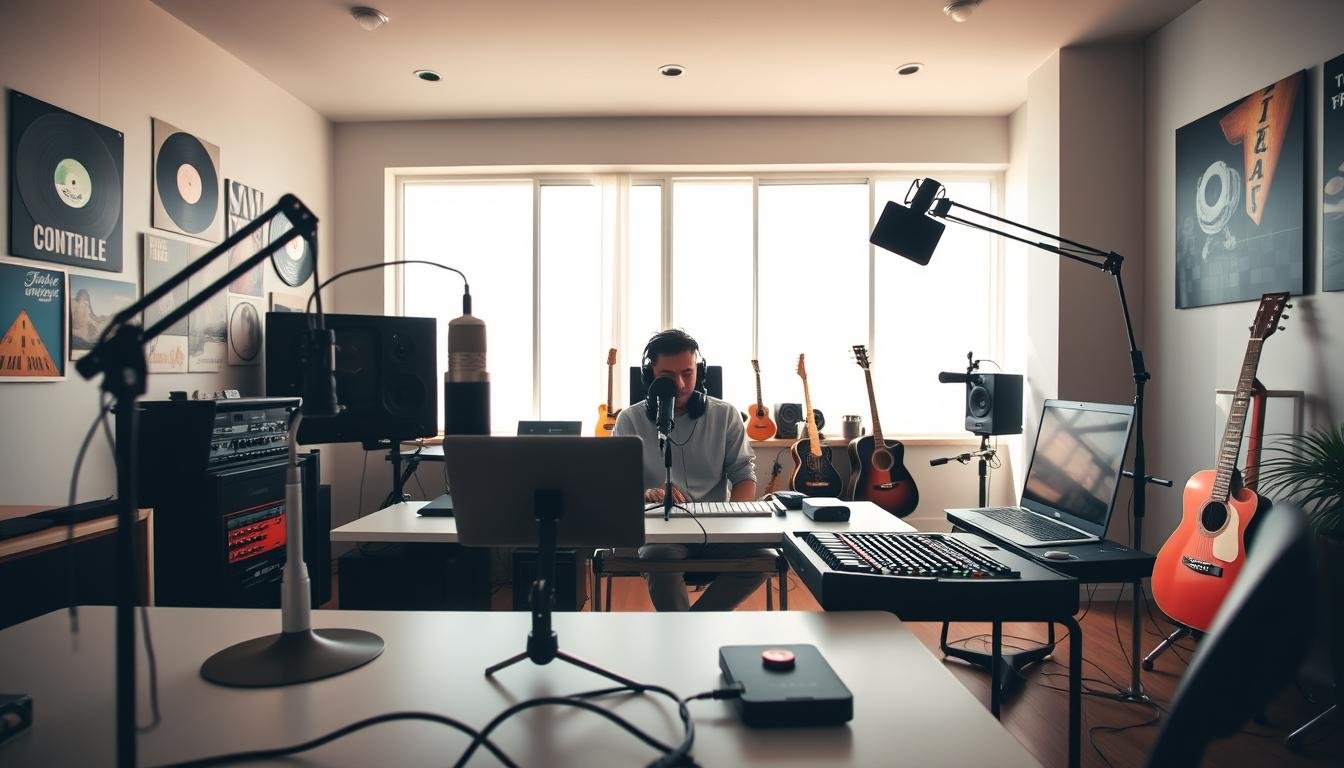

Your voice deserves to be heard with crystal-clear quality. Whether you’re starting a podcast, streaming games, or making music, the right audio setup for content creators is key. Bad recording quality can lose listeners fast.
Setting up a music production workspace or streaming station doesn’t have to be expensive or confusing. This guide covers all you need to know about professional audio equipment easily. You’ll find out which microphones work best, how to pick the right interface, and why acoustic treatment is crucial.
Every creator, from podcasters to singer-songwriters, needs reliable content creator audio gear for consistent results. An effective audio setup for content creators allows you to start with the basics and add more as you improve. This way, you save money and build a solid foundation for your creativity.
In this guide, you’ll see how each piece works together to create a professional sound like the pros. We’ll explain complex ideas simply and help you avoid mistakes that waste time and money. Get ready to improve your recordings from amateur to amazing.
Key Takeaways
- Quality sound equipment is essential for standing out in today’s competitive creative landscape, whether you’re podcasting, streaming, or making music
- Building a home studio doesn’t require massive investment—you can start with core components and expand gradually as your needs grow
- Understanding how microphones, interfaces, and acoustic treatment work together helps you make smarter purchasing decisions
- Poor recording quality drives audiences away quickly, making proper gear investment crucial for audience retention and growth
- This guide simplifies technical jargon and provides actionable steps for creating a professional-sounding workspace on any budget
1. Why Audio Quality Matters for Your Creative Work
Poor audio can quickly lose your audience, no matter how good your content is. Studies show that bad audio can make viewers leave four times faster than poor video. This highlights the importance of audio quality for creators.
Remember the last time you left a podcast or video because of bad sound? It was probably quick.
Bad audio has a fast, negative effect on your audience. The brain processes sound faster than sight, making bad sound hard to ignore.
Professional sound standards vary by industry but share common expectations. Podcasters need clear voices without echo or noise. Musicians require accurate sound for mixing. Streamers need consistent levels for long sessions.
Good audio can increase content completion rates by up to 75%. This shows the power of quality sound.
Improving audio can also boost subscriber growth. Channels with better sound can see a 35-50% increase in subscribers in just three months. This is due to increased trust and credibility.
| Audio Quality Level | Average Viewer Retention | Perceived Professionalism | Subscriber Growth Rate |
|---|---|---|---|
| Poor (built-in mic, no treatment) | 22-35% | Amateur/Beginner | Low (0-5% monthly) |
| Acceptable (USB mic, basic setup) | 45-60% | Intermediate | Moderate (5-12% monthly) |
| Professional (XLR setup, treated space) | 65-82% | Professional/Expert | Strong (12-25% monthly) |
| Broadcast Quality (premium gear, optimized) | 75-90% | Industry Standard | Excellent (20-40% monthly) |
Many creators believe they need expensive gear for good sound. But this isn’t true.
You don’t need to spend a lot to start. Focus on the basics that make a difference.
A $100 mic in a treated room beats a $500 mic in a bad space. It’s about where you spend your money, not how much.
Some think great content can ignore bad audio. But, bad sound can make viewers leave fast, no matter how good your content is.
Good audio shows you’re professional, respectful, and committed. It means you take your craft seriously and value your audience’s time.
Investing in quality audio equipment and treatment can pay off big time. Creators with good sound get more sponsorships, collaborations, and networking success.
Musicians and producers with the right setup can get professional work. It’s not about talent, but technical skill to meet client needs.
Think of audio quality as your creative identity. Just like a clean restaurant makes diners trust the food, good audio makes viewers trust you. This boosts your credibility and can make you seem more professional.
Audio quality affects how we feel, remember things, and trust others. Clean, professional sound makes your message more relatable and memorable.
Improving listener retention starts with recognizing audio quality’s importance. The good news is, achieving professional sound is now more accessible and affordable.
2. Understanding Your Audio Setup Needs
Investing in a comprehensive audio setup for content creators not only enhances sound quality but also opens up opportunities for greater audience engagement.
Every creator has different audio needs. What works for a podcaster might not work for a music producer. Before spending a lot of money, figure out what you’ll be creating most often.
Think about your typical day of creation. Are you recording your voice or live instruments? Will you work alone or with guests? These questions help shape your purchasing decisions.
Content Creator Requirements for Podcasts and Streaming
If you’re building a podcast recording setup, your priorities are different from music production. Voice clarity and intelligibility are key. You need equipment that captures the natural warmth of human speech while rejecting background noise.
Solo podcasters can start with simpler gear. A single quality microphone, a basic audio interface, and good headphones will get you professional results. Your focus should be on consistent sound quality and minimal technical issues during recording.
Multi-host podcasting requires more. You’ll need multiple microphone inputs, individual headphone mixes, and possibly mixing capabilities. An interface with at least two inputs becomes essential, along with proper mic positioning to prevent crosstalk.
Streaming audio requirements add complexity. Streamers need real-time monitoring without latency, the ability to mix multiple audio sources simultaneously, and equipment that won’t fail during a three-hour broadcast. Reliability becomes just as important as sound quality.
Consider these essential features for content creation:
- USB connectivity for simple setup and compatibility
- Built-in noise gates to eliminate background sounds
- Monitoring capabilities for zero-latency feedback
- Durable construction for consistent daily use
- Software integration with popular streaming platforms
Your streaming setup also benefits from directional microphones that focus on your voice while ignoring keyboard clicks, mouse movements, and room echo. Dynamic microphones often excel here because they naturally reject off-axis sounds.
Musician and Producer Studio Requirements
Musicians face different challenges when selecting music production equipment. You’re not just capturing voice—you’re recording instruments with complex frequency ranges, dynamic performances, and subtle nuances that define professional recordings.
Multiple input channels become non-negotiable. Recording a full drum kit requires at least eight inputs simultaneously. Even simple guitar and vocal recordings benefit from two channels to capture both direct and ambient signals.
Preamp quality separates amateur recordings from professional ones. High-quality preamps preserve the tonal character of expensive microphones and instruments. They provide clean gain without adding unwanted coloration or noise.
The preamp is where your signal starts its journey. If you lose quality here, no amount of processing can bring it back.
Low latency monitoring is critical for musicians. When you’re tracking vocals or playing guitar through software effects, any delay between performance and playback destroys the creative flow. Look for interfaces that offer direct monitoring or have latency under 5 milliseconds.
Sample rate and bit depth matter more in music production. While podcasters work fine at 44.1kHz/16-bit, producers often record at 96kHz/24-bit to capture every detail. Your interface must support these higher specifications without straining your computer’s processing power.
Key specifications for music production:
- Minimum 24-bit/96kHz capability for professional quality
- Neutrik combo jacks accepting both XLR and quarter-inch inputs
- MIDI connectivity for keyboard and controller integration
- Independent gain controls for precise level matching
- Phantom power switches for condenser microphones
Hybrid Setups for Multi-Purpose Use
Many creators don’t fit neatly into one category. You might produce music during the week and record podcasts on weekends. Hybrid studio design accommodates these varied workflows.
The beauty of a versatile system is avoiding duplicate purchases. One quality interface with enough inputs serves both podcasting and music production. A good condenser microphone captures detailed vocals for songs and clear speech for podcasts.
Start by identifying your primary use case. If music production dominates 70% of your time, build around those requirements first. Then ensure your secondary needs don’t require completely different gear.
Smart hybrid choices include:
- Four-input interfaces that handle solo music production and dual-host podcasting
- Switchable polar pattern microphones adapting to different recording scenarios
- Monitor controllers that switch between speaker and headphone monitoring
- Modular cable systems that reconfigure quickly between setups
Your workspace setup also affects hybrid functionality. Design your desk layout so you can transition between content creation and music production without unplugging everything. Use clearly labeled cable runs and accessible connection points.
Budget considerations shift with hybrid setups. You might spend more initially on versatile gear, but you’ll save money long-term by avoiding specialized equipment for each purpose. A $400 interface serving multiple roles beats owning two $250 interfaces.
Think about future expansion too. That four-input interface might seem excessive now, but when you want to record a guest for your podcast while maintaining your music production capabilities, you’ll appreciate the flexibility. Good planning today prevents expensive upgrades tomorrow.
3. Microphones: The Foundation of Great Sound
Choosing the right microphone is key to great recordings. It captures your voice, instrument, or podcast conversation. This makes it the most important part of your audio setup.
Knowing the difference between microphone types helps you pick the right one. Whether you’re recording vocals, streaming, or producing music, the best microphones offer clarity and warmth. They make your content stand out.
Your microphone choice affects sound quality and workflow. Let’s look at the options trusted by content creators and musicians for top-notch audio.
Dynamic Microphones for Versatile Recording
Dynamic microphones use electromagnetic induction to convert sound waves into electrical signals. They’re durable and less sensitive to loud sounds. This makes them great for podcasting, live streaming, and recording loud instruments.
The debate between dynamic vs condenser microphones often focuses on durability versus sensitivity. Dynamic mics handle high sound pressure levels without distortion. They also reject unwanted room noise more effectively than condenser mics.
These microphones need more gain from your audio interface or preamp. But this actually helps content creators in untreated rooms by reducing room reflections and ambient noise in recordings.
Shure SM7B: The Industry Standard
The Shure SM7B is a legendary choice among podcasters, broadcasters, and musicians. It delivers smooth, warm vocals with exceptional clarity. Its internal shock mounting and pop filter eliminate handling noise and plosives effectively.
Joe Rogan, countless radio stations, and professional studios rely on this microphone daily. The SM7B features a presence boost switch and a bass roll-off switch. These controls let you shape your sound directly at the source.
You’ll need approximately 60dB of clean gain to drive this microphone properly. Budget for a quality audio interface with strong preamps or consider adding a Cloudlifter or Fethead inline preamp booster. The investment pays off with broadcast-quality audio that requires minimal post-processing.
Electro-Voice RE20: Broadcast Quality
The Electro-Voice RE20 is the gold standard in broadcast environments. NPR stations and professional radio studios choose this microphone for its natural, uncolored sound reproduction. Its Variable-D technology virtually eliminates proximity effect, maintaining consistent tone regardless of mic distance.
This microphone features internal pop filtering and shock mounting built directly into its design. The heavy-duty construction ensures decades of reliable service. Voice-over artists appreciate how the RE20 captures natural vocal characteristics without requiring extensive EQ adjustments.
The RE20 requires less gain than the SM7B, making it easier to pair with mid-range audio interfaces. Its balanced frequency response works beautifully for both male and female voices, delivering professional results straight from the microphone.
Shure SM58: Budget-Friendly Option
The Shure SM58 proves that exceptional audio quality doesn’t require emptying your wallet. This legendary live performance microphone costs under $100 but delivers professional sound that rivals much more expensive options. Its rugged construction survives drops, bumps, and years of heavy use.
Countless musicians have used the SM58 for both stage performances and studio recordings. The built-in spherical pop filter effectively reduces breath sounds and plosives. Its cardioid polar pattern focuses on sound directly in front while rejecting off-axis noise.
Content creators on tight budgets achieve remarkable results with this microphone. Pair it with a basic audio interface, and you’ll capture clear, professional vocals suitable for podcasts, YouTube videos, and music demos. The SM58 remains one of the best microphones for recording when budget constraints matter.
Condenser Microphones for Studio Vocals
Condenser microphones use a capacitor-based design that responds to sound waves with exceptional sensitivity and detail. They capture subtle nuances, breath sounds, and high-frequency information that dynamic microphones might miss. This makes them ideal for studio vocal recording, acoustic instruments, and situations where pristine audio quality matters most.
These microphones require phantom power (typically 48 volts) from your audio interface to operate. Their sensitive diaphragms pick up more room ambiance and background noise. This sensitivity demands a treated recording space for optimal results.
The dynamic vs condenser microphones debate ultimately comes down to your recording environment and application. Condenser mics shine in controlled studio settings where their detailed sound reproduction elevates professional productions.
Audio-Technica AT2020: Best Value
The Audio-Technica AT2020 delivers studio-quality sound at an incredibly accessible price point. This large-diaphragm condenser microphone has launched thousands of successful YouTube channels and podcast shows. Its extended frequency response captures voices with clarity and presence.
The AT2020 handles high sound pressure levels up to 144dB, making it versatile enough for loud vocals and instruments. Its cardioid polar pattern provides excellent isolation from room noise and off-axis sound sources. The custom-engineered diaphragm offers smooth frequency response with a subtle presence peak that adds vocal intelligibility.
This microphone requires 48V phantom power and pairs beautifully with entry-level audio interfaces. Musicians appreciate its ability to capture acoustic guitars, piano, and string instruments with natural tone. For under $100, the AT2020 represents exceptional value in the condenser microphone category.
Rode NT1-A: Ultra-Quiet Performance
The Rode NT1-A holds the distinction of being one of the quietest studio microphones ever made. With self-noise measuring just 5dBA, this condenser microphone captures whisper-quiet performances and delicate acoustic instruments without adding hiss or noise floor issues. Its large 1-inch capsule delivers warm, detailed sound across the frequency spectrum.
This Australian-made microphone comes with a shock mount, pop filter, and XLR cable in most packages. The complete bundle provides everything needed to start recording professional vocals immediately. Voice-over artists, in particular, appreciate the NT1-A’s ability to capture intimate, close-mic performances with pristine clarity.
The cardioid polar pattern focuses on sound sources directly in front while rejecting room reflections and ambient noise. Its durable construction and gold-plated output connections ensure long-term reliability. The NT1-A transforms home studios into professional recording environments.
Neumann TLM 102: Professional Grade
The Neumann TLM 102 brings legendary German engineering and build quality to the large-diaphragm condenser category. This microphone represents the entry point into Neumann’s professional product line, delivering the warm, detailed sound signature that defines the brand. Recording engineers and professional musicians trust Neumann microphones for their accuracy and musicality.
The TLM 102 features a slight presence boost above 6kHz that adds clarity and definition to vocals. Its maximum sound pressure level of 144dB handles even the loudest sources without distortion. The transformerless design ensures clean, transparent signal path from capsule to output.
This microphone’s compact size makes positioning easy in tight spaces. Professional studios worldwide use TLM series microphones for vocals, acoustic instruments, and broadcast applications. While it costs more than entry-level condensers, the investment delivers noticeable improvements in recording quality and reliability.
USB vs XLR: Understanding the Difference
The choice between USB and XLR connections fundamentally affects your audio workflow, quality potential, and future upgrade path. Understanding both technologies helps you make informed decisions aligned with your goals and technical comfort level.
USB microphones connect directly to your computer without requiring an audio interface. They contain built-in analog-to-digital converters and preamps, offering plug-and-play convenience. Content creators appreciate the simplicity of USB connections for quick recording sessions and minimal setup complexity.
Popular USB microphones like the Blue Yeti and Audio-Technica AT2020USB+ deliver solid performance for podcasting and streaming. They limit your ability to upgrade components separately. The built-in converters and preamps represent the ceiling of your sound quality potential.
An XLR microphone setup requires a separate audio interface but provides superior flexibility and quality. XLR connections carry balanced analog signals that resist interference and noise over long cable runs. This professional standard dominates studios, broadcast facilities, and live sound applications worldwide.
The USB microphone comparison reveals trade-offs between convenience and quality. USB mics work great for beginners testing the waters of content creation. XLR setups scale with your growing skills and requirements, letting you upgrade microphones, preamps, and interfaces independently.
Consider your XLR microphone setup as a modular system. Start with an entry-level interface and microphone, then upgrade individual components as your budget allows. This approach builds toward professional quality rather than hitting a ceiling with integrated USB solutions.
| Feature | USB Microphones | XLR Microphones |
|---|---|---|
| Setup Complexity | Plug directly into computer, instant recognition, zero additional gear required | Requires audio interface, cables, and phantom power for condenser mics |
| Sound Quality Potential | Limited by built-in converters and preamps, adequate for most content | Scales with interface quality, professional broadcast and studio standard |
| Upgrade Path | Must replace entire microphone to improve quality or features | Upgrade microphone, interface, or preamps independently as needed |
| Portability | Single cable connection, ideal for travel and mobile recording setups | Multiple components required, better suited for dedicated studio spaces |
| Price Range | $50-$300 for quality options, complete recording solution included | $100-$500+ for mic, $100-$1000+ for interface, modular investment |
Your recording environment and goals should guide this decision. Bedroom podcasters working in untreated spaces might prioritize the simplicity of USB solutions. Musicians building project studios benefit from the flexibility and quality ceiling that XLR systems provide.
Many successful content creators start with USB microphones and transition to XLR setups as their channels grow. Both technologies serve valuable purposes in modern audio production. Choose the path that matches your current needs while considering where your creative journey might lead.
4. Audio Interfaces: Connecting Your Gear
Your microphone captures amazing sound, but without a quality audio interface, that audio never reaches your computer properly. An audio interface acts as the essential bridge between your analog recording equipment and your digital workstation. It converts the electrical signals from your microphones and instruments into digital data your computer can process and record.
Think of your interface as a translator between two different languages. Your microphone speaks analog, your computer speaks digital, and the interface makes sure both understand each other perfectly. This XLR to computer connectiondetermines the quality of everything you record.
Finding the right match for your workflow doesn’t require spending thousands of dollars. This audio interface guidecovers four exceptional options at different price points, each offering distinct advantages for content creators and musicians.

Perfect Starting Point
The Focusrite Scarlett 2i2 has earned its reputation as the beginner’s choice for good reason. This USB audio interfacedelivers clean recordings without overwhelming new users with complicated features. Musicians and podcasters alike praise its reliability and straightforward operation.
The preamps on this unit provide plenty of gain for both dynamic and condenser microphones. You get two combination inputs that accept both XLR and quarter-inch cables, giving you flexibility for different recording scenarios. The front panel features simple gain controls and LED indicators that make setting levels easy.
Focusrite includes a software bundle worth hundreds of dollars with every purchase. You receive Pro Tools First, Ableton Live Lite, and several plugin instruments and effects. This package means you can start recording immediately without buying additional software.
The direct monitoring feature lets you hear yourself with zero latency. This becomes crucial during vocal recordings or when tracking instruments. The headphone output provides enough volume for even demanding studio headphones.
Premium Choice
The Universal Audio Apollo Twin X represents a significant step up in both features and investment. This interface targets professionals who demand exceptional audio quality and real-time processing power. The onboard DSP chips set this unit apart from standard interfaces.
What makes the Apollo Twin X special is its ability to run UAD plugins during recording with near-zero latency. You can track vocals through emulations of legendary studio compressors and preamps. These processors sound remarkably close to the original hardware units that cost tens of thousands of dollars.
The converters in this interface capture every nuance of your performance. Many professional studios use Apollo interfaces for exactly this reason. The clarity and depth you get from these converters become immediately noticeable when compared to budget options.
Universal Audio provides Unison technology that models the impedance and gain staging of classic preamps. When you select a Neve or API preamp emulation, the physical input circuitry actually changes to match the original hardware. This attention to detail produces recordings that sound remarkably analog.
Budget Champion
The PreSonus AudioBox USB 96 proves that tight budgets don’t mean compromising on quality. This compact interface delivers surprisingly good results for its modest price tag. Content creators just starting out find everything they need without breaking the bank.
Despite its affordability, the AudioBox includes solid preamps that handle most microphones effectively. The 96 in its name refers to the maximum sample rate of 96 kHz, which exceeds the standard 48 kHz needed for professional content. You get two combo inputs, MIDI connections, and a headphone output.
PreSonus bundles their Studio One Artist DAW software with each unit. This professional recording software removes the need to purchase additional programs immediately. The included software alone provides tremendous value for beginners.
The metal chassis feels substantial and durable despite the low price point. Bus-powered operation means you don’t need a separate power adapter, making this USB audio interface perfect for mobile recording setups or cramped desk spaces.
Best Bang for Your Buck
The MOTU M2 deserves special attention for offering features typically found in much pricier interfaces. This unit has quickly become a favorite among both the best audio interfaces for home studios and professional mobile recording rigs. The value proposition here is exceptional.
One standout feature is the full-color LCD metering on the front panel. These meters show your input and output levels with precision that rivals expensive studio gear. You can monitor your signal levels at a glance without even looking at your computer screen.
The ESS Sabre32 Ultra converters provide exceptional transparency and dynamic range. These converters rank among the best available at any price point. Your recordings capture details and subtle nuances that cheaper interfaces simply miss.
MOTU includes loopback functionality, which proves invaluable for podcasters and streamers. This feature routes your computer audio back into your recording software, letting you capture guest audio from video calls or game sounds seamlessly. The zero-latency monitoring works flawlessly even at low buffer settings.
Key Interface Features You Need to Know
Understanding what specifications actually matter helps you make smarter purchasing decisions. Not all features impact your recordings equally, and marketing materials often emphasize specs that don’t matter much in real-world use.
Preamp quality determines how clean and transparent your recordings sound. Better preamps add less noise and color to your signal. They also provide enough gain for quiet microphones without introducing hiss. The difference between good and mediocre preamps becomes obvious when recording soft vocals or acoustic instruments.
Input and output counts matter more than you might think initially. Two inputs work fine for solo recording, but adding a guest to your podcast requires four inputs minimum. Consider your future needs, not just your current setup. Adding inputs later means buying an entirely new interface.
Sample rate and bit depth specifications often confuse newcomers. For most content creation, 48 kHz and 24-bit recording provides professional quality. Higher sample rates like 96 kHz or 192 kHz rarely improve audible quality but do create much larger file sizes and increase computer processor load.
Latency performance affects how naturally you can monitor yourself during recording. Lower latency means less delay between when you speak or play and when you hear it. Good interfaces achieve latency under 5 milliseconds at reasonable buffer settings. This low delay feels natural and doesn’t disrupt your performance.
Build quality impacts longevity and reliability. Metal chassis interfaces typically outlast plastic ones. Pay attention to the connectors and knobs, which receive heavy use over time. Wobbly pots or loose connections indicate corners cut during manufacturing.
| Interface Model | Price Range | Key Strength | Best For |
|---|---|---|---|
| Focusrite Scarlett 2i2 | $180-$200 | Reliability and software bundle | Beginners and podcasters |
| Universal Audio Apollo Twin X | $900-$1,100 | Onboard DSP and premium converters | Professional studios and musicians |
| PreSonus AudioBox USB 96 | $100-$120 | Unbeatable value for money | Budget-conscious beginners |
| MOTU M2 | $170-$190 | LCD metering and loopback | Streamers and advancing creators |
Software bundles add significant value to your purchase. Some manufacturers include full versions of recording software, virtual instruments, and effects plugins. These bundles can save you hundreds of dollars in additional purchases. Always check what software comes included before making your final decision.
Computer compatibility deserves attention before purchasing. Most modern interfaces connect via USB-C or Thunderbolt and work with both Mac and Windows systems. But some premium interfaces require Thunderbolt connections that aren’t available on all computers. Verify your computer has the necessary ports before committing to a purchase.
The right interface choice depends on your specific needs, budget, and future plans. Starting with a solid foundation now prevents frustrating upgrades later. Each option presented here represents genuine quality at its respective price point, giving you confidence in your XLR to computer connection regardless of which path you choose.
5. Studio Monitors and Headphones for Accurate Listening
When picking audio monitoring gear, aim for tools that tell the truth, not just sound good. Your mix will play on various systems. Professional reference monitors show every flaw in your recording, so you can fix it before others hear it.
Quality studio monitor speakers and professional headphones make a complete monitoring setup. Each has its own role in your workflow. Knowing their strengths helps you make better production choices.
Studio Monitor Speakers
Studio monitors are different from regular speakers. They have a flat frequency response, not boosted bass or treble. This honest sound is what you need for accurate mixing.
Active monitors have built-in amplifiers, making setup easier and power matching better. Most modern reference monitors are active, great for both home studios and professional facilities.
The KRK Rokit 5 G4 is loved by both bedroom producers and professional engineers. These monitors offer clear sound and handle low-end content well for nearfield monitoring.
The Rokit 5 G4 stands out with its built-in room correction DSP system. This feature helps with acoustic issues in untreated rooms. The LCD screen lets you adjust EQ settings for your space.
These monitors are great for electronic music, hip-hop, and modern pop. The bass response is strong enough to make mixing decisions without needing a subwoofer.
Yamaha HS5: Flat Response Excellence
Yamaha HS5 monitors follow the legacy of the legendary NS-10 studio monitors. Their sound is brutally honest, revealing every single flaw in your mix. Engineers say if your mix sounds good on HS5s, it will sound good everywhere.
The white cone design is more than just looks. Yamaha uses these drivers for consistent response and reduced resonance. The room control and high trim response controls help adapt to different acoustic environments.
These reference monitors are excellent for vocal production, acoustic recordings, and precise midrange accuracy. Their flat response means your ears won’t get tired during long mixing sessions.
JBL 305P MkII: Professional Accuracy
JBL brings decades of professional audio experience to the 305P MkII. These monitors offer exceptional clarity and accuracy at a competitive price. The patented Image Control Waveguide provides precise stereo imaging.
The 5-inch woofer and 1-inch tweeter combination delivers detailed frequency response from 43Hz to 24kHz. This range gives clear insight into both bass and air frequencies. Boundary EQ controls optimize performance based on desk placement.
Professional studios and home setups benefit from the JBL’s neutral sound signature. They’re perfect for film scoring, podcast production, and multi-genre music production.
Professional Headphones
While studio monitor speakers are your primary system, professional headphones are essential. They’re great for tracking sessions, late-night work, and checking mix details at close range.
Understanding the difference between closed-back and open-back designs is key. Closed-back headphones isolate sound, preventing bleed during recording. Open-back designs offer a more natural soundstage and reduce ear fatigue.
Audio-Technica ATH-M50x: Studio Standard
The Audio-Technica ATH-M50x is the industry standard for tracking and mixing. These closed-back headphones deliver detailed sound with robust build quality. They’re found in professional studios, home setups, and broadcast facilities worldwide.
The 45mm drivers provide exceptional clarity across the entire frequency spectrum. The collapsible design and three included cables make them versatile for different studio configurations. The circumaural design fits comfortably around your ears during extended sessions.
Engineers trust these headphones for tracking vocals and instruments because they prevent microphone bleed. The accurate bass response helps with mixing decisions when monitors aren’t available.
Beyerdynamic DT 770 Pro: Closed-Back Comfort
Beyerdynamic DT 770 Pro headphones offer legendary comfort for marathon sessions. The velour earpads and padded headband reduce pressure points. These closed-back headphones excel at isolation, making them perfect for tracking and late-night production.
Available in different impedance options (32, 80, and 250 ohms), you can match them to your audio interface output. The 250-ohm version requires more power but offers the most detailed sound. The bass response extends to 5Hz, giving you clear insight into low-end content.
The rugged construction means these headphones survive years of daily use. The replaceable parts extend their lifespan, making them a smart long-term investment.
Sennheiser HD 650: Open-Back Precision
The Sennheiser HD 650 represents the gold standard in open-back headphone design. The open acoustic design creates an incredibly natural soundstage. Critical mixing decisions benefit from the expansive spatial presentation.
These headphones reveal subtle details that closed-back designs might miss. The specially designed transducers minimize harmonic distortion. The frequency response remains smooth and balanced without artificial coloration.
The HD 650 works best in quiet environments where sound isolation isn’t necessary. They’re ideal for final mix checks, mastering decisions, and understanding the spatial relationships in your recordings.
| Model | Type | Frequency Response | Best For | Price Range |
|---|---|---|---|---|
| KRK Rokit 5 G4 | Active Monitor | 43Hz – 40kHz | Electronic music, hip-hop production | $300-350 pair |
| Yamaha HS5 | Active Monitor | 54Hz – 30kHz | Vocal mixing, acoustic recordings | $400-450 pair |
| JBL 305P MkII | Active Monitor | 43Hz – 24kHz | Multi-genre production, film scoring | $250-300 pair |
| Audio-Technica ATH-M50x | Closed-Back Headphones | 15Hz – 28kHz | Tracking, mobile production | $150-170 |
| Beyerdynamic DT 770 Pro | Closed-Back Headphones | 5Hz – 35kHz | Late-night sessions, isolation | $140-180 |
| Sennheiser HD 650 | Open-Back Headphones | 10Hz – 39.5kHz | Critical mixing, mastering checks | $350-400 |
Using both studio monitor speakers and professional headphones together creates the most reliable monitoring environment. Start your mix on monitors to establish overall balance and stereo imaging. Then check details on headphones to catch problems that speakers might miss.
The investment in quality audio monitoring equipment pays dividends throughout your creative career. Your mixes will translate better across different playback systems. You’ll make more confident decisions during production and mixing sessions.
6. Best Audio Setup for Content Creators and Musicians
Choosing the right audio equipment can be tough, but breaking it down by budget makes it easier. There are complete studio packages at every price point, from beginner-friendly to professional-grade systems.
Understanding the cost of professional audio equipment helps you plan your investment wisely. Each tier offers specific advantages. Knowing what you get at each level prevents overspending or buying equipment you’ll quickly outgrow.
The three budget ranges below represent natural breakpoints in audio quality and capability. Each setup includes everything you need to start recording immediately, with components chosen for how well they work together.
Entry-Level Complete Setup Under $500
Starting your recording journey doesn’t require a massive financial commitment. This budget studio setup delivers surprisingly professional results while keeping costs manageable for beginners.
The Audio-Technica AT2020USB+ serves as the centerpiece of this package. This condenser microphone connects directly to your computer via USB, eliminating the need for a separate audio interface initially.
Pair it with the Sony MDR-7506 headphones for accurate monitoring. These industry-standard headphones have been trusted by professionals for decades and cost around $100.
You’ll need a sturdy microphone stand and a pop filter to reduce plosive sounds. The On-Stage MS7701B boom stand and Stedman Proscreen XL pop filter together add about $80 to your budget.
For software, start with free options like Audacity or Reaper’s unlimited trial. This lets you invest more in hardware while learning the basics of recording and editing.
| Equipment Item | Specific Model | Purpose | Approximate Cost |
|---|---|---|---|
| USB Microphone | Audio-Technica AT2020USB+ | Primary recording device | $169 |
| Headphones | Sony MDR-7506 | Monitoring and editing | $99 |
| Microphone Stand | On-Stage MS7701B | Positioning and stability | $40 |
| Pop Filter | Stedman Proscreen XL | Vocal clarity improvement | $40 |
| Recording Software | Reaper or Audacity | Recording and editing | $0 (trial/free) |
Total Investment: Approximately $348
This leaves room in your budget for acoustic foam panels or a reflection filter. The Auralex MudGuard adds isolation behind your microphone for about $60, significantly improving vocal recordings in untreated rooms.
Why this combination works: The AT2020USB+ offers true condenser microphone quality without requiring an interface. The Sony headphones reveal details you’d miss with consumer headphones, helping you make better recording decisions from day one.
Mid-Range Professional Setup $1000-$2000
This price range represents the sweet spot for serious creators. You get significant quality improvements with affordable recording equipment that will serve you for years without needing upgrades.
Switch to an XLR microphone setup for this tier. The Shure SM7B dynamic microphone ($399) has recorded countless hit records and podcasts, offering broadcast-quality sound that handles various recording situations.
The Focusrite Scarlett 2i2 3rd Gen audio interface ($179) provides clean preamps and reliable conversion. Its simple operation and included software bundle add tremendous value to this mid-range package.
Upgrade your monitoring with the PreSonus Eris E5 studio monitors (pair for $299). These speakers reveal mix details that headphones alone can’t show, essential for music production and serious content creation.
Keep the Sony MDR-7506 headphones or upgrade to the Audio-Technica ATH-M50x ($149) for slightly enhanced bass response and comfort during longer sessions.
Add the Cloudlifter CL-1 preamp ($149) to boost the SM7B’s quiet output. This combination unlocks the microphone’s full potential, delivering clean gain without noise.
| Equipment Category | Recommended Model | Key Benefit | Price Range |
|---|---|---|---|
| Microphone | Shure SM7B | Broadcast-quality dynamic sound | $399 |
| Audio Interface | Focusrite Scarlett 2i2 | Clean preamps and reliability | $179 |
| Studio Monitors | PreSonus Eris E5 (pair) | Accurate frequency response | $299 |
| Preamp Booster | Cloudlifter CL-1 | Clean gain for SM7B | $149 |
| Headphones | Audio-Technica ATH-M50x | Extended comfort and detail | $149 |
Total Investment: Approximately $1,175
The remaining budget covers quality XLR cables (Mogami Gold for $50), an improved boom arm like the Rode PSA1 ($99), and acoustic treatment basics including foam panels and bass traps ($200-300).
This setup handles everything from podcast recording to music production with professional results. The components work together synergistically, with each piece complementing the others’ strengths.
If you need to phase your purchases, prioritize in this order: microphone and interface first, then monitors, followed by the Cloudlifter and acoustic treatment. This lets you start recording immediately while building toward the complete system.
High-End Production Setup $3000 and Above
Professional-grade equipment elevates your capabilities to commercial studio levels. This tier isn’t just about incremental improvements—it’s about accessing tools that provide measurable competitive advantages.
The Neumann TLM 103 condenser microphone ($1,100) delivers the legendary Neumann sound quality that’s graced countless platinum records. Its detailed frequency response captures nuances that lesser microphones miss entirely.
Pair it with the Universal Audio Apollo Twin X ($899-$1,199). This interface includes UAD DSP processing, letting you record through authentic emulations of classic studio gear. The difference in preamp quality is immediately audible.
For monitoring, the Yamaha HS8 studio monitors (pair for $699) provide flat, honest sound reproduction. Their larger woofers reproduce bass frequencies accurately, crucial for music production and mixing.
Add the Beyerdynamic DT 1990 Pro headphones ($599) for critical listening. These open-back headphones offer exceptional detail and natural soundstage, revealing mix issues that closed-back designs can mask.
Include a second microphone for versatility. The Shure SM7B ($399) handles dynamic sources and adds recording options when you need rejection of room noise or a more intimate vocal character.
| Component Type | Professional Model | Professional Advantage | Investment Level |
|---|---|---|---|
| Condenser Mic | Neumann TLM 103 | Studio-standard vocal clarity | $1,100 |
| Premium Interface | Universal Audio Apollo Twin X | DSP processing and preamps | $899-$1,199 |
| Reference Monitors | Yamaha HS8 (pair) | Accurate bass reproduction | $699 |
| Dynamic Microphone | Shure SM7B | Versatility and noise rejection | $399 |
| Critical Listening | Beyerdynamic DT 1990 Pro | Open-back detail and soundstage | $599 |
Core Equipment Total: Approximately $3,696
Budget additional funds for premium cables, professional acoustic treatment, and software. Logic Pro X or Pro Tools subscriptions unlock professional workflows, while comprehensive acoustic treatment transforms your room into a true recording environment.
This high-end configuration matches what you’d find in professional studios. The investment pays dividends through faster workflows, better-sounding recordings, and the confidence that your gear won’t limit your creative vision.
The universal audio interface’s included plugins alone save thousands compared to purchasing them separately. You gain access to compressors, equalizers, and preamp emulations that shaped classic recordings.
For phased purchasing at this level, secure the Neumann microphone and Apollo interface first. These form the signal chain foundation. Add monitors next for accurate mixing capability, then complete the setup with headphones and the second microphone.
Each tier represents a complete, functional system ready for immediate use. Choose based on your current needs and growth trajectory, knowing that any of these complete studio packages will serve you well as you develop your craft.
7. Acoustic Treatment and Room Optimization
Even a $10,000 microphone won’t sound good in a room with bad acoustics. That’s why acoustic treatment is key. Your recording space affects your sound as much as your gear does. Many creators spend too much on new equipment when a few hundred dollars on room acoustics could make a bigger difference.
Optimizing your space doesn’t mean you need to renovate your studio. Smart placement of treatment materials and strategic room arrangement can change your recordings. Whether you’re in a spare bedroom or a dedicated studio, these tips will help you get cleaner, more professional audio.
Understanding Absorption and Strategic Panel Placement
Acoustic foam panels and bass traps solve different sound problems in your room. Foam panels absorb mid and high frequencies, reducing echoes and flutter. Bass traps target low-frequency buildup in corners, preventing muddy or boomy recordings.
The biggest mistake is covering every wall with foam. This makes your room sound dead and uncomfortable. Instead, focus on first reflection points—the spots where sound bounces off walls directly to your ears or microphone.
Here’s where to put your treatment materials:
- Room corners (bass trap placement): Install bass traps in all four vertical corners from floor to ceiling for maximum low-frequency control
- Side walls: Place 2-4 inch thick panels at first reflection points, typically 3-4 feet from your listening position
- Rear wall: Use a combination of absorption and diffusion 3-5 feet behind your head to control reflections without over-dampening
- Ceiling: Add a cloud panel directly above your mixing position to reduce vertical reflections
You don’t need to cover more than 20-30% of your wall surface for effective treatment. Too much absorption makes your room sound unnatural and fatiguing during long sessions. Leave some reflective surfaces to maintain a sense of space and liveliness.
Portable Solutions for Flexible Recording Spaces
Not everyone can install permanent soundproofing studio treatments, like renters or creators in multi-purpose rooms. Reflection filters and isolation shields offer portable alternatives that significantly improve recording quality without permanent modifications.
The Aston Halo and sE Electronics Reflexion Filter X are popular choices that mount behind your microphone. These curved panels absorb reflections coming from behind and beside the mic, creating a more controlled recording environment. They’re great for vocal recording in untreated rooms.
Portable acoustic panels on stands give you even more flexibility. You can position them around your recording area when needed and move them aside when you’re done. This approach works perfectly for home studios that double as living spaces.
Keep realistic expectations though—these solutions improve your recordings but can’t completely replace proper room treatment. They work best when combined with at least minimal room acoustics optimization, such as bass traps in corners and strategic panel placement.
Creating the Perfect Listening Environment
Speaker and microphone placement dramatically affects what you hear and record. The stereo triangle is your starting point for monitor positioning—your two speakers and listening position should form an equilateral triangle, with each speaker angled toward your ears at about 60 degrees.
Follow these room positioning guidelines for optimal sound:
- Speaker distance from walls: Keep monitors at least 6-12 inches from walls to reduce bass buildup and reflections
- Speaker height: Position tweeters at ear level when seated, using stands or foam isolation pads to achieve proper height
- Desk placement: Avoid placing your desk against the center of a wall; offset positions often sound better
- Listening distance: Sit 3-5 feet from your monitors for nearfield monitoring, maintaining the equilateral triangle
- Microphone positioning: Record vocals facing into the room rather than directly at a wall to minimize reflections
Isolation pads under your speakers make a surprising difference. Products like Auralex MoPads or IsoAcoustics standsdecouple your monitors from your desk, reducing vibrations and bass transfer. This simple $50-100 upgrade often reveals details you’ve been missing in your mixes.
Budget-Friendly Treatment You Can Build Yourself
Professional acoustic treatment can cost thousands of dollars, but DIY solutions deliver similar results for a fraction of the price. With basic tools and materials from your local hardware store, you can build effective bass traps and panels for under $200.
The most cost-effective material is Owens Corning 703 or 705 rigid fiberglass insulation. These industrial products absorb sound better than foam panels and cost much less per square foot. You can build professional-quality absorbers by wrapping these panels in acoustically transparent fabric and mounting them to wooden frames.
Here’s a simple DIY bass trap construction process:
- Cut 2×4 lumber to create a frame matching your panel dimensions (typically 2’x4′ works well)
- Insert Owens Corning 703 insulation into the frame (4-6 inches thick for bass traps)
- Wrap the assembly in breathable fabric like burlap or acoustic cloth, stapling it to the back
- Mount corner traps using L-brackets or hang panels on walls with French cleats
For diffusion rather than absorption, build book-style diffusers using varying depths of wooden blocks. Alternating patterns break up reflections without removing energy from the room. Even strategically placed bookshelves with irregular arrangements create effective diffusion.
Household items can improve your room acoustics too. Heavy curtains reduce window reflections, thick rugs absorb floor reflections, and upholstered furniture adds beneficial absorption. Moving blankets hung on stands work surprisingly well as temporary vocal booth walls for under $50.
Remember that proper acoustic treatment and smart room positioning often make more difference than upgrading from mid-range to high-end equipment. A $1,000 microphone in a well-treated room will always outperform a $3,000 microphone in an echo chamber. Focus on your environment first, then invest in premium gear as your budget allows.
8. Essential Cables and Accessories
The quality of your cables and accessories can make or break a recording session. They impact your sound quality and daily workflow. A good audio cables guide and knowledge of microphone accessories are key to a professional setup.
Many creators spend a lot on microphones and interfaces but skimp on cables and accessories. This section covers everything you need to complete your studio with the right gear.
Premium and Budget-Friendly Cable Options
Cable quality is crucial, even for XLR cables quality in professional setups. The right cables protect your audio signal and deliver clean sound.
Mogami Gold Studio XLR cables are the top choice for professionals. They have excellent shielding and oxygen-free copper conductors for signal integrity.
The Mogami Gold comes with a lifetime warranty and costs around $40-50 for a 10-foot cable. Professional engineers choose these cables for their consistent performance and durability.

For those building their first setup, there are alternatives at lower prices. Cable Matters XLR cables offer solid shielding and balanced connectivity for $12-15 per cable. They work well for home studios with cable runs under 15 feet.
Musician’s Gear XLR cables from Guitar Center are another budget-friendly option at $10-12 each. They handle typical studio environments without noise or signal degradation.
Here’s what matters for studio cable management and cable selection:
- Shielding quality blocks interference from WiFi routers, cell phones, and other electronic devices
- Connector build determines how many plug/unplug cycles the cable survives
- Cable length affects signal strength—use the shortest cable that reaches comfortably
- Flexibility matters for routing cables around your desk without kinking
Most home studios perform well with mid-range cables like the Hosa Pro XLR series at $18-25. Save your budget for microphones and interfaces rather than spending $100 on boutique cables that won’t improve your recordings noticeably.
Choosing the Right Microphone Support System
Your microphone support affects recording comfort and sound quality. The right stand or boom arm positions your mic perfectly while reducing handling noise and vibrations.
Desktop boom arms are the standard for podcasters and content creators. The Rode PSA1 Professional Studio Armcosts around $100 and offers smooth, balanced movement with excellent cable management. It clamps to desks up to 2.2 inches thick and extends up to 32 inches horizontally.
The Blue Compass Premium Tube-Style Broadcast Boom Arm provides similar functionality at $100-120 with internal springs that support microphones up to 2.4 pounds. Its sleek design looks professional on camera while providing rock-solid positioning.
Budget-conscious creators should consider the InnoGear Microphone Arm Stand at $15-20. While it doesn’t match the premium arms’ smoothness, it holds microphones securely and includes cable clips for basic organization.
Traditional microphone stands work better for musicians who need flexible positioning or record while standing. The On-Stage MS7701B Tripod Boom Stand combines affordability ($25-30) with professional build quality and adjustable height from 38 to 63 inches.
For studio vocal recording, the K&M 210/9 Tripod Microphone Stand offers exceptional stability at $60-70. Its heavy base prevents tipping, and the die-cast boom arm locks firmly at any angle.
Protecting Your Recordings from Unwanted Noise
Three key microphone accessories dramatically improve recording quality by eliminating common problems that plague vocal recordings. Understanding when and how to use each accessory saves hours of editing time.
Pop filters sit between your mouth and the microphone to diffuse plosive sounds from P and B consonants. The Stedman Proscreen XL at $60 uses a metal mesh design that lasts forever and cleans easily. Its larger diameter provides more flexible positioning than budget models.
The Auphonix 6-inch Pop Filter delivers excellent plosive protection for just $10-12. This represents the best value for most home studios, with dual-layer nylon mesh that captures breath sounds effectively.
Shock mounts suspend your microphone in elastic bands to isolate it from vibrations traveling through your desk or floor. The Rycote InVision USM Universal Shock Mount costs $40-50 and fits most large-diaphragm condenser microphones with its adjustable design.
Most quality microphones include a basic shock mount, but aftermarket options like the Auphonix Shock Mount at $15 provide better isolation for heavy mics. The elastic suspension prevents rumble from footsteps, typing, and desk bumps from reaching your recordings.
Windscreens and foam covers serve different purposes than pop filters. Outdoor recording requires foam windscreens to block wind noise, while indoor studios rarely need them. The exception is close-mic applications where a thin foam cover reduces breath sounds without muffling high frequencies.
Ensuring Clean Power and Equipment Protection
Your audio gear’s power supply affects both sound quality and equipment longevity. Dirty power introduces hum and noise into your recordings, while power surges can destroy expensive interfaces and monitors instantly.
Power conditioners filter electrical noise and regulate voltage to provide clean, consistent power. The Furman M-8X2 Merit Series Power Conditioner at $80-100 offers eight outlets with surge protection and RFI/EMI filtering that reduces noise in your signal chain.
For professional studios, the Furman PL-8C Power Conditioner provides advanced filtering and voltage regulation at $150-180. Its linear filtering technology removes noise without limiting current, which matters for power-hungry amplifiers and monitors.
Many creators debate whether expensive power conditioners actually improve sound quality. The truth is that noisy power environments benefit significantly, while studios with clean power see minimal improvement. If you hear hum or buzz in your recordings, a power conditioner often solves the problem.
Surge protectors matter more than most people realize for equipment protection. The Tripp Lite Isobar 6 Outlet Surge Protector costs $50-60 and provides 3,330 joules of surge suppression with isolated filter banks that prevent noise between devices.
Basic power strips offer minimal protection. Look for surge protectors with at least 2,000 joules rating and a warranty that covers connected equipment. The APC P11VT3 SurgeArrest at $35-40 protects up to $100,000 worth of equipment and includes phone/coax protection for comprehensive coverage.
Smart studio cable management prevents ground loops and reduces electromagnetic interference. Keep power cables separated from audio cables when they run parallel, and use the shortest cable lengths practical for each connection. Bundle cables together only after your setup proves quiet and hum-free.
These accessories complete your studio foundation and protect your investment. Quality cables maintain signal integrity, proper microphone mounting improves comfort and sound, essential filters eliminate recording problems, and power protection prevents equipment damage while reducing noise.
9. Digital Audio Workstations and Recording Software
The right music production software can change your workflow and unlock your creative potential. Your Digital Audio Workstation is where all the magic happens, from initial recording to final mastering. Choosing the best DAW softwaredepends on your specific needs, budget, and the type of content you create.
Every DAW has unique strengths that cater to different creators. Some excel at traditional recording and editing, while others shine in electronic music production or podcast editing. Understanding these differences helps you make an informed choice that matches your creative style.
Pro Tools: Industry Standard DAW
Pro Tools has maintained its position as the industry standard for professional studios and post-production facilities worldwide. Major recording studios, film scoring stages, and broadcast facilities rely on this platform daily. Its powerful editing capabilities and industry-wide compatibility make collaboration seamless across different studios.
The software excels at audio editing with features like elastic audio and comprehensive automation. Pro Tools handles large sessions with hundreds of tracks without breaking a sweat. Professional mixing engineers appreciate its precise control over every aspect of the mix.
But, the subscription model and higher price point can be challenging for beginners. The learning curve is steeper compared to other options, but the investment pays off for serious professionals. If you plan to work in professional studios or collaborate with industry professionals, Pro Tools becomes essential.
Logic Pro X: Mac User Favorite
Logic Pro X delivers exceptional value for Mac users with its one-time purchase price of $199. This music production software includes an enormous library of sounds, instruments, and plugins that would cost thousands elsewhere. Apple’s regular updates keep adding new features without additional charges.
Songwriters and producers love the intuitive interface and creative workflow. The built-in drum programmer, MIDI editing tools, and flex time features streamline the production process. Over 70GB of content comes included, featuring loops, samples, and virtual instruments.
The software integrates seamlessly with other Apple products and GarageBand projects. Smart Tempo automatically matches the timing of different recordings. Logic Pro X works beautifully for everything from simple demos to complex orchestral arrangements.
Ableton Live: Best for Electronic Music
Ableton Live revolutionized electronic music production with its unique session view and innovative approach to creation. The software enables real-time performance and improvisation alongside traditional recording. DJs and electronic producers consider it the best DAW software for loop-based production and live performance.
Session view allows you to launch clips and experiment with arrangements on the fly. The powerful MIDI capabilities and built-in instruments inspire creativity. Max for Live extends functionality with thousands of custom devices and effects created by the community.
Live works equally well for traditional recording in arrangement view. The workflow encourages experimentation and spontaneous creativity. Beat makers and hip-hop producers appreciate the intuitive drum programming and sampling tools.
Reaper and Budget-Friendly Options
Reaper offers professional features at just $60 for a personal license, making it incredible value for creators on a budget. This recording software comparison wouldn’t be complete without highlighting its extensive customization options. The lightweight software runs smoothly even on older computers.
Reaper supports virtually unlimited tracks, plugins, and routing options. The 60-day free trial provides full functionality to test before purchasing. Regular updates and an active user community provide excellent support and custom scripts.
Free options like GarageBand (Mac), Audacity, and Cakewalk by BandLab serve beginners well. GarageBand provides a gentle introduction to music production with professional results. Audacity excels as podcast editing software with simple, straightforward tools for voice recording and editing.
Cakewalk by BandLab delivers surprisingly professional capabilities completely free. These budget-friendly options let you start creating immediately without financial barriers. You can always upgrade to paid software as your skills and needs grow.
| DAW Software | Best For | Price Range | Key Strengths | Platform |
|---|---|---|---|---|
| Pro Tools | Professional studios, post-production | $29.99/month or $599 perpetual | Industry standard, powerful editing, collaboration | Mac/Windows |
| Logic Pro X | Songwriters, producers, composers | $199 one-time | Massive sound library, great value, intuitive | Mac only |
| Ableton Live | Electronic music, live performance, DJs | $99-$749 | Session view, MIDI power, creative workflow | Mac/Windows |
| Reaper | Budget-conscious professionals | $60 personal | Customizable, efficient, excellent value | Mac/Windows/Linux |
| Free Options | Beginners, podcasters | Free | No financial barrier, good learning tools | Various |
The recording software comparison above shows clear differences in pricing and target audiences. Your choice should align with your creative goals and technical requirements. Consider factors like your operating system, collaboration needs, and specific features for your content type.
The best DAW software is ultimately the one you’ll master and use effectively. Most professionals recommend starting with what’s available or affordable, then learning it thoroughly. Workflow familiarity matters more than having the most expensive option.
Many successful creators achieve professional results with budget-friendly or free software. The tools enable your creativity, but your skills and ideas drive the final quality. Try demo versions before committing to expensive purchases, and invest time learning your chosen platform deeply.
10. Setting Up Your Audio Workspace
Setting up your audio workspace right can make a big difference. It affects sound accuracy and how long you can work. Many creators spend a lot on gear but forget about workspace organization.
A good audio workspace improves your workflow and protects your hearing. Small details like monitor angle and cable routing are important. They help you focus on creativity, not your setup. This section covers the practical elements of studio environment optimization that professional studios use daily.
Optimal Desk Layout and Monitor Positioning
Your desk setup is key to an efficient audio workspace. The placement of studio monitors creates the listening triangle. This ensures accurate sound and frequency response.
Place monitors at ear height when seated, about 47-55 inches from the floor. If they’re too low, use isolation stands or foam pads. Keep speakers at least 6-12 inches from walls to avoid bass buildup.
The distance between you and each monitor should match the distance between them. For most home studios, this is 3-4 feet apart. Angle each speaker inward so they point directly at your ears.
Your computer monitor should sit slightly behind your studio monitors at a comfortable viewing distance. Keep your MIDI keyboard or controller within easy reach. A dedicated studio desk with rack mount space helps organize your gear.
- Studio monitors at ear level forming equilateral triangle
- Speakers angled 30 degrees inward toward listening position
- Computer display positioned for minimal neck strain
- MIDI controllers and instruments within arm’s reach
- Clear desk space for notepads and reference materials
Professional Cable Management and Clear Signal Flow
Proper cable management is more than just keeping things tidy. Tangled cables cause ground loops, create tripping hazards, and make troubleshooting hard. Organized cables also extend equipment lifespan by preventing accidental disconnections.
Start by mapping your signal flow from microphone to interface to monitors. Use cable ties or Velcro straps to bundle cables running the same direction. Keep power cables separated from audio cables by at least 6 inches to prevent electromagnetic interference.
Label both ends of every cable with tags or colored tape. This simple step saves hours when troubleshooting or reconfiguring your setup. Use different colors for different signal types: red for power, blue for audio, green for MIDI, and yellow for USB.
Route cables along desk legs or walls using adhesive cable clips. Under-desk cable trays keep power strips accessible but hidden. Leave some slack in your cables rather than stretching them tight, which reduces strain on connectors.
| Cable Type | Routing Strategy | Common Mistakes | Professional Solution |
|---|---|---|---|
| Power Cables | Separate from audio signals | Running parallel with XLR cables | Use cable raceways or opposite sides |
| XLR/Audio | Shortest path to destination | Excessive cable length creating loops | Right-sized cables with proper coiling |
| USB/Digital | Direct connection avoiding hubs | Daisy-chaining through multiple hubs | Dedicated USB ports for audio gear |
| Monitor Cables | Behind speakers to connection | Visible cables crossing workspace | Wall-mounted cable channels |
Document your signal flow with a simple diagram. This reference helps when adding new gear or troubleshooting problems. Take photos of your connections before making changes so you can restore your working configuration quickly.
Comfortable Ergonomic Setup for Extended Sessions
Recording and mixing sessions often last several hours. Ergonomic studio design is essential for your health. Poor posture causes back pain, neck strain, and repetitive stress injuries that can end careers. Professional studios invest in ergonomics because comfort enables better creative decisions.
Choose a chair with adjustable height and lumbar support. Your feet should rest flat on the floor with knees at 90 degrees. If your chair sits too high, use a footrest to maintain proper leg position.
Position your keyboard and mouse so your elbows bend at 90-100 degrees with forearms parallel to the floor. Your wrists should remain straight, not bent upward or downward. Consider a keyboard tray if your desk height doesn’t allow proper arm positioning.
Your computer monitor should sit 20-26 inches from your eyes with the top of the screen at or slightly below eye level. This prevents neck strain from looking up or down for extended periods. Studio monitors follow the same distance guidelines for listening accuracy.
Take regular breaks using the 20-20-20 rule: every 20 minutes, look at something 20 feet away for 20 seconds. Stand up and stretch every hour to prevent stiffness. These habits seem small but protect your long-term health.
- Adjustable chair supporting natural spine curve
- Monitor height preventing neck flexion
- Keyboard position maintaining neutral wrists
- Adequate lighting reducing eye strain
- Scheduled breaks preventing repetitive injuries
Environmental Controls and Creative Atmosphere
The final aspect of studio environment optimization involves factors beyond equipment placement. Temperature, humidity, lighting, and ambient noise all affect both your comfort and your gear’s performance. These details create a workspace that inspires creativity while maintaining technical excellence.
Keep your studio between 68-72°F with humidity around 40-50%. Excessive heat damages electronic components, while high humidity causes corrosion. Low humidity creates static electricity that can damage sensitive gear. A simple hygrometer helps monitor these conditions.
Avoid placing monitors near reflective surfaces like windows, glass tables, or whiteboards. These surfaces cause sound reflections that color your monitoring. Use curtains or blinds to cover windows, and position computer monitors to minimize glare on your screen.
Computer fans and HVAC systems create ambient noise that interferes with recording and critical listening. Use a fanless power supply or quieter cooling system for your computer. Position air vents away from microphones, or schedule recording during times when you can temporarily disable air conditioning.
Lighting affects mood and reduces eye strain during long sessions. Avoid overhead fluorescent lights that create harsh shadows and headaches. Use warm LED lamps with adjustable brightness positioned to eliminate screen glare. Some creators add accent lighting or color-changing bulbs to create an inspiring atmosphere.
Keep your workspace clean and organized beyond just cables. Clutter creates visual stress that distracts from creative work. Dedicate storage for cables, manuals, and accessories you don’t use daily. A tidy environment helps maintain focus during demanding projects.
| Environmental Factor | Optimal Range | Impact on Performance | Control Solution |
|---|---|---|---|
| Temperature | 68-72°F | Equipment reliability and comfort | Thermostat control or space heater |
| Humidity | 40-50% | Prevents corrosion and static | Dehumidifier or humidifier as needed |
| Ambient Noise | Below 30 dB | Clean recordings and accurate mixing | Quiet components and strategic timing |
| Lighting | Adjustable warm LED | Reduces eye strain and fatigue | Desk lamps with dimmer controls |
These workspace considerations might seem minor compared to choosing the right microphone or interface. Yet, professional studios understand that environment affects every aspect of production. A well-organized, comfortable, and acoustically optimized space lets you work longer, make better decisions, and enjoy the creative process more fully.
11. Optimizing Your Audio Settings and Signal Chain
Your audio equipment’s performance depends on how you set it up. Learning about technical settings is key to making great recordings. Even with top-notch gear, wrong settings can lead to poor sound quality.
Understanding gain structure, sampling, and monitoring is crucial. These concepts help you avoid common issues and focus on creating. Let’s dive into how to get the most out of your system.
Setting Proper Input Levels
Audio gain staging is the base of professional recordings. It’s about setting the right signal levels at each step. This prevents noise and distortion.
Start by adjusting your interface’s input gain while watching the level meters. Aim for a signal peak between -18dB and -12dB. This leaves room for unexpected volume changes without clipping.
Keep an eye on your interface’s input lights during recording. Green means good levels, yellow is getting close to the limit, and red means you’re clipping. If you see red, immediately lower your input gain to avoid distorted recordings.
Keep consistent gain levels throughout your signal path. Each device should receive and output signals at the right levels. This reduces noise and preserves your recording’s dynamic range.
Choosing Recording Parameters
Sample rate and bit depth affect your recording’s quality and size. These settings can be confusing, but knowing them helps you make better choices. Sample rate is how often your interface captures audio, and bit depth is the dynamic range of each sample.
For most creators, 48kHz at 24-bit is the best balance. It captures high-quality audio without using too much computer power or storage. This setting is ideal for most recording needs.
| Sample Rate | Best For | File Size | CPU Usage |
|---|---|---|---|
| 44.1kHz/16-bit | Final distribution (CD quality) | Smallest | Lowest |
| 48kHz/24-bit | Video, podcasts, general recording | Medium | Moderate |
| 96kHz/24-bit | High-end music production, archival | Double 48kHz | High |
| 192kHz/24-bit | Specialized audio work, mastering | Quadruple 48kHz | Very High |
Higher sample rates like 96kHz or 192kHz are useful for specific tasks. They’re great for music production that involves a lot of editing. But, they require more computer power and storage.
Always record at 24-bit depth, no matter the sample rate. This gives you extra headroom and flexibility during mixing. You can then convert to 16-bit for distribution formats like streaming or CDs.
Establishing Healthy Monitoring Habits
Monitoring at the right levels prevents ear fatigue and improves mix decisions. Many beginners turn up their monitors too high, thinking it sounds better. But, this can tire your ears and lead to poor mix choices.
Professional engineers usually mix at around 85dB SPL. This volume is loud enough to hear details without damaging your hearing. You can use smartphone apps to measure this level.
Reference mixing with commercial tracks helps you calibrate your sound. Import professional songs into your DAW and match their volume to your mix. This shows how your mix compares to polished releases. Don’t try to match the loudness of mastered tracks—focus on balance and clarity instead.
Check your mixes at different volumes. What sounds good at loud levels might have problems at quiet ones. This “bedroom test” ensures your mix works well in different environments.
Minimizing Recording Delays
Latency is frustrating for musicians and vocalists. It creates a delayed echo that makes natural performance hard. This delay comes from your computer processing audio before sending it back to your headphones.
Your interface’s buffer size affects latency. Smaller buffers (64 or 128 samples) reduce delay, making them good for live recording. But, they require more computer power, which can cause issues.
Use these buffer guidelines for different tasks:
- Recording vocals and instruments: 64-128 samples for minimal latency
- Mixing with many plugins: 512-1024 samples for stable performance
- Mastering or bouncing: 2048 samples for maximum plugin processing power
- Podcast editing: 256-512 samples for comfortable balance
Enable direct monitoring on your audio interface when you can. This bypasses your computer and eliminates latency. Most interfaces have a blend knob for mixing direct signal with DAW playback.
If you still have issues, close unnecessary apps and disable WiFi during recording. Web browsers and system updates use computer power that your DAW needs. These steps help reduce latency and improve your recording environment.
Remember, these technical settings work together. Proper gain staging, sample rates, mixing levels, and latency settings are all important. Mastering these basics ensures professional results, no matter your equipment.
12. Conclusion
You don’t need the most expensive gear to start making music. Choosing quality equipment that fits your budget is smart. A Shure SM58 or Audio-Technica AT2020 with a Focusrite Scarlett 2i2 offers great sound without costing too much.
Investing wisely in your audio setup means focusing on what’s most important. Your microphone and room setup make a bigger difference than any plugin or expensive interface. Many podcasters and producers started with simple setups and upgraded as they got better.
You don’t need a degree in audio engineering to get great results. Learning about gain staging and microphone technique can turn budget gear into powerful tools. The knowledge from this guide puts you ahead of many beginners.
Start making improvements today. Whether it’s buying a new microphone, adding acoustic panels, or adjusting your gain structure, every change helps. Your audience will notice, and your confidence will grow with each recording.
Quality audio shows respect for your craft and your listeners. Start with what you have and trust the process. Your perfect setup will grow with your skills and vision. The best time to improve your audio was yesterday. The second best time is right now.
FAQ
Do I really need an expensive microphone to start creating content or recording music?
No, you don’t need a pricey mic to start. Budget-friendly options like the Shure SM58 or Audio-Technica AT2020 can sound great. What’s key is learning how to use your mic well and treating your recording space.Many successful creators began with affordable gear. Focus on mastering the basics with what you can afford. You’ll be surprised at what you can achieve.
Should I buy a USB microphone or go with an XLR setup with an audio interface?
It depends on your needs and comfort level. USB mics are easy to use and great for beginners. They’re perfect for those who value simplicity or need to be portable.On the other hand, XLR mics with an interface offer better sound quality. They’re more flexible and allow for future upgrades. If you’re serious about your craft, an XLR setup is a better investment.
What’s the minimum budget I need to start a decent audio setup?
You can start with a good setup for under $500. A basic setup includes a budget XLR mic, an entry-level interface, and affordable headphones.Free DAW software like Reaper or Cakewalk can also help. This setup won’t be top-tier, but it’s enough to start creating quality content. Remember, your skills are more important than your gear.
How important is acoustic treatment, and do I really need it?
Acoustic treatment is crucial for good sound quality. Even a $3,000 mic won’t sound great without it. Basic treatment like foam panels and bass traps can make a big difference.For content creators, a simple reflection filter can help. For musicians, proper treatment is essential for accurate mixing. It’s worth the investment for better sound.
Which Digital Audio Workstation (DAW) should I choose?
Pick the DAW you’ll actually use. Pro Tools is top for professionals, but Logic Pro X is great for Mac users. Ableton Live is best for electronic music.Reaper is affordable and professional. GarageBand, Audacity, and Cakewalk by BandLab are free options. Choose based on your needs and preferences.
Do I need studio monitors, or can I just use headphones?
For casual content, good headphones like the Audio-Technica ATH-M50x are enough. But for music production, you need both.Studio monitors like the Yamaha HS5 give you an accurate mix. Use headphones to check how it sounds on different systems. This approach is professional.
What’s the difference between dynamic and condenser microphones, and which do I need?
Dynamic mics like the Shure SM7B are rugged and reject background noise. They’re great for loud environments and strong vocals. Condenser mics like the Audio-Technica AT2020 capture subtle details well.For most home environments, dynamic mics are better. But for studio vocals or acoustic instruments, condensers are better.
How do I reduce background noise in my recordings?
To reduce noise, choose the right mic and use proper technique. Stay close to the mic and speak directly into it.Treat your space with acoustic panels and use a reflection filter. Eliminate noise sources and use noise reduction tools in your DAW. Prevention is better than correction.
What cables should I buy, and does cable quality really matter?
For short runs, mid-range cables are fine. But for longer runs or professional setups, invest in quality cables like Mogami Gold.For digital connections, cable quality matters less. Always choose balanced XLR cables for your mics. Don’t obsess over cables, but don’t go for the cheapest either.
What sample rate and bit depth should I record at?
For most creators, 48kHz/24-bit or 44.1kHz/24-bit is the standard. Higher rates like 96kHz or 192kHz use more resources but offer little audible benefit.Unless you’re doing specialized work, stick with 48kHz/24-bit for recording and 44.1kHz/16-bit for distribution.
How can I tell if my audio interface has enough gain for my microphone?
Check your interface’s max gain amount. You’ll need at least 60dB for most dynamic mics. The Focusrite Scarlett 2i2 has 56dB, which might not be enough for the SM7B.The MOTU M2 has 63dB, and the Universal Audio Apollo Twin X has 65dB. If your interface lacks enough gain, you’ll hear hiss or need to boost the signal, which also amplifies noise.
Should I invest in power conditioners or surge protectors for my audio equipment?
You definitely need surge protection to protect your gear from power spikes. A good surge protector from brands like Furman or Tripp Lite is essential.Power conditioners clean up electrical noise and regulate voltage. For most home studios, a surge protector with noise filtering is enough. Invest in a power conditioner if you have unreliable power or a large setup.
Can I use regular headphones or earbuds for monitoring and mixing?
While you can use any headphones, regular consumer headphones and earbuds are not ideal. They’re designed to sound pleasing rather than accurate.Studio headphones like the Audio-Technica ATH-M50x or Beyerdynamic DT 770 Pro have flat frequency responses. They reveal the true sound of your recordings. For casual content, consumer headphones might work, but for serious audio quality, invest in studio headphones.
How do I position my studio monitors for the best sound?
Proper monitor placement is key for accurate mixing. Position them in an equilateral triangle with your listening spot. Keep tweeters at ear height and away from walls.Use isolation pads or stands to prevent vibrations. Avoid reflections from nearby surfaces. Maintain symmetry in your setup for an accurate stereo image.
What’s gain staging, and why does it matter?
Gain staging is setting optimal signal levels for sound quality. Start with your mic gain at -18dB to -12dB during normal performance. Aim for -6dB during louder moments without clipping.This “sweet spot” captures a strong signal while leaving room for unexpected peaks. Proper gain staging prevents distortion and hiss. It’s a crucial skill for professional sound.
Do I need a pop filter, shock mount, and reflection filter?
These accessories are important for different reasons. A pop filter prevents distortion from plosive sounds. A shock mount isolates your mic from vibrations. A reflection filter reduces room reflections.Start with a pop filter, then a shock mount, and lastly a reflection filter. They significantly improve your recordings for a small investment.
How loud should I monitor when recording and mixing?
Mix at around 85dB SPL for accurate decisions and to protect your hearing. This volume feels moderately loud but not too loud.Mixing too loudly causes ear fatigue and tricks you into making poor decisions. It also risks permanent hearing damage. Mix at moderate volumes, then check your mix at quieter and louder levels.
What’s the difference between closed-back and open-back headphones?
Closed-back headphones like the Audio-Technica ATH-M50x isolate you from external sounds. They’re great for recording and loud environments. Open-back headphones like the Sennheiser HD 650 offer a natural soundstage and are better for mixing.Open-back headphones leak sound and don’t block out external noise. Many professionals use closed-back for tracking and open-back for mixing.
Should I buy all my equipment at once or build my setup gradually?
Building your setup gradually is usually better. Start with the essentials like a good mic, interface, and headphones or monitors. This allows you to create right away while learning the basics.As you gain experience, you’ll know what additional gear you need. Building gradually spreads out the cost, prevents buyer’s remorse, and lets you upgrade specific weak points. It also gives you time to develop your skills.
How do I reduce latency when recording?
To reduce latency, lower your buffer size in your audio interface settings. Smaller buffers reduce latency but require more CPU power. For recording, use smaller buffers; for mixing, use larger buffers.Enable direct monitoring if available to get zero-latency monitoring. Choose an interface with low latency drivers. Close unnecessary apps and disable WiFi during recording to free up CPU resources. Freezing or bouncing tracks can also help reduce latency.
Is it better to fix audio problems during recording or in post-production?
Always aim for the best recording at the source. While software can fix a lot, every correction introduces some degradation. A clean recording will always sound better than a heavily processed one.Some minor corrections are okay, like EQ adjustments or noise reduction. But for major fixes, improve your recording technique and room treatment. This approach is professional.