
Capturing the perfect electric tone is more than just hitting the spacebar. Many musicians find it hard to get their cabinet’s raw energy into digital form. Learning how to mic a guitar amp for recording in logic pro is a mix of technical skills and creative flair.
This logic pro amp recording guide will help you understand the signal chain better. By setting up your hardware right and adjusting software gains, your tracks will sound pro from the start. We’ll cover key techniques to turn your home studio into a top-notch production space.
Knowing how to place your microphones is crucial, whether you’re an experienced engineer or just starting. Follow this how to mic a guitar amp for recording in logic pro (best placement guide) to improve your sound. Let’s explore the steps to make your guitar tracks shine in any mix.
Key Takeaways
- Proper signal chain management is essential for clean audio capture.
- Microphone positioning significantly alters the frequency response of your tone.
- Gain staging within your software prevents unwanted digital clipping.
- Consistent monitoring helps you make informed decisions during the session.
- Small adjustments to mic distance create massive changes in room ambiance.
Essential Gear for Professional Guitar Amp Recording
Creating a top-notch recording setup is key to making great guitar tracks. The right guitar amp mic placement starts with choosing tools that can handle loud sounds without losing quality.
Selecting the Right Microphone Types
Dynamic microphones are the top choice for recording electric guitars. They’re tough and can handle loud sounds from speaker cabinets without distorting. Dynamic mics also smooth out harsh sounds, making them great for loud guitar tones.
Condenser microphones, on the other hand, pick up more detail and transient response. They’re better for clean, nuanced playing. Mixing both types can give you the best sound.
Choosing the Best Audio Interface for Logic Pro
Your audio interface connects your analog gear to your digital workspace. For Logic Pro users, it’s crucial to have an interface with low-latency monitoring. This lets you hear your performance live. High-quality preamps are also key to keeping your signal strong before it reaches your computer.
Cables and Stands for Optimal Stability
A sturdy microphone stand is very important. A wobbly stand can mess up your guitar amp mic placement and cause phase issues. Always use top-notch, shielded cables to avoid hum or interference in your signal.
| Microphone Type | Best Use Case | Key Advantage |
|---|---|---|
| Dynamic | High-gain amps | Handles high volume |
| Condenser | Clean tones | Captures detail |
| Ribbon | Vintage warmth | Smooth high-end |
Understanding How to Mic a Guitar Amp for Recording in Logic Pro (Best Placement Guide)
Learning how to mic a guitar amp for recording in Logic Pro starts with understanding sound travel. When you play, the amp sends a signal to the speaker. This makes the speaker cone vibrate, pushing air and creating sound waves.
The Physics of Speaker Cone Response
The speaker cone doesn’t vibrate evenly. The center, or dust cap, vibrates the most, making a brighter and more aggressive sound. Moving towards the edge, the sound gets warmer and darker.
Knowing this helps you find the best mic placement for guitar amp setups. By placing your mic at different spots, you filter the sound. This is key to getting a professional guitar tone.
Why Mic Placement Changes Your Tone
Small changes in mic angle can greatly change your recording. A mic right in front of the center gives a sharp sound. Moving it off-center smooths out the high frequencies.
The table below shows how different placements affect your sound:
| Position | Tonal Characteristic | Best Use Case |
|---|---|---|
| Center (Dust Cap) | Bright, sharp, aggressive | Cutting through a dense mix |
| Edge of Cone | Warm, dark, mellow | Rhythm parts and jazz |
| Off-Axis (45 degrees) | Smooth, balanced, natural | Reducing harsh high-end |
Try different positions to master how to mic a guitar amp for recording in logic pro (best placement guide). Always check your monitors to get the tone you want.
Preparing Your Guitar Amp and Environment
Creating great guitar tones starts with careful preparation and choosing the right environment. A well-set logic pro guitar recording setup removes technical barriers that can hinder creativity. A few minutes of setup can keep your signal clean and professional from the start.
Optimizing the Room Acoustics
The room where you record is like an extension of your amplifier. Too many hard surfaces can make sound waves bounce around, causing muddy reflections. You can fix this with a few simple steps.
- Use heavy blankets or acoustic panels to dampen reflections near the amp.
- Avoid placing your amplifier directly in the corner of a room.
- Place a rug on the floor to absorb high-frequency bounce.
“The room is the most important instrument in your signal chain. If the room sounds bad, your recording will struggle to sit well in the final mix.”
Setting Your Amp Gain and EQ Before Miking
Before you place your microphone, adjust your amplifier settings. Many beginners set their gain too high, leading to a compressed sound. Aim for a balance that feels dynamic and matches your playing style.
Here are some key guitar amp miking tips to get your signal ready for digital recording:
- Start with your EQ at the noon position and adjust slowly.
- Keep your gain levels moderate to maintain clarity and punch.
- Listen to the amp in the room before placing the mic to ensure the tone is right.
Refining your tone at the source saves time during mixing. A well-prepared amp captures your instrument’s true character, reducing the need for heavy processing later.
Dynamic Microphone Techniques for Electric Guitars
Learning to use dynamic microphones is crucial for professional-sounding guitar tracks. These microphones handle loud sounds well, making them key for capturing an amplifier’s power. By mastering their use, you can improve your guitar amp mic placement for any music style.

Using the Shure SM57 for Classic Tones
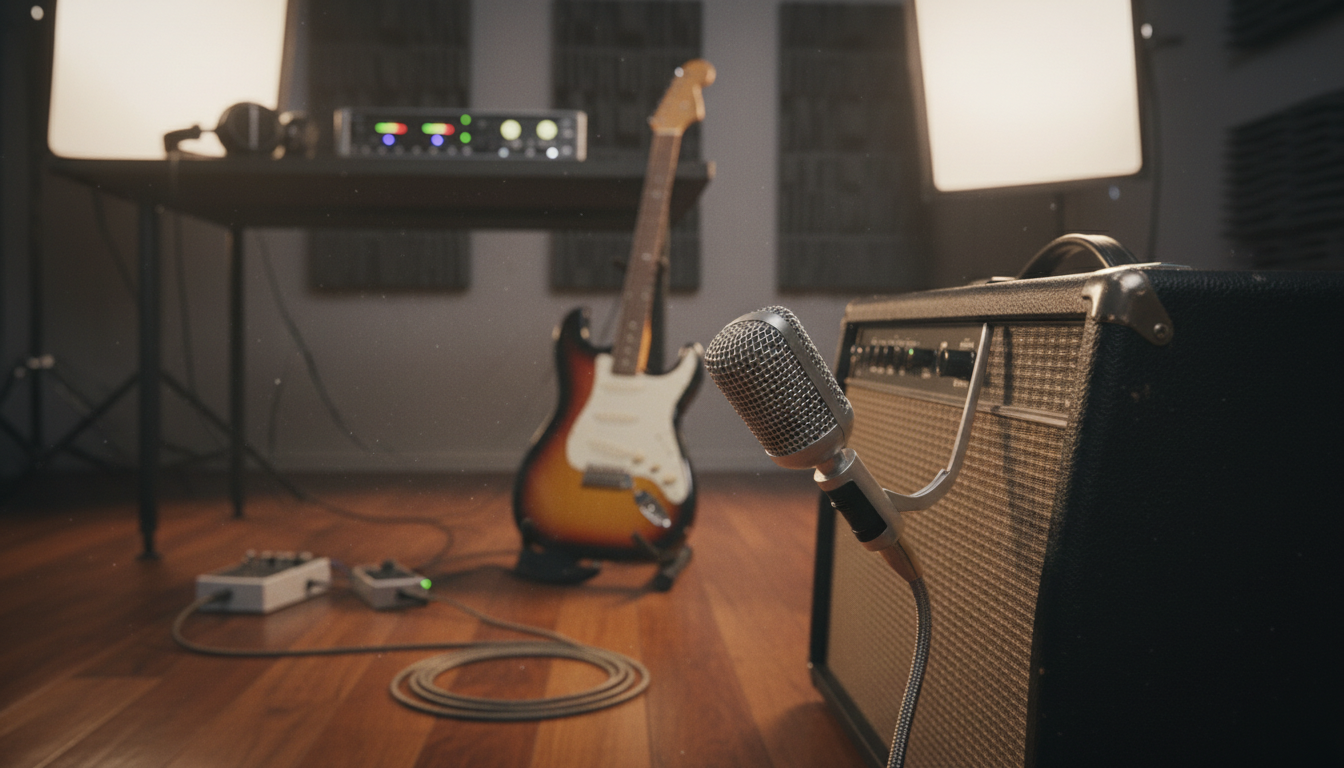
The Shure SM57 is a legendary microphone in recording history. It captures a tight, punchy sound, perfect for mic techniques for guitar recordings. Pointing it directly at the speaker gives a focused tone that stands out in a mix.
To get the best sound, place the mic about one inch from the grille cloth. This close placement keeps the low-end strong and the midrange clear. Many engineers start with this setup for every session.
Positioning the Mic Off-Axis for Smoother Highs
A direct signal can sometimes sound harsh or “fizzy” in the highs. If your guitar tone is too sharp, try angling the mic slightly off-center. This simple trick is a great guitar amp mic placement in logic pro tip.
- Angle the mic at a 45-degree tilt toward the edge of the dust cap.
- Listen for a reduction in sharp, piercing treble frequencies.
- Maintain a consistent distance to avoid unwanted phase shifts.
Finding the Sweet Spot on the Speaker Cone
The “sweet spot” is where the frequency balance sounds natural. Moving the mic just a bit can change your recording’s character. Use the table below to see how different positions affect your sound:
| Position | Tone Characteristic | Best Use Case |
|---|---|---|
| Center of Dust Cap | Bright and Aggressive | Heavy Rock or Metal |
| Edge of Dust Cap | Balanced and Punchy | General Purpose |
| Outer Speaker Edge | Dark and Warm | Clean or Jazz Tones |
Try these mic techniques for guitar recordings to find your unique sound. Always rely on your ears when adjusting the mic. Small changes can make a big difference in your mix.
Condenser Microphone Applications for Added Detail
Expanding your sonic palette often means moving beyond standard dynamic mics. Condensers offer a crisp, high-frequency response that highlights your performance’s nuance. Mastering mic techniques for guitar recordings lets you capture the air and space for a professional sound.
Capturing Room Ambience with Large Diaphragm Condensers
Large diaphragm condensers are great for catching the natural reflections of your recording space. Place a condenser a few feet back from the cabinet to add depth and dimension. Remember to turn on the 48V phantom power on your interface, but connect your cables first to protect your gear.
Positioning these microphones needs careful attention to your room’s acoustics. If your space sounds boxy, try placing the mic closer to the amp or use acoustic treatment. This ensures the room ambience enhances the guitar tone, not muddies it.
Balancing Condenser and Dynamic Mics
The best sound comes from blending a dynamic mic with a condenser. Use the dynamic mic for the tight, focused coreof the speaker cone. The condenser adds the necessary high-end sparkle. This mix is key for professional engineers seeking a balanced sound.
When mixing these signals, start with the dynamic mic levels. Slowly add the condenser track until you hear the detail without losing focus. Always check for phase alignment to avoid frequency cancellation.
Ribbon Microphone Techniques for Warmth
Ribbon microphones offer a silky response that pairs well with high-gain guitar amps. They add a professional, smooth character to your recordings. This is hard to get with other equipment.
The Benefits of Ribbon Mics for High-Gain Amps
High-gain amps can sound harsh and fizzy. Ribbon microphones soften these harsh sounds. They give a warm and musical tone that fits well in a mix.
They have a figure-eight polar pattern. This captures natural space, adding depth to your recordings. It makes the guitar sound more alive and less clinical.
Safety Precautions When Using Ribbon Microphones
Ribbon microphones are extremely delicate. You must handle them carefully to avoid damage. The thin aluminum ribbon inside can break easily.
Never apply phantom power to a ribbon mic unless it’s safe. Phantom power can damage the ribbon. This can be expensive to fix.
Always store your ribbon mics upright in their cases. This prevents the ribbon from sagging. Simple care keeps your gear working well for years.
| Microphone Type | Best Use Case | Sonic Character | Durability |
|---|---|---|---|
| Dynamic | High-gain amps | Punchy and direct | High |
| Condenser | Room ambience | Detailed and bright | Medium |
| Ribbon | Smoothing harshness | Warm and vintage | Low |
Advanced Multi-Mic Techniques
Recording a guitar cabinet with multiple microphones opens up new sounds. But, it also brings technical challenges. You need to manage how these sound waves mix in the digital space. Learning these logic pro recording techniques is key to getting a professional guitar tone.
Phase Alignment Explained
Phase alignment is about the timing of sound waves from different microphones. Sound travels at a set speed, so microphones closer to the speaker get the sound sooner. This can cause phase cancellation, where some frequencies are lost.
When phase issues happen, your guitar tracks might sound thin or lack low-end. To avoid this, consider these factors:
- Distance consistency: Keep your microphones at similar distances for a natural sound.
- Waveform inspection: Check if the waveforms of your tracks align closely.
- The “Comb Filter” effect: Misaligned signals can make your sound metallic and hollow, hard to fix with EQ.
Using Logic Pro to Correct Phase Issues
Logic Pro has tools to fix timing issues after recording. You don’t need perfect mic placement. Digital correction can save a great performance. These logic pro recording techniques help you refine your sound.
Here’s how to align your tracks:
- Zoom in: Use Command + Right Arrow to zoom into the start of your guitar transients.
- Sample-accurate editing: Adjust your audio regions by tiny amounts until the waveforms align.
- Use the Phase Invert button: Clicking the “Phase Invert” button can fix cancellation issues instantly.
- Check for mono compatibility: Sum your tracks to mono to keep the tone strong and focused.
By aligning your microphones, you keep your guitar tracks full and rich. This detail makes your recordings stand out. Consistent phase management is key to a powerful, modern guitar sound.
Setting Up Your Logic Pro Session
A great recording starts with a solid foundation in your digital audio workstation. By following a structured logic pro amp recording guide, you ensure that every technical detail is handled before the creative process begins. Proper preparation prevents frustration and allows you to focus entirely on your performance.

Configuring Input Channels and Gain Staging
Start by creating a new audio track and selecting the correct input that corresponds to your microphone. You must ensure that your interface gain is set high enough to capture a strong signal but low enough to avoid digital clipping. Proper gain staging is the secret to achieving a professional signal-to-noise ratio.
Check your meters in the software to confirm that your peaks stay comfortably within the yellow range. Avoid hitting the red zone, as this causes unwanted distortion that cannot be fixed later. Taking these steps creates a clean, high-quality signal path for your guitar tracks.
Monitoring Latency-Free in Logic Pro
When you are ready to play, you might notice a slight delay between your performance and the sound in your headphones. This is known as latency, and it can be very distracting during a session. To fix this, you should enable Low Latency Mode within your project settings.
Adjusting your buffer size is another effective way to optimize your logic pro guitar recording setup. Lowering the buffer size to 64 or 128 samples will significantly reduce the delay, making your playing feel immediate and responsive. Consistent monitoring is essential for maintaining your timing and feel while tracking.
Processing Your Guitar Tracks in Logic Pro
You’ve got the perfect take, but now it’s time to fine-tune your sound with Logic Pro. Even the best mic placement needs a bit of tweaking to fit well in a crowded mix. Mastering these logic pro recording techniques will turn raw audio into a professional, radio-ready track.
Using Channel EQ to Carve Out Space
The Channel EQ is your top tool for cleaning up a guitar track. Start by applying a high-pass filter to remove unwanted low-end rumble. This simple step makes your mix clearer.
Then, use a narrow bell curve to find harsh or boxy resonances. Once you find them, gently cut those frequencies to smooth out the tone. Precision is key when making space for other instruments.
Applying Compression for Consistent Performance
Electric guitars often have wide dynamic ranges that can get lost in a busy mix. Compression helps level out the peaks, keeping your performance consistent. Using logic pro recording techniques like side-chaining or parallel compression adds punch without losing the natural feel of the amp.
“Compression is the glue that holds a mix together, turning individual tracks into a cohesive musical statement.”
Start with a moderate ratio, like 4:1, and adjust your threshold until you see a few decibels of gain reduction. Listen closely to how the compressor affects the sustain of your notes. You want the guitar to feel solid and present without sounding squashed or lifeless.
Adding Reverb and Delay for Depth
Dry guitar tracks can feel too clinical or “in your face.” Adding subtle amounts of reverb or delay creates a sense of space and dimension. Logic Pro offers high-quality plugins to achieve this professional depth.
- Plate Reverb: Great for adding a classic, smooth tail to lead guitar lines.
- Tape Delay: Perfect for creating rhythmic interest and warmth.
- Room Reverb: Ideal for placing the guitar in a realistic, physical space.
Remember, less is often more when applying these effects. By balancing your wet and dry signals, you can enhance your recording’s character while keeping the original tone intact. These final touches are key to mastering your logic pro recording techniques and achieving a polished sound.
Common Mistakes to Avoid When Miking Amps
Even experienced studio engineers can make mistakes when setting up microphones for guitar cabinets. Finding the best mic placement for guitar amp setups takes practice and attention to detail. Knowing these common traps helps keep your recordings clear and punchy.
Preventing Comb Filtering
Comb filtering happens when two microphones pick up the same sound at slightly different times. This causes destructive interference, making the sound hollow, thin, or metallic. To avoid this, always check the phase relationship between your microphones.
When using multiple mics, make sure they’re the same distance from the speaker cone. Small adjustments can greatly affect how frequencies interact. If the sound loses its body when both mics are on, one is likely out of phase.
Avoiding Proximity Effect Overload
The proximity effect boosts low frequencies when a microphone is close to the sound source. While it adds warmth, it can make the sound muddy and boomy if not managed. Finding the best mic placement for guitar amp means balancing this bass boost against a tight, defined sound.
“The secret to a great guitar track is not just the gear you use, but the discipline you maintain while positioning your microphones to capture the true character of the amplifier.”
If your recording sounds too dark or undefined, try moving the microphone back by an inch or two. You can also use a high-pass filter in your software to remove unwanted low-end rumble. It’s always better to keep your signal clean at the source than to try to fix it with heavy EQ later.
| Common Mistake | Resulting Sound | Quick Fix |
|---|---|---|
| Phase Mismatch | Hollow/Thin | Align mic distances |
| Excessive Proximity | Muddy/Boomy | Increase mic distance |
| Off-Axis Extremes | Dull/Dark | Adjust angle slightly |
Troubleshooting Your Recording Signal Chain
Even the best recording sessions can hit a snag when technical gremlins appear in your signal chain. While you focus on your guitar amp miking tips, it is easy to overlook the hidden technical issues that might compromise your audio quality. Learning to resolve these problems quickly ensures that your creative flow remains uninterrupted.
Identifying Ground Loops and Hum
A persistent low-frequency hum is often the result of a ground loop. This happens when multiple pieces of gear are connected to different power outlets, creating a voltage potential difference. You can usually identify this by touching your guitar strings; if the hum stops, the issue is likely related to your grounding.
To eliminate this noise, try plugging your amplifier and your audio interface into the same power strip. Using a DI box with a ground lift switch is another effective way to break the loop. These simple adjustments are essential guitar amp miking tips that keep your signal path clean and professional.
Fixing Clipping Issues in the Digital Domain
Digital clipping occurs when your input signal exceeds the maximum level your interface can handle. This creates harsh, unpleasant distortion that ruins an excellent performance. Always check your gain staging at the interface level before you start recording.
If you notice the meters in Logic Pro turning red, lower the gain on your preamp immediately. Aim for a healthy peak level around -6dB to -10dB to provide enough headroom for your plugins. Following these guitar amp miking tips will help you maintain a pristine signal that sounds great in any mix.
Conclusion
Getting the perfect guitar tone is all about mixing skill and creativity. Every time you record, you get a chance to tweak your setup. You can see how different mics sound with your amp.
Logic Pro is a great tool for shaping your sound after you’ve recorded. You can adjust levels, fix phase issues, and add professional effects to your tracks.
Good recordings come from listening closely to what you’re recording. Pay attention to how your Shure SM57 or ribbon mics sound. Even small changes can make a big difference in the mix.
Be patient as you try out these techniques in your studio. With practice, these steps will become second nature. Your hard work will pay off with clear, powerful guitar tracks.
Share your work with other musicians to get new ideas. Keep exploring new sounds for your next project. Your audio production journey starts with every recording you make.
FAQ
What is the first step in a professional logic pro guitar recording setup?
First, make sure your signal chain is clean. Connect your amp to a top-notch audio interface like a Focusrite Scarlettor Universal Audio Apollo. Then, create a new audio track in Logic Pro. It’s key to keep your input signal at -12dB to -6dB to have room for mixing.
How to mic a guitar amp for recording in logic pro to get a classic, punchy sound?
For that classic sound, the Shure SM57 is the go-to. Place the mic about an inch from the grill cloth. Aim it at where the dust cap meets the speaker cone for a mix of brightness and warmth.
What is the best mic placement for guitar amp speakers if the tone is too bright?
For a less bright sound, try off-axis positioning. Angle the mic at 45 degrees instead of straight on. This technique softens harsh highs, making the tone smoother.
Why is phase alignment important when using multi-mic techniques for guitar recordings?
Using two mics, like a Sennheiser e906 close-up and a AKG C414 back, can cause phase cancellation. This makes the sound thin. Use Sample Delay in Logic Pro or zoom in to align tracks for a fuller sound.
How can I capture more “air” and depth in my guitar amp mic placement in logic pro?
For depth, use a large-diaphragm condenser microphone like a Neumann U87 far from the amp. This captures room ambience. Mixing this with your close-mic signal in Logic Pro adds space that software can’t match.
Are there specific ribbon mic guitar amp miking tips I should follow?
A: Ribbon microphones, like the Royer R-121, add warmth. But they’re fragile. Always turn off phantom power (48V) before plugging them in to avoid damage. This is crucial for safe logic pro recording techniques.
How to mic a guitar amp for recording in logic pro (best placement guide) for high-gain metal tones?
For metal tones, clarity is key. Use a dynamic microphone and place it near the outer edge of the speaker. This reduces harsh highs and boosts the low-mid for heavy sounds.
How do I fix a muddy sound caused by the proximity effect?
The proximity effect boosts bass when mics are too close. If your recordings sound boomy, move the mic back. Use Logic Pro’s Channel EQ to apply a high-pass filter at 80Hz to clear up the low-end.
How do I handle ground loops or hum during the recording process?
A 60-cycle hum means you have a ground loop. Use a DI box with a ground lift switch or plug your amp and interface into the same power conditioner. Fixing these issues early is key to mastering how to mic a guitar amp for recording in logic pro.