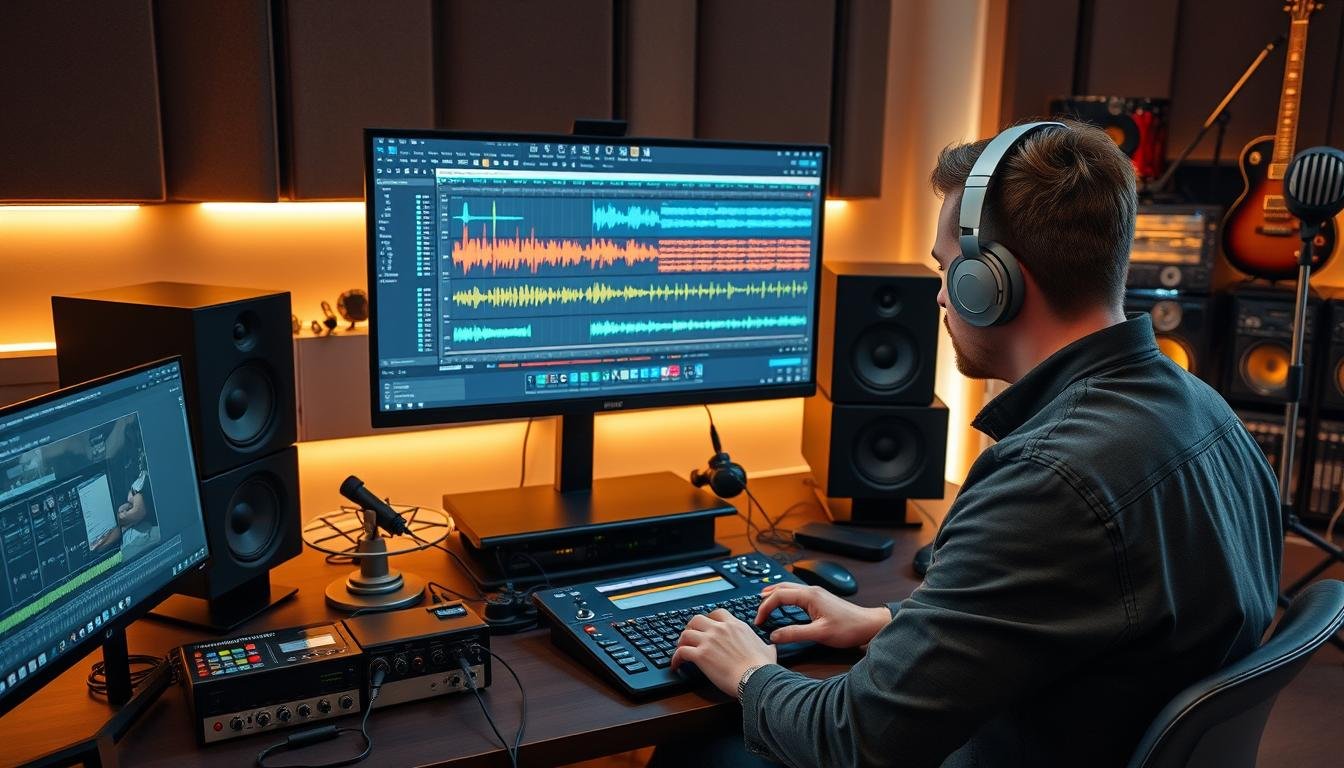

Ever dreamed of recording your riffs just as you hear them? Learning music production for guitarists: how to record songs in logic pro (beginner guide) lets you control your creative journey. You can now make professional-sounding music from your bedroom, without spending a lot on studio time.
Mastering these tools lets you play with tones and arrangements freely. You’ll see that knowing the music production basics opens up endless possibilities for your music.

This guide is your starting point to becoming a complete musician. By the end, you’ll be confident to turn your ideas into polished, ready-for-radio songs.
Key Takeaways
- Gain total creative control over your compositions from start to finish.
- Learn the essential workflow of a professional digital audio workstation.
- Eliminate the stress and cost of booking external studio sessions.
- Develop the technical skills needed to capture high-quality guitar tones.
- Transform your bedroom into a functional space for creative expression.
Essential Gear for Your Home Studio Setup
To make high-quality guitar tracks, you need a solid home recording setup. It’s important to have the right gear before diving into a logic pro tutorial. Quality equipment ensures your sound stays clean from start to finish.
Choosing the Right Audio Interface
The audio interface connects your guitar to your computer. It should offer clear sound without adding noise. The Focusrite Scarlett 2i2 is a top choice for its quality preamps and ease of use.
This interface is great for beginners. It’s durable and works well with most software. Make sure it supports high-impedance inputs to keep your tone pure. A good interface is key to a great home recording setup.
Selecting Studio Monitors and Headphones
After recording, you need to hear your tracks accurately. Studio monitors like the KRK Rokit 5 or the Yamaha HS5provide a flat sound. This helps you make better mixing choices.
If your room isn’t treated, use high-quality headphones. They let you monitor closely without room reflections. Using both monitors and headphones is best for logic pro tutorial practice.
Microphone Options for Acoustic Recording
For acoustic recording, you’ll need a microphone. Dynamic microphones are good for loud guitar cabinets. Condenser microphones capture the details of an acoustic guitar.
The right microphone depends on your recording setup and desired sound. Here’s a quick guide to compare essential gear for your studio:
| Gear Category | Recommended Choice | Primary Benefit |
|---|---|---|
| Audio Interface | Focusrite Scarlett 2i2 | Low noise and reliability |
| Studio Monitors | Yamaha HS5 | Accurate, flat response |
| Dynamic Mic | Shure SM57 | Great for loud cabinets |
| Condenser Mic | Audio-Technica AT2020 | Detailed acoustic capture |
Configuring Logic Pro for Optimal Performance
A well-configured system is key for a successful home recording setup. When you first open your software, adjust the technical settings. This ensures your computer works well with your hardware. This logic pro tutorial will show you how to set up for a smooth and creative environment.
Setting Up Your Audio Preferences
Start by going to the Logic Pro menu and choose “Settings,” then “Audio.” In the “Devices” tab, pick your audio interface as both input and output. If it’s not there, check your drivers and make sure the device is on.
Picking the right device is key for good signal quality. Once your interface is set, your guitar signal will go through the system right. This step avoids common problems like silent tracks or audio dropouts.
Optimizing Buffer Size for Low Latency
The buffer size setting is a technical balance that affects your recording. A lower buffer size means your guitar signal gets to your ears faster, reducing latency. For most recording, a buffer size of 64 samples per second is great for a tight feel.
But, lower settings use more of your computer’s power. If you hear audio pops or clicks, you might need to up the buffer size a bit. When mixing, you can raise it to 512 or 1024 samples. This gives your CPU more power for complex plugins and effects.
Understanding Signal Flow and Input Settings
Starting your journey to great guitar tones means having a clean signal path. Mastering signal flow is key for any guitarist setting up a home recording setup. Knowing how your audio travels lets you control the quality of your tracks.

Connecting Your Guitar to the Interface
First, plug your guitar cable into the Instrument or Hi-Z input on your audio interface. Most interfaces have a button or switch for this input mode. Make sure this is turned on, as it’s right for passive guitar pickups.
Without this setting, your guitar sound will be thin and dull. Your interface connects your analog instrument to the digital world of your software.
Setting Proper Gain Levels to Avoid Clipping
Getting your gain levels right is key for professional recordings. Aim for input gain levels between -18 dB and -12 dBon your interface meters. This keeps your signal clean and prevents digital distortion, or clipping.
If your signal goes into the red zone, it will sound harsh. It’s better to record at a lower, cleaner level than to fix a distorted signal later in your logic pro tutorial workflow.
| Signal Status | Gain Level (dB) | Audio Quality |
|---|---|---|
| Too Low | Below -24 dB | High noise floor |
| Optimal | -18 to -12 dB | Clean and clear |
| Too High | Above 0 dB | Digital clipping |
Monitoring Your Signal Through Logic Pro
After setting your levels, you need to hear your performance in real-time. Enable software monitoring in the app to hear your guitar with plugins. This lets you try out virtual amps and effects as you play.
Remember, monitoring through software can introduce a slight delay, or latency. If you notice a lag, adjust your buffer size settings for a smooth playing experience.
Music Production for Guitarists: How to Record Songs in Logic Pro (Beginner Guide)
Getting good at digital music making is key for guitarists. It starts with setting up your workspace right. This way, you avoid tech issues that can stop your creative flow.
Creating Your First Project Template
A custom template is a game-changer for your home studio. It saves you from setting up tracks every time. You can keep your favorite amp settings and track layouts ready to go.
To make one, just set up your project how you like it. Then, choose “Save as Template” from the File menu. This way, your go-to guitar tones are always ready when you need them.
Understanding the Logic Pro Interface Layout
The main window has several key areas to keep your session tidy. The Control Bar at the top has project controls like play, stop, and record.
Below that, the Tracks Area is where you arrange and edit audio. The Inspector on the left lets you adjust settings without cluttering your screen.
Setting the Tempo and Time Signature
Setting your project tempo and time signature before recording is crucial. You can adjust these in the LCD display in the Control Bar.
Locking these settings early helps your guitar tracks stay in sync. This makes editing, like using loops or adding drums, much simpler. Learning these basics is the first step in music production for guitarists.
Capturing the Perfect DI Guitar Signal
Recording a clean DI signal is key for professional guitar tracks. By using these guitar recording techniques, your performance stays clear and ready for later processing.

Why Direct Input Recording Matters
Direct Input (DI) recording captures your guitar’s raw sound before any amp or effects. This method keeps your instrument’s true character intact, without locking into a sound too soon.
Recording clean gives you the freedom to try different tones later. This flexibility is crucial in modern guitar recording techniques, letting you change your sound even after recording.
Managing Impedance with Hi-Z Inputs
Getting the best sound requires the right input settings on your audio interface. Most interfaces have a “Hi-Z” or “Instrument” input for passive guitar pickups.
Using a standard line-level input can make your sound dull and thin. Always use the Hi-Z mode on your interface to keep your guitar’s high-end sparkle and dynamic range.
Recording Clean Takes for Re-amping
Re-amping sends your DI track back through a physical amp or plugin suite. This method is great for fine-tuning your tone during mixing.
Keeping your initial recording clean avoids mistakes like distortion or unwanted noise. Here’s why pros prefer this method:
| Feature | DI Recording | Amped Recording |
|---|---|---|
| Tone Flexibility | High (Changeable) | Low (Fixed) |
| Editing Ease | Excellent | Difficult |
| Signal Quality | Pristine | Dependent on Room |
| Re-amping | Fully Supported | Not Possible |
Utilizing Amp Designer and Pedalboard Plugins
Mastering the digital signal chain is key for guitarists aiming for top-notch results. You don’t need a bunch of expensive amps to get great guitar sounds at home. Logic Pro offers a range of virtual tools that mimic famous hardware with amazing precision.
Exploring Built-in Guitar Amps
The Amp Designer plugin is at the core of your digital guitar setup. It lets you model your tone with a variety of classic and modern amp simulations. You can tweak cabinet settings, microphone placement, and EQ curves to nail the perfect sound for your track.
Experimenting with these settings helps you grasp how different parts affect your tone. Whether you’re after a crisp clean sound or a heavy distorted lead, the interface makes it easy to get there. These tools are crucial for anyone looking to improve their music production workflow.
Customizing Your Tone with Virtual Pedals
After picking your amp, the Pedalboard plugin adds depth and texture to your sound. It lets you chain various virtual stompboxes, like overdrives, delays, and modulation effects, in any order. This way, you can create unique soundscapes that reflect your musical style.
The table below shows common amp categories in the software to help you pick the right one for your recordings:
| Amp Category | Best For | Sonic Characteristic |
|---|---|---|
| British Stack | Rock and Hard Rock | Aggressive, mid-range focus |
| American Combo | Blues and Country | Bright, clean, and punchy |
| Modern High-Gain | Metal and Modern Pop | Tight, compressed, and sustain-heavy |
Saving and Recalling Your Custom Presets
Consistency is crucial when working on a multi-track project. After perfecting your tone, save your settings as a user preset. This way, you can quickly recall your favorite signal chains for future sessions.
Organizing your presets saves time and keeps your sound consistent across your production. Using these features is a reliable way to ensure your guitar tracks always sound polished and professional.
Recording Acoustic Guitars with Microphones
Recording an acoustic guitar is different from electric ones. It focuses on the natural sound of wood and strings. Learning these guitar recording techniques can make your recordings sound like they were made in a studio.
Choosing Between Condenser and Dynamic Mics
Choosing the right microphone is key. Condenser microphones are best for acoustic guitars. They capture the fine details of the instrument, giving it a clear, bright sound.
Dynamic microphones are good for loud places or a vintage sound. But for acoustic work, condensers are better. The right microphone is the first step in improving your guitar recording techniques.
| Microphone Type | Best For | Frequency Response | Sensitivity |
|---|---|---|---|
| Large Diaphragm Condenser | Full-bodied acoustic tone | Wide and detailed | High |
| Small Diaphragm Condenser | Bright, articulate picking | Very flat and fast | High |
| Dynamic Microphone | Live or loud environments | Mid-focused | Low |
Standard Microphone Placement Techniques
Getting the microphone placement right is crucial. Start by aiming it at the 12th fret, about six to eight inches away. This captures the best of the guitar’s sound.
If the sound is too thin, try angling the mic toward the sound hole. But be careful not to point it directly, as it can make the sound muddy. Experimenting with these guitar recording techniques will help you find the perfect spot for your guitar.
Managing Room Acoustics for Better Recordings
Your recording space greatly affects the sound quality. Hard surfaces can make the guitar sound hollow. Use rugs and blankets to absorb sound.
Record in the room’s center to avoid unwanted echoes. By controlling your environment, you ensure a clean, professional sound. Paying attention to these details will make your recordings sound top-notch.
Editing and Comping Your Guitar Takes
Even top guitarists don’t always get it right the first time. Modern digital tools let you fine-tune your recordings until they’re flawless. By learning key guitar recording techniques, you can turn several imperfect takes into one perfect track.
Using the Take Folder Feature
Logic Pro makes managing your recordings easy with the Take Folder feature. It groups clips from multiple passes into one container. This keeps your workspace tidy and lets you try different ideas without losing them.
Switching between takes is simple, allowing you to compare different performances. This non-destructive approach keeps every take available for review. It’s a great way to stay creative during long recording sessions.
Quick Swipe Comping for Flawless Performances
The Quick Swipe Comping tool is a game-changer once you have several takes. Just drag your cursor over the parts you like best. Logic Pro will create a “comp” track that combines these segments into a single, flawless performance.
This method is easy to use and lets you make precise changes. If a note doesn’t sound right, you can swap it with a better version from another take. This ensures your final track sounds polished and professional.
Fixing Timing Issues with Flex Time
Flex Time is perfect for fixing timing issues in your recordings. It lets you adjust audio to match the project grid without changing the pitch. This is great for aligning rhythm parts or complex riffs.
With Flex Time, you can place markers on specific parts to fine-tune them. This ensures your track is in sync with the drums and bass. Below is a summary of how these editing tools improve your workflow.
| Editing Tool | Primary Function | Best Use Case |
|---|---|---|
| Take Folders | Organizing multiple passes | Managing long recording sessions |
| Quick Swipe Comping | Selecting the best segments | Building a perfect master take |
| Flex Time | Adjusting audio timing | Fixing rhythmic inconsistencies |
Basic Mixing Techniques for Guitar Tracks
Mixing turns individual recordings into a polished song. By using music production basics, your guitar tracks will fit perfectly. This is where your vision comes to life.
Using EQ to Carve Out Space in the Mix
The Channel EQ is key for a clear mix. Start with a high-pass filter to remove low-end frequencies. This lets the guitar stand out.
Try cutting around 400Hz to remove boxiness. Boost the high-mids for clarity. These tweaks are crucial for music production basics and define your instrument’s sound.
Applying Compression for Consistent Dynamics
Even great performances can have volume issues. Compression fixes this, making every note clear and consistent. A 4:1 ratio is good for a natural sound.
Managing dynamics adds a professional polish. It makes the track sound stable. Consistent volume is key for a balanced mix.
Panning Guitars for a Wider Stereo Image
Panning creates a wide soundstage. Move guitar tracks off-center to make room for vocals and drums. This is a basic technique that adds depth.
Here’s a frequency guide for organizing your guitar tracks:
| Frequency Range | Effect on Tone | Mixing Action |
|---|---|---|
| 80Hz – 150Hz | Low-end mud | Cut to clear space |
| 300Hz – 500Hz | Boxy/Hollow | Reduce for clarity |
| 2kHz – 4kHz | Presence/Bite | Boost for definition |
| 6kHz+ | Air/Sparkle | Gentle shelf boost |
Adding Professional Polish with Effects and Automation
To make your guitar recordings sound great, you need more than a good performance. You need to use effects and automation creatively. These steps turn raw tracks into a polished mix. Follow these beginner music production tipsto improve your home studio recordings.
Creating Depth with Reverb and Delay
To avoid guitars sounding isolated, add spatial effects. Logic Pro’s Space Designer is a powerful tool for this. It simulates real spaces, making your guitar sound like it’s in a room.
Delay adds width and interest to your sound. A small slap-back delay can thicken your sound without overwhelming the mix. Remember, less is often more when using these effects.
“The secret to a great mix is not just what you add, but how you balance the space around every instrument to let the music breathe.”
Using Automation to Add Dynamic Interest
Automation makes your tracks feel alive. It can boost volume in choruses or fade out smoothly. This technique guides the listener through your song.
Begin by automating the volume to highlight certain guitar parts. You can also adjust plugin settings, like reverb mix levels, for dramatic changes. Mastering these techniques is key to music production for guitarists: how to record songs in logic pro (beginner guide).
Finalizing Your Guitar Tone in the Context of a Song
Listen to your guitar tracks with the rest of your project. Make sure your tone works well with drums, bass, and vocals. If it’s too harsh, try a subtle high-cut filter.
Always check your levels to ensure the guitar is balanced in the mix. By adjusting volume and spatial effects, you achieve a polished sound. Taking the time to refine these details will make your hard work stand out in the final mix.
Conclusion
You’ve made it from setting up your home studio to mastering your final guitar tracks in Apple Logic Pro. This journey needs patience and a desire to learn digital recording’s details.
Learning music production basics is key to a solid foundation for every project. These skills help you focus on creating music, not fixing problems. This way, you can make music that truly connects with your audience.
Using these beginner tips will make your creative process smoother. Keep practicing and trying new things to find your unique sound and style.
You’re now ready to make professional-quality music from home. Keep exploring Logic Pro’s features and improving your skills as a guitarist and producer.
Share your progress with other musicians for fresh insights. Your music deserves to be heard, and your home studio is the ideal place to share your vision.
FAQ
What is the best audio interface for a beginner guitarist using Logic Pro?
The Focusrite Scarlett 2i2 is a top choice for beginners. It’s known for its quality preamps and ease of use with Logic Pro.
How do I fix the delay I hear when recording my guitar?
This is known as latency. To fix it, go to Logic Pro > Settings > Audio and lower the I/O Buffer Size to 128 or 64 samples.
Do I need an expensive amplifier to get a good recording tone?
Not necessarily. Logic Pro includes Amp Designer and Pedalboard plugins. These provide professional-quality emulations of classic gear like Mesa Boogie and Orange amps.
What is a DI signal, and why should I record it?
A DI (Direct Input) signal is the raw sound of your guitar. Recording it lets you change your tone later without re-recording your playing.
How can I make my acoustic guitar recordings sound clearer?
Use a condenser microphone like the AKG P120. Experiment with microphone placement, aiming at the 12th fret to avoid muddiness.
Can Logic Pro help me fix a guitar part that is slightly out of time?
Yes, Flex Time in Logic Pro lets you adjust specific notes or chords to align perfectly with the project tempo.
What is the purpose of gain staging in music production basics?
Gain staging ensures your signal is loud enough to be clear but quiet enough to avoid clipping. It provides enough room for mixing.
How do I create a wide “stereo” guitar sound in my mix?
Double-track your guitar (record the same part twice) and use panning. Send one track to the far left and the other to the far right for a wide sound.